Your client just opened the pull request. And instead of a review, they sent a screenshot.
A wall of inconsistently named controllers. Raw DB queries where Eloquent belongs. No type hints. No policies. No Pest tests. Just PHP soup generated, in five minutes, by an AI tool your dev swore was “amazing.”
This is the clean laravel code ai problem nobody talks about. Speed gets all the headlines. Code quality pays the bills.
For agencies, bad AI output is not just a cleanup chore. It is a liability that crawls into maintenance contracts, burns review cycles, and eventually ends client relationships. You need an AI that does not just write code fast, it writes code your team does not have to apologize for.
We put the top tools through the same benchmark. Same project. Same features. Same evaluation criteria. Here is what we found.
Why Code Quality Is the Real Metric Agencies Should Track
Speed is easy to measure. “We shipped in three days instead of ten” is a number anyone can present in a meeting.
Code quality is harder but it is where the real agency margin lives.
Think about what happens after the handoff. A client brings your Laravel app in-house. Their dev team opens the codebase. If they find inconsistent naming, missing validation logic, N+1 queries baked into every controller, and zero tests, your agency’s reputation follows that code forever.
The PHP community solved this problem with a set of standards. PSR-12 defines how clean PHP code looks. Laravel Pint enforces those rules automatically. Eloquent patterns, resource classes, form requests, authorization policies — these exist precisely so that any developer can pick up any Laravel project and understand it within minutes.
The question is: does your AI tool know any of this?
Most do not. Not really.
A general-purpose AI that “supports Laravel” has been trained on millions of lines of PHP — good PHP, bad PHP, five-year-old PHP, and StackOverflow PHP from 2017. When it generates code, it averages across all of it. The result looks like PHP. It even runs. But it is not how a senior Laravel developer would write it.
This distinction matters enormously at scale. Agencies that ship clean code attract better clients, retain them longer, and charge more for it. Agencies that ship AI soup spend their margins on cleanup.
Benchmark: What We Tested and Why
We ran four tools GitHub Copilot, Cursor, Claude Code, and LaraCopilot through the same real-world task: build an authenticated SaaS starter with user management, roles, an admin dashboard, a RESTful API, and Pest feature tests. No scaffolding pre-loaded. No hand-holding. Same prompt, same evaluation. (If you want a broader overview before diving into code quality specifically, our guide to the best AI coding tools for Laravel in 2026 covers the full landscape.)
We scored each tool across five criteria that actually matter for agency work:
1. PSR-12 and Pint Compliance — Did the output pass Laravel Pint without manual fixes?
2. Eloquent Correctness — Did it use scopes, relationships, and proper Eloquent patterns, or fall back to raw queries?
3. Structural Integrity — Controllers, form requests, resources, policies — were they all generated and connected correctly?
4. Test Coverage — Did the tool write Pest feature tests alongside the features, or skip them entirely?
5. Rework Required — How much did a senior developer need to clean up before the code was client-ready?
The results were not subtle.
How Each Tool Performed on Clean Laravel Code AI Output
GitHub Copilot: Fast Suggestions, Generic Output
Copilot’s inline autocomplete is genuinely excellent. It finishes what you start and understands PHP idioms well. For a developer who already knows Laravel deeply, it accelerates the part of the job that is “typing.”
But generation quality for Laravel-specific work is inconsistent. Copilot regularly produced raw DB::table() queries where Eloquent belongs. Its controllers often skipped form requests entirely, putting validation logic inline. Authorization was missing from most generated methods not wrong, just absent.
The PSR compliance was passable but not automatic. Pint flagged a meaningful number of style issues on every generated file. For an agency shipping to client repositories, this adds friction to every PR review.
Copilot is not bad. It is just not Laravel-aware. It helps you code faster in PHP. That is a different thing. If you want a direct head-to-head, we have a full breakdown of LaraCopilot vs GitHub Copilot for Laravel with specific output comparisons.
Cursor: Context-Smart, Architecturally Shallow
Cursor’s strength is understanding your existing codebase. It reads open files, respects your current structure, and makes suggestions that fit what you are already building. For refactoring legacy projects or adding features to an established Laravel app, it is genuinely impressive.
The gap shows on greenfield generation. When asked to scaffold a full feature from scratch, Cursor produced connected code but it connected things in ways a Laravel developer would not choose. Policies existed but were not registered. API resources were generated without collections. Tests were generated for about half the routes, with the other half silently skipped.
The output passed Pint with fewer changes than Copilot. But the architectural gaps missing pieces that look fine until a client’s team finds them six months later required senior developer review before any of it went to staging.
Claude Code: Excellent Reasoning, Missing Laravel Context
Claude Code is the smartest tool on this list in the conversational sense. Ask it to explain a design decision, debug complex logic, or reason through an architecture choice, and it delivers answers that feel authoritative and accurate.
For clean Laravel code ai tasks, the challenge is not intelligence. It is context. Claude Code knows PHP deeply. It knows Laravel the way a very well-read developer who has not worked in a production Laravel codebase for six months knows it. Solid on fundamentals. Occasionally off on conventions.
Generated controllers were clean and readable. Eloquent usage was mostly correct. But Filament v3 resources were generated in outdated syntax. Pest tests used patterns that worked but were not idiomatic. And critically, the output required a round of “Laravel-specific corrections” that a less experienced team member might not even notice were necessary.
Claude Code is exceptional for what it was built for. Laravel-native generation is not that thing.
LaraCopilot: Built Exclusively for This
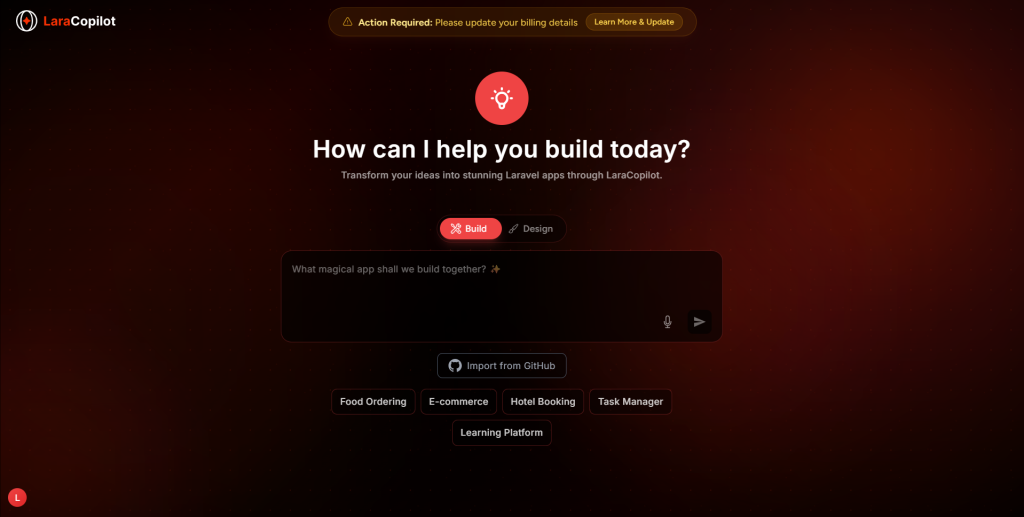
LaraCopilot is the only tool in this benchmark that was built specifically and exclusively for Laravel. That single design decision changes the output in measurable ways.
Every generated file followed PSR-12 automatically. Pint ran clean on all output with zero manual corrections. Eloquent models included correct relationships, casts, fillable fields, and scopes from the first pass. Controllers used form requests for all validation. API resources and collections were generated together. Authorization policies were created and connected. Filament v3 admin resources appeared for every entity. Pest feature tests covered critical routes.
This is not a coincidence. LaraCopilot’s approach to code generation is trained exclusively on Laravel patterns. It has never needed to generalize across JavaScript, Python, or generic PHP. The model does not average across a thousand different codebases. It outputs what a senior Laravel developer would actually write. We have written a detailed technical breakdown of how LaraCopilot generates production-grade Laravel code if you want to understand the mechanics behind this.
Ready to Code Smarter with Laravel?
Meet LaraCopilot — your AI full-stack assistant built for Laravel developers.
Skip the boilerplate, build faster, and focus on what matters: problem solving.
Try LaraCopilot Now
The rework metric told the clearest story. Senior review time before the code was client-ready: approximately 20 minutes for LaraCopilot. Between 90 minutes and three hours for the other tools. For an agency billing at $120/hour, that delta is not a quality preference. It is a margin decision.
Three Code Quality Signals Most Teams Miss
Beyond the benchmark, there are three specific patterns that separate genuinely clean Laravel output from code that looks clean until someone edits it.
First: connected generation. Clean code is not just well-formatted, it is architecturally connected. Policies should be registered. Resources should map to collections. Tests should reference real route names. Most AI tools generate pieces. Only a Laravel-native tool generates systems.
Second: convention-aware naming. Laravel conventions are opinionated by design. UpdateUserRequest, not UserUpdateRequest. UserResource, not UserResponse. UserPolicy, not UserPermission. These are not style preferences. They are how Laravel’s autoloading, implicit binding, and discovery features find your code. Wrong names mean manual registration. Manual registration means bugs.
Third: test generation as default behavior. Clean code that ships without tests is not clean — it is time-delayed technical debt. The agency quality bar should be: does the AI write Pest tests alongside every feature it scaffolds? If not, someone on your team is writing them manually, or nobody is.
LaraCopilot gets all three right by default. That is what “built for Laravel” actually means in practice.
For Laravel Agencies, This Is a Delivery Risk Decision
Here is where you actually stand.
You can use a general-purpose AI tool for Laravel work. Your developers will be faster than no AI. The code will run. Clients will not immediately notice the difference.
But three months after delivery, when a client’s internal developer opens the codebase to add a feature, they will either think “this was built well” or “who built this?” That moment determines whether you get the next contract.
Laravel agencies that have standardized on LaraCopilot report cutting client-facing delivery time by over 60% not because the code is faster to write, but because it requires almost no rework. You do not fix what was never broken.
LaraCopilot’s Agency plan gives your whole team access to Laravel-native generation that enforces PSR standards, applies Pint automatically, and ships code that passes senior review the first time. For a team that ships five to ten Laravel projects a year, the math on rework time versus subscription cost is not close.
Standard Your Agency Should Hold AI To
Code quality is not a nice-to-have anymore. It is a competitive differentiator.
Agencies that ship clean, maintainable, convention-correct Laravel code build reputations that attract better clients and justify premium rates. Agencies that ship AI-generated soup spend their margins cleaning it up.
The test is simple: run your AI’s output through Laravel Pint, open the generated controllers, and check whether a developer who joined your team tomorrow could understand and extend the code without a walkthrough. If the answer is no, the tool is costing you more than it saves.
LaraCopilot exists because Laravel developers deserve an AI that understands Laravel not one that knows PHP and hopes for the best. Try it on your next client project at laracopilot.com. Your next code review will tell you everything.
The AI that ships clean the first time is not a luxury. It is the only one worth paying for.