50 Validated SaaS Startup Ideas for 2026 You Can Build with LaraCopilot

A research-backed shortlist for founders and developers using LaraCopilot (the AI Laravel app builder) to ship production-ready SaaS in plain English auth, Eloquent ORM, APIs, queues, Blade dashboards, and admin panels included.

Every idea below was synthesized from the most consistently surfaced signals across FindStartupIdeas, Ideabrowser, Reddit’s r/SaaS and r/indiehackers, IndieHackers.com, Product Hunt launch trends, and 2026 vertical-SaaS opportunity reports. Each one meets a 4-point filter we believe matters for a LaraCopilot user:

  1. Real pain point — multiple independent founders, threads, or G2/Reddit complaints confirm the problem.
  2. Recurring monetization in the $29–$299/mo sweet spot (a few outliers go to $499 for compliance-heavy verticals).
  3. Technically feasible as a Laravel full-stack app — primarily CRUD, auth, queues, third-party API integrations, Blade/Inertia dashboards, Stripe Cashier billing, file storage, scheduled jobs, and webhook handling. No GPU clusters or self-trained foundation models required.
  4. Buyer profile is reachable by a solo founder — agencies, freelancers, solo professionals, SMBs, developers, content creators, or niche operators.

The ideas are grouped into six verticals. For each, you’ll find: the niche, who pays and how much, why it’s validated (the demand signal), and the Laravel backend features LaraCopilot would generate so you can map the build to a one-paragraph prompt.

Why 2026 is Right Year for Laravel-Powered Vertical SaaS

Three structural shifts make this list more actionable than any list from 2023–2024:

  • Vertical SaaS is overtaking horizontal SaaS. Salesforce, HubSpot, and Notion own the generic categories. The growth is in industry-specific tools – “CRM for landscapers,” “billing for solo therapists,” “client portal for tax preparers.” The vertical SaaS market is projected to reach $720B by 2028, and 60% of small businesses now run daily operations on industry-specific platforms.
  • Micro-SaaS is a real career path. The micro-SaaS segment is growing ~30% YoY (≈$15.7B → $59.6B by 2030). Solo founders are routinely posting $5K–$50K MRR on Indie Hackers from products with one feature and a tight niche.
  • AI compresses build time, but distribution still wins. AI tooling has cut typical MVP build time from 12–16 weeks to 4–8. The advantage is no longer “can you build it” – it’s “can you find 20 buyers in a defined niche.” Every idea below is something where the niche is large enough ($10M+ TAM) but ignored by horizontal incumbents.

LaraCopilot’s promise is Laravel auth, Eloquent models, REST/JSON APIs, queued jobs, Blade admin panels generated from plain English happens to map almost 1:1 onto what these vertical SaaS products actually need on the backend. The list is built around that fit.

Vertical 1 — Agency & Freelancer Operations (10 Ideas)

Agencies and freelancers are the most reliable indie-SaaS buyers: they understand subscription software, they pay $50–$300/mo without flinching, and they aggregate. Land one agency owner and you often land their referral network.

1. Multi-Client Reporting & White-Label Dashboard

  • Niche: Marketing, SEO, PPC, and social-media agencies managing 10+ clients.
  • Who pays: Agency owners. $79–$199/mo (Pro/team plan), or $299 unlimited-clients tier. Industry research shows agencies spend 3–4 hours per client per report and 25%+ of billable hours on reporting.
  • Validated by: Constant complaints on r/agency and r/marketing about per-seat pricing on AgencyAnalytics, Whatagraph, and DashThis. Dataslayer’s 2026 report flags “100+ weekly logins” as the breaking point. Existing tools start at $600–$900/mo.
  • LaraCopilot generates: OAuth integrations (Google Ads/GA4/Meta/LinkedIn/TikTok APIs), scheduled jobs (queues) for nightly data pulls, multi-tenant workspaces, white-label subdomain/CSS, Blade-rendered PDF exports, client-share links, team RBAC, Stripe Cashier.

2. Automated Client Onboarding & Document Hub

  • Niche: Freelancers, consultants, marketing/design agencies.
  • Who pays: Solo consultants and small agency owners. $29–$79/mo per workspace.
  • Validated by: Content Snare passed seven figures by solving exactly this; Senja.io hit $1M ARR on the adjacent testimonial-collection wedge. Indie Hackers and Reddit threads repeatedly cite “chasing clients for documents” as a top-3 freelancer pain.
  • LaraCopilot generates: Branded client portals (per-tenant theming), Spatie Media Library file uploads, request-status tracker, automated reminder emails via queued jobs, e-signature integration (DocuSign/Boldsign API), Stripe billing.

3. AI-Powered Proposal & SOW Generator

  • Niche: Freelancers and boutique service agencies.
  • Who pays: Solo freelancers and 2–10-person agencies. $19–$49/mo.
  • Validated by: Reddit r/freelance, IndieHackers repeat complaints about “spending Friday writing proposals.” Existing tools (Bonsai, HelloBonsai, Better Proposals) prove the willingness to pay; the gap is an AI-first wizard with embedded payment.
  • LaraCopilot generates: Wizard form flow, OpenAI/Anthropic API integration (queued), Blade-PDF rendering with branded templates, Stripe Connect for embedded deposit collection, e-signature, proposal-status webhooks.

4. Agency Project Trust & Reporting Verification Portal

  • Niche: Performance-marketing and SEO agencies wanting to differentiate on ethics.
  • Who pays: Agency owners. $49–$149/mo.
  • Validated by: Greensighter’s 2026 list flags rising client distrust as a top theme; threads on r/agency about “fabricated dashboards” surface repeatedly. Direct read-only API access (vs. screenshots) is the unmet need.
  • LaraCopilot generates: Read-only OAuth pulls from ad platforms, immutable audit log, anomaly flags, signed shareable reports, multi-tenant.

5. Automated SOP & Knowledge-Base Builder for Agencies

  • Niche: Agencies with 5–25 employees.
  • Who pays: Agency owners/operations leads. $79–$199/mo.
  • Validated by: Greensighter and Superframeworks both surface this; agency-ops Twitter has a steady stream of “Notion SOPs are decaying” complaints. Trainual is at $250+/mo, leaving room below.
  • LaraCopilot generates: Hierarchical document CRUD, version history, role-based access, AI auto-suggest from chat-style intake (LLM API), Loom/video embed, search via Laravel Scout.

6. Freelancer Income & Tax Dashboard

  • Niche: Freelancers, consultants, gig workers.
  • Who pays: End users. $9–$19/mo.
  • Validated by: Constantly cited in r/freelance, r/personalfinance – generic apps (Mint replacement era) and Stripe Atlas-only tools don’t separate freelance income. NxCode and Lovable both flag this as underserved.
  • LaraCopilot generates: Plaid/Stripe/PayPal API ingestion (queued), categorization rules, tax-estimate engine, monthly Blade dashboards, CSV/PDF exports.

7. Vendor & Subscription Expense Auditor

  • Niche: Small businesses and 10–100-person agencies.
  • Who pays: Operations managers, agency owners. $29–$99/mo.
  • Validated by: Greensighter’s “Team-Based Subscription Optimizer” idea (very strong monetization signal – every team has duplicate Notion, Figma, and Slack accounts). Direct ROI is the easiest sales pitch.
  • LaraCopilot generates: Accounting integrations (QuickBooks/Xero/Plaid APIs), recurring-charge detection, anomaly alerts, dashboard, weekly digest emails via queues.

8. Niche White-Label Website-as-a-Service (WaaS)

  • Niche: Plumbers, dentists, landscapers, law firms, gyms – pick one.
  • Who pays: Single-location SMB owners. $49–$149/mo per site.
  • Validated by: Elementor’s 2026 SaaS guide highlights WaaS as the most overlooked indie opportunity; Local SEO agencies routinely charge $500–$2K setup + $99/mo retainers for what is essentially a template.
  • LaraCopilot generates: Multi-tenant Laravel app, theme-config storage, page builder (form-driven), domain mapping, SSL via Cloudflare API, lead-capture forms, GA4 wiring, Stripe.

9. Influencer & Micro-Creator Outreach Manager

  • Niche: DTC e-commerce brands and small marketing agencies.
  • Who pays: Brand managers, agency owners. $79–$249/mo.
  • Validated by: Lovable’s 2026 list calls this the highest-conviction niche after the creator economy crossed $104B in 2025. Meltwater and GRIN are enterprise-priced ($1K+/mo); a focused Instagram-only or TikTok-only tool at $99 is a clear wedge.
  • LaraCopilot generates: Creator-CRM CRUD, Instagram/TikTok Graph API integrations, multi-touch outreach sequences via queued jobs, contract templates + e-sign, deliverable tracker, Stripe.

10. Client Portal for Solo Consultants & Boutique Firms

  • Niche: Strategy, HR, marketing, and IT consultants.
  • Who pays: Solo consultants. $29–$79/mo.
  • Validated by: Senja.io’s $1M ARR proves the “service-business portal” wedge; freelance management market sized at $4.16B in 2025 → $9.24B by 2030. The unmet need is “looks professional, not Google Drive.”
  • LaraCopilot generates: Branded portals (per-client subdomain), file-sharing with audit log, project-status timeline, in-app messaging, invoicing (Stripe), automated reminders.

Vertical 2 — Vertical CRMs & Industry-Specific Tools (10 Ideas)

The most consistent advice from 2026 SaaS analysts (Decipher Zone, Qubit Capital, Seedtable, NxCode) is the same: build a “boring” vertical CRM. Domain knowledge becomes a moat, churn drops, and ARPU rises 2–4x vs. horizontal CRMs.

11. CRM for Fitness Coaches & Online Personal Trainers

  • Niche: ~1M+ certified PTs in the US alone, plus the global online-coaching boom.
  • Who pays: Solo coaches. $29–$79/mo.
  • Validated by: NxCode’s #1 vertical-CRM example. Trainerize ($79/mo) and TrueCoach prove the demand; gap is “all-in-one” (workout builder + billing + check-ins).
  • LaraCopilot generates: Client CRUD, workout/program builder, progress-photo uploads, Stripe billing, scheduled SMS reminders (Twilio queue), check-in forms.

12. CRM & Booking Hub for Wedding Photographers

  • Niche: Wedding and portrait photographers.
  • Who pays: Solo photographers. $19–$49/mo.
  • Validated by: Studio Ninja, HoneyBook, and Iris Works all do mid-7-figure ARR proven market with room for a leaner $19 tier focused on one workflow (booking → contract → gallery → invoice).
  • LaraCopilot generates: Booking calendar, contract templates + e-sign, gallery delivery with watermarking, deposit collection (Stripe), automated follow-ups.

13. Practice Management for Solo Therapists & Counselors

  • Niche: Solo mental-health practitioners.
  • Who pays: Therapists. $39–$99/mo.
  • Validated by: Greensighter flags this as one of the highest-paying micro-SaaS niches; SimplePractice ($69+/mo) dominates but solo therapists complain it’s overbuilt. Mental-health is the fastest-growing solo-practitioner category.
  • LaraCopilot generates: HIPAA-aware encrypted Eloquent fields, scheduling, GPT-powered SOAP note draft (with PHI scrubbing layer), Stripe billing, intake forms, audit log. (Note: HIPAA BAAs add real compliance work — feasible but not weekend-grade.)

14. CRM for Real Estate Agents & Small Brokerages

  • Niche: ~2M US real estate agents.
  • Who pays: Solo agents and 2–10-person brokerages. $49–$99/mo.
  • Validated by: Cited in nearly every 2026 SaaS-ideas roundup; Follow Up Boss and kvCORE are expensive incumbents. Gap is “follow-up automation that actually works.”
  • LaraCopilot generates: Lead CRUD, drip sequences via queues, MLS/IDX integration, showing scheduler, commission tracker, Twilio SMS, Stripe.

15. Field-Service CRM for Trades (Plumbers, Electricians, HVAC, Landscapers)

  • Niche: Single-truck and 2–10-person trade businesses.
  • Who pays: Owner-operators. $39–$99/mo.
  • Validated by: Jobber and Housecall Pro are 9-figure ARR companies; clear opportunity for a single-trade specialist at half the price (e.g., “Jobber for landscapers only” with route optimization built in).
  • LaraCopilot generates: Job CRUD, scheduling, estimate→invoice flow (Stripe), job-site photo uploads, voice-to-text note entry, customer portal, route optimization (Mapbox/Google API).

16. Booking & Deposit Manager for Tattoo Artists / Piercing Studios

  • Niche: Independent tattoo artists managing bookings through Instagram DMs.
  • Who pays: Studio owners and resident artists. $19–$39/mo.
  • Validated by: Greensighter and NxCode both flag it; minimal competition vs. healthcare/legal. The “Instagram-DM chaos” pain is universal and visible.
  • LaraCopilot generates: Design upload + approval flow, deposit collection (Stripe), calendar, aftercare automated emails, ID verification upload.

17. Student & Lesson Manager for Private Tutors, Music & Language Teachers

  • Niche: Independent tutors, music teachers, language coaches.
  • Who pays: Solo educators. $15–$39/mo.
  • Validated by: Teachworks and My Music Staff prove the market; both are dated. Reddit r/musicteachers regularly asks for alternatives.
  • LaraCopilot generates: Student CRUD, scheduling, parent communication thread, progress tracking, recurring billing (Stripe), homework assignment.

18. Wedding-Planner Operations Hub

  • Niche: Independent wedding planners and event coordinators.
  • Who pays: Solo planners. $39–$79/mo.
  • Validated by: Aisle Planner does mid-7-figure ARR; specialized inventory tracker for decor items is the under-served wedge (Greensighter’s #11).
  • LaraCopilot generates: Vendor DB, timeline builder, budget tracker, client portal, file/photo uploads, e-sign.

19. Pet-Business Management (Dog Walkers, Pet Sitters, Mobile Groomers)

  • Niche: Single-operator and 2–5-person pet services.
  • Who pays: Owner-operators. $19–$49/mo.
  • Validated by: Time to Pet and Scout For Business prove paying demand; gap is a sub-$25 tier with route optimization built in.
  • LaraCopilot generates: Booking, GPS check-in (mobile-web), recurring billing, route optimization, customer portal, photo updates.

20. Veterinary Clinic Operations & AI SOAP Notes

  • Niche: Solo and 2–5-vet veterinary clinics (30,000+ in US).
  • Who pays: Practice owners. $199–$499/mo per clinic.
  • Validated by: AI Magicx’s 2026 vertical-AI report flags veterinary as one of the highest-opportunity underserved niches — human healthcare AI gets all the attention, leaving veterinary practice management dominated by ePet and AVImark, both decades old.
  • LaraCopilot generates: Patient (pet) CRUD, owner CRM, drug-interaction lookup (RxNorm-equivalent for veterinary), appointment scheduling, voice-to-SOAP via OpenAI Whisper + GPT (queued), client portal.

Vertical 3 — AI-Powered Content & Creator Tools (10 Ideas)

The AI-content category is crowded, but Indie Hackers’ 2026 SaaS Market Report and Ideabrowser’s daily archive show the winners are vertical wrappers not “AI for everyone.” Each idea below picks one input format, one output, and one buyer persona.

21. Podcast-to-Multi-Platform Repurposer

  • Niche: Active podcasters (~440K of 4.5M globally publish in any given 90-day window).
  • Who pays: Independent podcasters and small media teams. $29–$99/mo.
  • Validated by: Repurpose.io ($349/yr), RepurposePie, Castmagic prove the model. Greensighter, NxCode, Lovable all flag it independently. Gap is platform-specific output (LinkedIn vs. X vs. TikTok hooks).
  • LaraCopilot generates: Audio upload, queued Whisper transcription, GPT-driven format-specific generation, video clipping (FFmpeg via queue), output library, Stripe.

22. Industry-Specific AI Email Writer (Real Estate, Legal, Medical — pick one)

  • Niche: Real estate agents, lawyers, or doctors (pick one industry only).
  • Who pays: Solo professionals. $19–$39/mo.
  • Validated by: NxCode’s #3 idea and a recurring r/SaaS pattern — “GPT wrappers fail, niche GPT wrappers succeed” because the prompt library and tone-tuning compound into a moat.
  • LaraCopilot generates: Template library, LLM API integration, email-account OAuth (Gmail/Outlook), tracked-link generation, send queue.

23. AI Review-Response Tool for Local Businesses

  • Niche: Restaurants, hotels, dentists, medical practices.
  • Who pays: Owners or marketing leads. $29–$59/mo per location.
  • Validated by: Birdeye and Podium charge $300+/mo and the SMB segment is priced out. Google Business Profile and Yelp API access make this technically clean.
  • LaraCopilot generates: Google/Yelp/Facebook API integrations, scheduled review polling, GPT response drafts with brand-voice tuning, one-click approval and post.

24. AI Show-Notes & Timestamp Generator for Podcasters

  • Niche: Podcasters under 100K downloads/episode.
  • Who pays: Independent podcasters. $19–$49/mo.
  • Validated by: Castmagic prove the model and are at $40+/mo. Indie Hackers profile of Subscribr (Gil Hildebrand pre-sold 50 lifetime deals at $400 each = $20K before code) confirms a pre-sale path.
  • LaraCopilot generates: Audio upload, Whisper transcription queue, GPT show-note generation, social-clip exporter, Spotify/Apple metadata pusher.

25. AI Thumbnail A/B Testing Tool for YouTubers

  • Niche: YouTubers under 500K subs running thumbnails A/B tests.
  • Who pays: Creators and small media teams. $19–$49/mo.
  • Validated by: ClickPilot reportedly hit $1.6K MRR in 5 months according to Greensighter; r/NewTubers and r/YouTubeCreators discuss this weekly.
  • LaraCopilot generates: Image upload, mock-SERP renderer, vote-link generator, click tracking, CTR analytics, Stripe.

26. Testimonial Collector & Embed Widget

  • Niche: SaaS, course creators, agencies, e-commerce.
  • Who pays: Owners/marketers. $19–$49/mo.
  • Validated by: Senja.io ($1M ARR), Famewall ($1K MRR in 12 months per Greensighter), Testimonial.to — multiple at-scale validations on the same pattern. Plenty of room for vertical riffs (“testimonials for coaches”).
  • LaraCopilot generates: Public-link review collector (text + video), moderation queue, embeddable JS widget, white-labeling per tier, Stripe.

27. AI Course Outline & Lesson Generator

  • Niche: Coaches, consultants, online educators.
  • Who pays: Course creators. $29–$79/mo.
  • Validated by: Listed across NxCode, IdeaBrowser, and SaaSHints. Existing $99–$199 tools (Mighty Networks, Kajabi add-ons) are bloated; a tight wedge is “outline only.”
  • LaraCopilot generates: Topic intake form, GPT outline + module generation (queued), export to PDF/Markdown/Teachable/Thinkific via API.

28. AI Niche-Specific Social Caption Generator with Scheduler

  • Niche: One vertical only — real estate agents, restaurants, or fitness coaches.
  • Who pays: SMB owners. $9–$29/mo.
  • Validated by: NxCode #7 and the entire MicroSaaS Discord ecosystem. Industry-specific captions perform vastly better than generic Buffer captions.
  • LaraCopilot generates: GPT caption variants, Meta Graph API + LinkedIn API posting, content calendar Blade view, scheduled queue.

29. Voice-First Invoice & Note Updater for Field Pros

  • Niche: Plumbers, electricians, HVAC techs.
  • Who pays: Owner-operators. $19–$49/mo.
  • Validated by: Pallavi Pant’s 2026 list and a recurring r/SmallBusiness theme; 50% of US consumers use voice search daily, and tradespeople are an obvious “hands-busy” market.
  • LaraCopilot generates: Mobile-web voice capture → Whisper → GPT parsing → invoice/note creation, customer CRM, Stripe.

30. Print-on-Demand & Digital Product Delivery System

  • Niche: Indie creators selling templates, PDFs, presets.
  • Who pays: Creators. $19–$49/mo or 5–7% of transactions.
  • Validated by: Gumroad’s success and ongoing complaints about its fees; Lemon Squeezy proves the higher-margin tier. NxCode flags this as one of the easiest entry points.
  • LaraCopilot generates: Product CRUD, Stripe Connect/MoR, signed-URL file delivery, license-key generation, affiliate referral tracking, Blade buyer portal.

Vertical 4 — SMB Automation & Productivity (10 Ideas)

This vertical is where boring, durable SaaS lives. Buyers are SMB operators with 5–50 employees; they care about ROI and time saved, not aesthetics. ARPU is mid-range ($29–$149) and churn is low.

31. AI Meeting Notes & Action-Item Generator for a Specific Use Case

  • Niche: Pick ONE vertical: sales calls, coaching sessions, legal depositions, or medical consultations.
  • Who pays: Per seat — $15–$49/user/mo.
  • Validated by: AI meeting-assistants market projected $3.24B → $7.33B by 2035; Otter and Fireflies cover the horizontal market, so the play is vertical-specific compliance/templating (e.g., MEDDIC for sales).
  • LaraCopilot generates: Zoom/Meet/Teams API hooks, Whisper transcription queue, GPT extraction with vertical-specific schema, CRM push (HubSpot/Salesforce/Pipedrive), action-item tracker.

32. Failed-Payment Recovery / Dunning for Small SaaS

  • Niche: SaaS and membership sites under $1M ARR.
  • Who pays: SaaS founders. $49–$149/mo.
  • Validated by: Lovable’s 2026 list highlights this; Churnkey and Stunning start at higher tiers. Stripe’s data shows sophisticated dunning recovers 20–30% of failed payments — the ROI is trivial to demonstrate.
  • LaraCopilot generates: Stripe webhook listener, retry-schedule engine, multi-channel reminders (email + SMS), retention-offer pages, dashboard.

33. Appointment Reminder & No-Show Recovery System

  • Niche: Salons, dentists, physiotherapists, consultants — anyone with cancellable bookings.
  • Who pays: SMB owners. $19–$49/mo.
  • Validated by: No-shows cost service businesses thousands monthly; NxCode and Greensighter both list this. SimpleTexting and EZ Texting prove SMB SMS willingness.
  • LaraCopilot generates: Calendar OAuth (Google/Outlook/Calendly webhook), Twilio SMS queue, email reminders, confirmation-link flow, waitlist-fill automation.

34. Automated Client Trust Reports / Live KPI Page

  • Niche: B2B service providers wanting transparent reporting.
  • Who pays: Consultants/agencies. $39–$99/mo per workspace.
  • Validated by: Tied to Vertical 1 #4 but framed as a client-facing product: customer-facing trust pages (think a Stripe-status-page for KPIs).
  • LaraCopilot generates: API connectors, scheduled metric pulls, public Blade pages with auth tiers, webhook alerts, custom-domain mapping.

35. AI-Powered Compliance Tracker for SMBs (GDPR / HIPAA / SOC 2 Lite / PCI)

  • Niche: Sub-50-employee companies.
  • Who pays: Founders/ops leads. $99–$299/mo.
  • Validated by: BigIdeasDB cites this as their #1 pain-point-backed idea, with verbatim Reddit quotes about Vanta and Drata being unaffordable. Compliance costs SMBs $12K+/yr (Forbes); a $1,500–$3,000/yr tool is an easy sell. Millipixels’ 2026 list also flags it.
  • LaraCopilot generates: Evidence-collection workflows, document storage, integration hooks (AWS/Google Workspace/GitHub), task scheduler, audit-ready PDF export, role-based access.

36. Recurring Task & “Did You Remember” Manager for Small Teams

  • Niche: 5–50-employee ops teams.
  • Who pays: Per seat — $5–$15/user/mo.
  • Validated by: Generic project tools (Asana, ClickUp) over-serve this. Indie Hackers threads regularly mention “we just need recurring tasks done right.”
  • LaraCopilot generates: Recurring-job CRUD, Slack/Teams reminders, escalation queue, completion audit log.

37. Affordable Uptime Monitor + Status Page for SMBs

  • Niche: Solo founders, small SaaS, agencies running ~2–10 client sites.
  • Who pays: Founders/devs. $9–$29/mo.
  • Validated by: Ideaproof’s 2026 list ranks this as a top opportunity — UptimeRobot is free but ugly, Pingdom is $100+. Gap is “$15/mo with beautiful status pages and Slack alerts.”
  • LaraCopilot generates: Cron-scheduled HTTP checks, multi-region pinging, incident timeline, public status pages, Slack/email/SMS alerts.

38. Beautiful Changelog & Public Roadmap Voting Tool

  • Niche: Indie and small SaaS companies (under $5M ARR).
  • Who pays: SaaS founders. $19–$49/mo.
  • Validated by: Ideaproof’s 2026 list; Beamer ($59+) and Canny ($79+) leave room below. Feature-adoption uplift is a quantifiable pitch.
  • LaraCopilot generates: Changelog CRUD, upvote/voting model, comments, subscriber email blasts (queued), embeddable widget, Stripe.

39. Privacy-First Web Analytics for Specific Niches

  • Niche: Healthcare-adjacent, legal, gov-adjacent sites that can’t use GA4 cleanly.
  • Who pays: Site owners/ops. $29–$70/mo.
  • Validated by: Plausible and Fathom prove the privacy-analytics segment; Pallavi Pant’s 2026 list highlights vertical privacy analytics specifically. The “data trust” regulation tailwind is real.
  • LaraCopilot generates: Pixel/script generator, ingestion endpoint, batch aggregation jobs, dashboard, custom-event API, server-side proxy for GA4-free tracking.

40. SMB AI Customer Support Chatbot (Vertically Trained)

  • Niche: SMBs in one of e-commerce / SaaS / healthcare / logistics.
  • Who pays: SMB owners. $49–$199/mo.
  • Validated by: Decipher Zone’s 2026 SaaS report; generic chatbots have a bad rep, but niche-trained ones with human handoff are willingness-to-pay-premium. Intercom and Zendesk own the top of the market.
  • LaraCopilot generates: RAG pipeline (vector DB via pgvector or external), embed widget, conversation log CRUD, handoff to live email/Slack, trainable on uploaded docs, Stripe.

Vertical 5 — Developer & Indie-Hacker Tools (5 Ideas)

Developers are notoriously hard to monetize, but tightly-scoped paid tools targeting indie founders convert reliably. Each idea below is a single-feature wedge against expensive incumbents.

41. Baremetrics-for-Bootstrapped: Affordable SaaS Metrics Dashboard

  • Niche: Bootstrapped SaaS founders ($1K–$50K MRR).
  • Who pays: Indie founders. $9–$29/mo.
  • Validated by: Ideaproof’s 2026 list explicitly: Baremetrics ($108+) and ChartMogul ($100+) over-serve bootstrappers. Tight wedge at $15/mo with 5 metrics is the gap.
  • LaraCopilot generates: Stripe/Paddle/Lemon Squeezy API ingestion (queued), MRR/churn/LTV calculators, cohort tables, Blade charts, alerting.

42. Cron-Job & Scheduled Task Monitor

  • Niche: Solo devs and small teams running background jobs.
  • Who pays: Developers. $9–$29/mo.
  • Validated by: Cronitor and Healthchecks.io prove the market but feel dated; ongoing demand in r/devops and HN.
  • LaraCopilot generates: Heartbeat-ping endpoint, scheduled-expectation engine, failure alerting (Slack/email/SMS), monitor CRUD, dashboard.

43. API Usage & Cost Tracker (Across LLM Providers)

  • Niche: AI app developers using OpenAI/Anthropic/Replicate/etc.
  • Who pays: Indie devs and AI startups. $19–$49/mo.
  • Validated by: Recurring HN/Reddit thread — “I got a $4,000 OpenAI bill.” MicroSaaSHQ flags this directly.
  • LaraCopilot generates: Proxy endpoint for major LLM APIs, per-user/per-project cost tracking, budget alerts, dashboard, team RBAC.

44. Competitive Intelligence Monitor (Pricing, Hiring, Tech Stack)

  • Niche: Product marketers, founders watching 3–10 competitors.
  • Who pays: PMs/founders. $49–$149/mo.
  • Validated by: Ideaproof; Crayon and Kompyte start at enterprise pricing. SMB gap is real.
  • LaraCopilot generates: Scheduled scrape jobs (queued, headless-browser via Browserless API), diff engine, weekly brief generator (GPT), Slack/email alerts.

45. Open-Graph & Screenshot-as-a-Service API

  • Niche: Indie devs and marketers.
  • Who pays: Developers via metered usage or $19–$49/mo.
  • Validated by: Microlink, Screely, ScreenshotAPI are all profitable; consistent r/webdev demand.
  • LaraCopilot generates: REST API, queued headless-Chromium rendering, template editor, signed URLs, usage metering, Stripe metered billing.

Vertical 6 — Niche Marketplaces, E-commerce Ops & Education (5 Ideas)

This last vertical captures the highest-opportunity-but-slightly-more-complex builds where Laravel still shines (multi-tenancy, queued jobs, Stripe Connect).

46. Vertical Job Board (Skilled Trades / Healthcare Specialty / Climate Roles)

  • Niche: One underserved vertical only — e.g., HVAC techs, nurse practitioners, solar installers.
  • Who pays: Employers. $199–$399 per listing or $399/mo unlimited.
  • Validated by: RemoteOK generates $2.5M+/yr; Superframeworks’ 2026 piece flags trades, healthcare specialties, and sustainability roles as the under-served pockets. LinkedIn returns “100+ unqualified applicants” — quality wedge is real.
  • LaraCopilot generates: Listings CRUD, candidate profiles, Stripe one-time + subscriptions, search/filter via Scout, employer dashboard, payment-gated featured listings.

47. Returns-as-a-Service for a Single E-commerce Niche (Shopify Fashion / Electronics)

  • Niche: Shopify or WooCommerce DTC stores with $200K–$5M GMV.
  • Who pays: Store owners. $49–$149/mo based on return volume.
  • Validated by: Lovable’s 2026 list flags returns specifically — Loop and Returnly are $500+ enterprise tools. Fashion sizing and electronics troubleshooting are the two highest-pain segments.
  • LaraCopilot generates: Shopify/Woo webhook integration, customer return-portal, label generation (Shippo/EasyPost API), refund workflows, analytics dashboard.

48. Subscription-Box / Recurring-Commerce Ops Layer

  • Niche: DTC brands running subscription products.
  • Who pays: Brand operators. $79–$249/mo.
  • Validated by: Biz4Group’s 2026 SaaS list and Recharge’s $1B+ valuation. Gap is sub-$100 tier with churn analytics built in.
  • LaraCopilot generates: Subscription CRUD, dunning, customer self-serve portal, churn forecasting (simple ML or rules engine via queue), Shopify integration.

49. Tutoring & Cohort-Course Platform for a Single Subject

  • Niche: One subject — language learning, music, or test prep.
  • Who pays: Independent educators and small academies. $49–$149/mo per teacher.
  • Validated by: Outschool and Maven prove cohort-learning models; vertical-specific (e.g., “Maven for SAT tutors only”) gaps exist.
  • LaraCopilot generates: Class scheduling, live-session integration (Zoom/Whereby API), student CRUD, homework submission, grading, recurring billing.

50. Logistics / Freight Brokerage Quote-Aggregation Tool

  • Niche: Small freight brokers, 3PLs, and DTC ops managers.
  • Who pays: Operations leads. $99–$299/mo.
  • Validated by: BigIdeasDB’s 2026 list cites logistics-quote chaos as a structural problem with decades of inertia; Ideabrowser’s May 14, 2026 idea-of-the-day (the “submissions processor” for wholesale insurance brokers) describes essentially the same workflow problem in an adjacent vertical. Multiple Reddit r/logistics and r/supplychain threads cite the same pain.
  • LaraCopilot generates: Carrier API integrations (or email-parsing queue), quote-comparison dashboard, shipment CRUD, document OCR (Tesseract or AWS Textract), customer portal.

How to Choose One — 6-Question Filter

Picking the wrong idea is the dominant failure mode in 2026. Before you write a single LaraCopilot prompt, run your shortlist through this filter (synthesized from Rob Walling’s MicroConf framework and the Lovable / Superframeworks 2026 playbooks):

  1. Have I personally felt this pain, or can I name 5 people who have? Domain knowledge is your strongest moat. Pick the vertical where you already know the language.
  2. Can I name three subreddits, two Facebook groups, or one Slack community where my buyer hangs out? If not, your CAC will eat you.
  3. Are 4–12 competitors charging real money for adjacent solutions? Zero competitors is a red flag; 15+ funded competitors is a different red flag. The middle band is the sweet spot.
  4. Can I get 20 email signups on a landing page in two weeks? If not, the positioning is off — refine before building.
  5. Is the MVP buildable in 4–8 weeks with LaraCopilot? All 50 ideas above were filtered for this. Resist the temptation to add v2 features into the MVP prompt.
  6. Will the first 10 customers pay at least $39/mo? Unit economics work in the $29–$299 band. Below $29, CAC math fails for solo founders.

LaraCopilot Build Pattern (Same for Every Idea Above)

What unites all 50 ideas is that the Laravel backend pattern barely changes. LaraCopilot generates the same scaffolding from a plain-English description:

  • Auth & multi-tenancy — Laravel Breeze/Jetstream + Sanctum, tenant-scoped middleware.
  • Eloquent models & migrations — every entity in the idea (Clients, Projects, Invoices, Sessions, Lessons, etc.) becomes a model with a migration, factory, seeder, and policy.
  • REST/JSON API — auto-generated controllers + form requests + API resources for every model.
  • Blade or Inertia admin panel — index/show/create/edit views with pagination, search, and filters.
  • Queues & scheduled jobs — for every “send email,” “pull from API,” “transcribe audio,” “generate report” task, with Horizon for monitoring.
  • Webhooks — inbound (Stripe, Twilio, Shopify) and outbound (notifications to user-configured URLs).
  • File storage — Spatie Media Library on S3/R2, signed URLs.
  • Stripe billing — Cashier with plans, trial periods, metered usage where relevant.
  • Notifications — email (queued), SMS via Twilio, Slack via webhook.
  • Reporting — Blade dashboards with Chart.js/Livewire and PDF export.

A typical LaraCopilot prompt for any idea above looks like:

“Build a Laravel SaaS for [niche]. Users sign up as agencies/clinics/coaches with multi-tenant workspaces. Models: [list 4–6 entities]. Integrations: Stripe, [provider API], Twilio. Queued jobs for [the heavy task]. Admin panel with [3–4 dashboards]. Subscription billing at $X/mo with [feature gating].”

That single paragraph maps to roughly 80–90% of what each idea above requires.

Wrap-up!

The category that surfaced most consistently across all sources and the one we’d most strongly recommend for an solo founders with LaraCopilot is vertical CRMs and operations tools for a single underserved professional niche, priced at $39–$99/mo, sold direct through that niche’s existing communities. It’s where domain knowledge, Laravel’s strengths (multi-tenancy, queued integrations, admin panels), and 2026 buyer behavior intersect most cleanly.

Pick one. Validate it in two weeks. Build it in eight. Ship.

Best Free AI App Builders in 2026: Honest Review

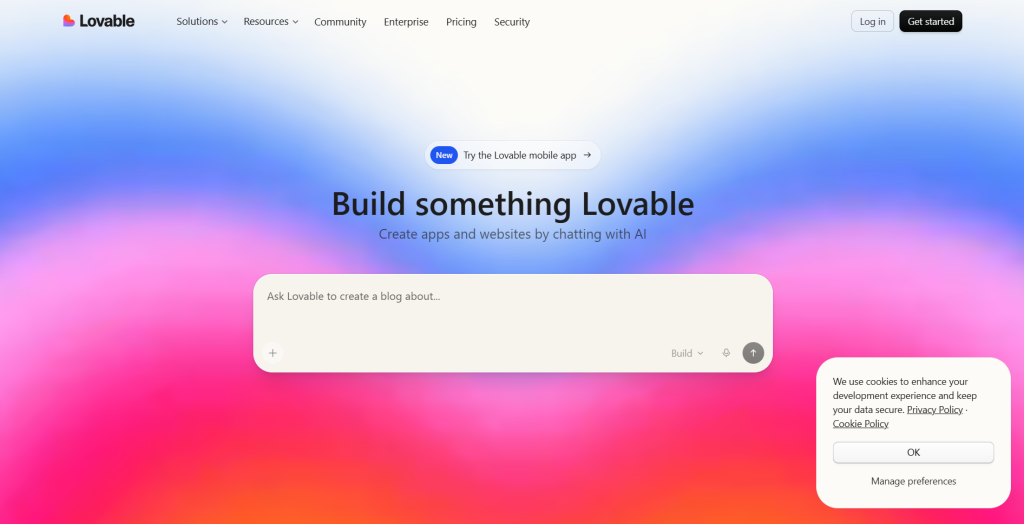
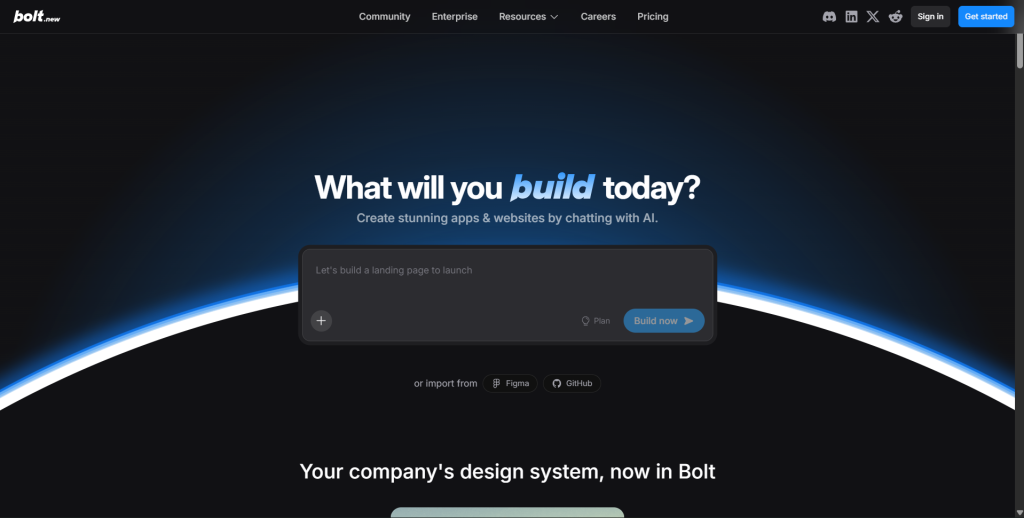
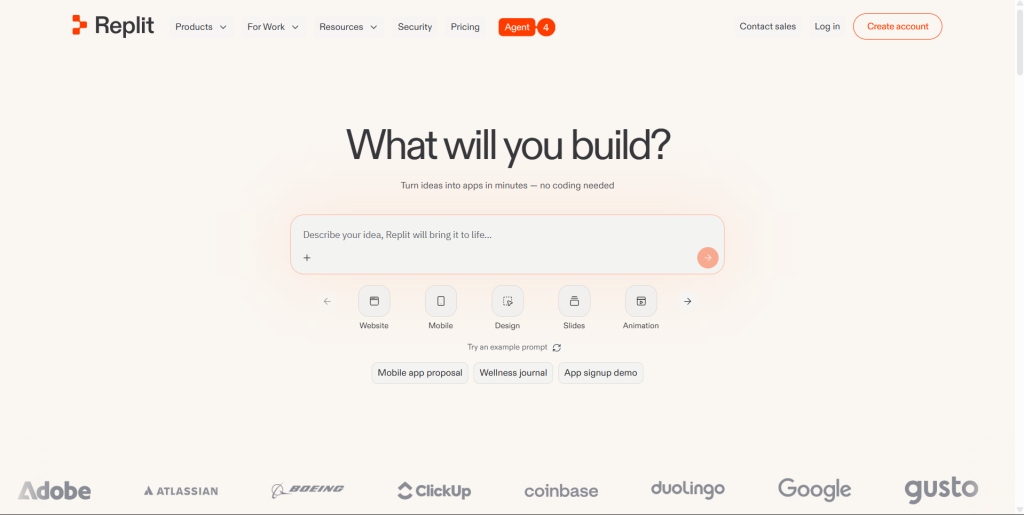
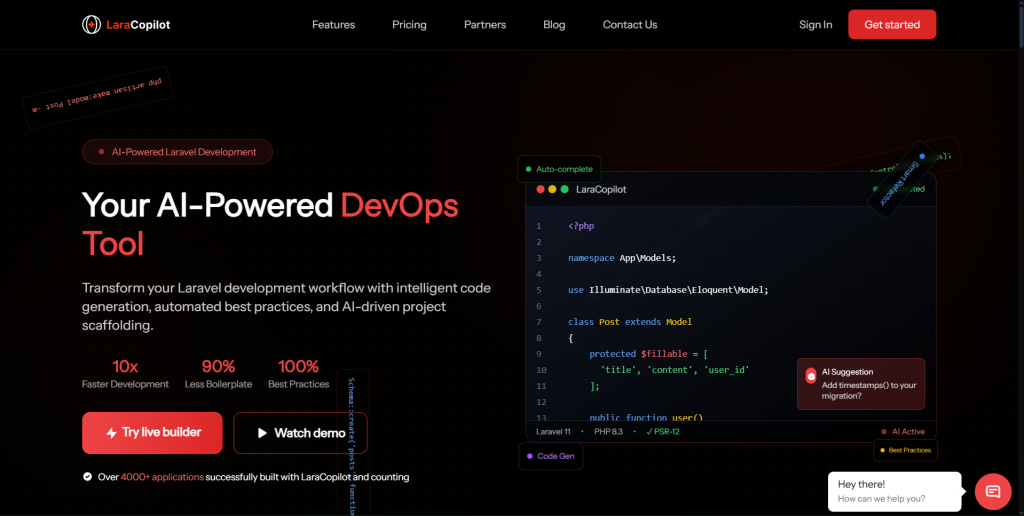
The best free AI app builders in 2026 are Lovable, Bolt.new, Replit, and LaraCopilot, but what their free tiers actually generate varies significantly. Most give you a UI demo or a constrained browser environment. LaraCopilot’s free credits generate real Laravel backend code you can deploy. Here is the honest breakdown of each.

Most “free AI app builder” searches end in frustration. You sign up, use the credits, get an interface that looks impressive, then spend two days trying to get it to connect to a real database. The free tier worked exactly as advertised: it generated a demo. You wanted a starting point for a real app.

This review focuses on a single question for each tool: what does the free tier actually give you that you can ship?

Key Takeaways

  • “Free” in AI app builders means three different things: free UI demo credits, free token budgets for a constrained environment, and free credits that generate deployable backend code.
  • Lovable’s free tier generates React frontends with basic Supabase integration. Good for UI prototypes, limited for complex backend logic.
  • Bolt.new’s free tier generates full-stack Node.js in a browser tab. No persistent database connection. Strong for demos, not for production.
  • Replit’s free plan gives you a cloud IDE; AI code generation features are largely behind the paid tier as of 2026.
  • LaraCopilot’s free credits generate framework-aware Laravel output: Eloquent models, Policies, resource controllers, and migrations. The output runs in production.

What “Free” Actually Means for AI App Builders

Free Tier vs. Free Trial vs. Genuinely Free

Before comparing tools, it helps to understand what “free” is actually offering:

Free trial credits: A one-time token or generation budget that expires. You get a taste, then hit a paywall. Most AI builders use this model.

Free tier with a ceiling: A permanent free plan that remains usable but caps your generations per day or month. The free plan does not expire, but it limits what you can build before needing to upgrade.

Genuinely unlimited free: Rare in AI tooling. Most providers cannot sustain compute costs on an unlimited free model.

The practical difference matters. If you are an indie hacker building a side project on a budget, a free tier that gives you ten generations a day and never expires is more valuable than a free trial that gives you 100 generations once and then asks for a credit card.

Output Question: UI Demo or Deployable Code?

The more important question than how much free usage you get is what that free usage produces.

An AI builder that generates a beautiful React interface in three free generations and a tool that generates a working Laravel backend with auth, models, and migrations in three free generations are not comparable, even if the credit count is identical.

Understanding how emergent AI capabilities differ across purpose-built app builders helps set the right expectations before you invest in a free tier.

Rafael is an indie hacker based in São Paulo, building a B2B prospecting tool for US sales teams. In February 2026, he signed up for three different “free” AI app builders in a single afternoon. Two hours later he had three interfaces that looked polished and ran in demo environments. None of them connected to a real database. None had auth flows he could actually configure. He had used his free credits on screenshots, not software. He tried LaraCopilot’s free tier that evening. One prompt generated a contacts API with Eloquent models, a Policy class, resource routes, and a migration he ran with php artisan migrate. He had a working API endpoint before midnight.

4 Best Free AI App Builders Compared

Lovable (Free Tier)’

What Lovable is: A React and TypeScript AI app builder that generates frontends connected to Supabase. Formerly known as GPT Engineer, it relaunched as Lovable and gained significant traction for its clean UI output and iterative generation model.

What the free tier gives you: Lovable’s free plan includes a limited number of messages per day. Each message is a generation or revision. You describe a feature or change and the AI updates the app. The output is a React frontend with Supabase handling the database layer. For simple CRUD applications (a todo app, a contact form, a basic dashboard), the free tier covers a useful amount of ground.

What the free tier does not give you: Lovable is frontend-first. Complex server-side logic, custom auth flows with role-based permissions, or multi-table database relationships with business rules in the backend are not its strength at any tier. On the free plan, you exhaust your daily messages quickly when iterating on a non-trivial feature.

Free tier verdict: Excellent for prototyping a React UI with basic Supabase CRUD. Hits a ceiling fast on any app that needs real backend logic. The Supabase integration is convenient but limited to what Supabase’s Row Level Security can handle without custom server-side code.

Best free for: Indie hackers who want a fast, visual frontend prototype before deciding whether to build out the backend. Not the tool for anyone whose core product is the backend.

Bolt.new (Free Tier)

What Bolt.new is: A browser-based AI app builder from StackBlitz that runs a full Node.js environment in WebContainers. You describe an app, the AI generates it, and it runs live in your browser tab with no installation required.

What the free tier gives you: Bolt.new’s free tier provides a token budget for each session. Within that budget, you generate a full-stack JavaScript application running in-browser. The output typically includes a React or Svelte frontend and an Express or Node.js backend, all running in WebContainers. The UI is usually impressive. The zero-setup experience is genuinely one of the best in the category.

What the free tier does not give you: WebContainers run in the browser, not on a server. There is no persistent MySQL or PostgreSQL database in the free environment. Your data lives in SQLite in-memory or a JSON file. When the tab closes, the state resets. Deploying the generated app to a real server requires extracting it from WebContainers and reconfiguring the data layer, which typically takes more time than the generation itself. The free token budget is also moderate; complex applications exhaust it before reaching a complete feature.

Free tier verdict: The best “wow” experience of any free AI builder. The worst gap between demo and deployable of any tool on this list. Bolt.new’s free tier shows you what your app could look like. It does not show you what it would take to make it run in production.

Sophie is a developer in Bristol who used Bolt.new’s free tier to prototype a SaaS tool for freelance project tracking. The prototype was impressive enough that she showed it to a potential investor during a call in January 2026. The investor asked for a link to try it. Sophie had to explain that it was running in a browser tab on her laptop. The session had expired. The investor passed, citing the demo-only state of the product. Sophie rebuilt the backend in Laravel using LaraCopilot and had a real staging URL two weeks later.

Start Free on LaraCopilot and generate a backend that actually runs, not a demo that expires.

Replit (Free Tier)

What Replit is: A cloud-based IDE and development environment. Replit allows you to write, run, and deploy code in the browser across dozens of languages. It has a separate AI feature layer (Replit AI) that provides code completion, explanation, and generation within the editor.

What the free tier gives you: Replit’s free plan gives you access to the IDE and the ability to run projects. Community-published templates let you start from a working codebase. The free plan includes basic AI assistance (limited completions and suggestions), storage, and the ability to run background processes.

What the free tier does not give you: Full AI code generation capabilities in Replit are part of the paid Replit Core subscription as of 2026. The free tier’s AI is closer to a lightweight code completion tool than a full generation system. You can write and run code with AI assistance, but the AI generation depth that competes with Lovable or Bolt.new requires the paid plan.

Free tier verdict: Replit is better described as a free cloud IDE with AI enhancement than a free AI app builder. For learning, small experiments, and running code without local setup, the free tier is genuinely useful. For AI-generated app scaffolding comparable to the other tools in this list, the free tier falls short.

Best free for: Developers who want a cloud development environment and do not need deep AI generation. Strong for education, learning, and code experiments. Weaker as a builder for shipping production apps.

LaraCopilot (Free Credits)

What LaraCopilot is: A Laravel-specific AI tool that generates framework-aware backend code. It understands your project context: your existing models, your route structure, your Eloquent relationships. The output it produces is not boilerplate that happens to mention Laravel. It is code written to fit your actual codebase.

What the free credits give you: LaraCopilot’s free tier includes credits that run real generation sessions. Within those credits, you can scaffold a meaningful slice of a real backend: a model with relationships, a Policy, a resource controller, the corresponding migration, and route registration. The output runs on first php artisan migrate.

Here is what a single free credit session can generate:

// Generated in one LaraCopilot session on free credits:
// Contact.php: Eloquent model with company relationship and activity log
// ContactPolicy.php: admin full access, sales_rep own records
// ContactController.php: resource controller with FormRequest validation
// StoreContactRequest.php: validation rules
// 2026_05_07_000001_create_contacts_table.php: migration with indexes
// AuthServiceProvider.php: updated with policy registration

That is not a UI prototype. That is a working API slice you can php artisan migrate and immediately hit with a REST client.

What makes LaraCopilot’s free tier different: Every other tool in this list generates frontend components or demo-grade backend code as its free output. LaraCopilot generates backend code written to Laravel’s actual conventions. A free session gives you something you can push to a repository, run in staging, and build on.

Free tier verdict: The highest-value free tier for any developer whose app needs a real backend. The credits are not unlimited, but what they buy is different in category from the credits on other tools.

Best free for: Any developer building a Laravel application who wants to see what framework-aware AI generation actually produces before committing to a subscription.

Tom is a developer in Sydney who ran a free tier comparison in March 2026 as part of evaluating tools for a client project. He gave the same contacts API spec to Lovable, Bolt.new, and LaraCopilot using each tool’s free tier. Lovable generated a React table component with Supabase. Bolt.new generated an Express route file running in WebContainers with no database. LaraCopilot generated an Eloquent model, a Policy, a FormRequest, a resource controller, and a migration. Tom had the LaraCopilot output running in staging by 5pm. The Lovable and Bolt.new outputs required two additional days of work each before they could be deployed.

Comparison: Free Tiers Side by Side

ToolFree Tier TypeWhat It GeneratesPersistent DBProduction-Ready OutputBest Free For
LovableDaily message limitReact UI + Supabase CRUDVia SupabasePartial (frontend solid, backend limited)UI prototypes, visual demos
Bolt.newToken budget per sessionFull-stack Node.js in WebContainersNo (in-browser only)No (demo-grade, not deployable as-is)Client demos, UI validation
ReplitFree IDE + limited AICode editor + basic AI completionYes (with setup)Partial (IDE only; full AI = paid)Learning, code experiments
LaraCopilotCredit-based sessionsLaravel models, Policies, controllers, migrationsYes (MySQL/PostgreSQL)Yes (runs on first migrate)Backend-first apps, real scaffolds

What Happens When Your Free Credits Run Out

Free credits are a starting point, not a full product. Understanding what comes next matters as much as the free tier itself.

Lovable: The paid plan unlocks more daily messages and removes the per-day ceiling. The generated output quality does not change; you get more of the same.

Bolt.new: The paid plan increases your token budget substantially and removes session length limits. If WebContainers fits your use case, the paid plan makes Bolt.new significantly more productive.

Replit: The Replit Core subscription unlocks full AI generation, larger storage, and always-on deployments. It is a meaningful step up from the free tier.

LaraCopilot: The paid subscription unlocks unlimited generation sessions with full project context awareness. The AI has access to your entire codebase: all existing models, routes, relationships, and policy registrations. Output quality on the paid tier is higher because the context depth is greater.

For developers building on a bootstrap budget, the practical path is: use the free tier to validate that the tool generates code worth using, then upgrade once you know the output quality matches your stack.

Decision Framework: Which Free Tier Should You Start With?

Start with LaraCopilot free credits if:

  • You are building a PHP/Laravel backend
  • You want to verify that AI generation produces real, deployable code before paying
  • Your app needs database relationships, auth policies, or REST API output
  • You are an experienced developer who will know good Laravel output when you see it

Start with Lovable free tier if:

  • Your priority is a fast, visual React frontend
  • You are using Supabase and want to skip backend setup entirely for a simple CRUD app
  • You want to prototype a UI for stakeholder feedback before building anything

Start with Bolt.new free tier if:

  • You need a live demo in your browser today with zero setup
  • You are validating a concept with a client or co-founder and do not need the code to be deployable
  • Your stack is Node.js and you want to explore what AI-generated JavaScript looks like

Start with Replit free if:

  • You want a cloud IDE for learning or experimentation
  • You are writing and running code manually and want lightweight AI assistance
  • You do not need deep AI code generation on day one

According to the Stack Overflow Developer Survey 2025, 67% of developers now use AI coding tools weekly. The free tier of any tool is your lowest-risk test of whether that tool belongs in that 67% for you.

Ready to Code Smarter with Laravel?

Meet LaraCopilot — your AI full-stack assistant built for Laravel developers.
Skip the boilerplate, build faster, and focus on what matters: problem solving.

Try LaraCopilot Now

Which Free AI App Builder Is Worth Your Time

Free AI app builders in 2026 are not all offering the same thing for free. The difference is not in how many credits you get. It is in what those credits actually produce.

Lovable’s free tier is the fastest path to a React prototype. Bolt.new’s free tier produces the most impressive live demo. Replit’s free tier gives you a capable cloud IDE. None of them generate a deployable backend on the free tier without significant additional work.

LaraCopilot’s free credits are the exception. The output runs. The migrations work. The Policies are registered. You can push the generated code to a repository today.

If you are a developer who has burned free credits on AI builders that produced demos and not deployable code, LaraCopilot’s free tier is the one worth testing next.

Start Free on LaraCopilot and run your first real backend scaffold today.

7 Best Replit Alternatives for Full-Stack Apps in 2026

The best Replit alternatives for full-stack app development in 2026 are LaraCopilot, Cursor, GitHub Copilot Workspace, Windsurf, Bolt.new, Lovable, and CodeSandbox. LaraCopilot ranks first for any developer building a backend-heavy app who needs AI that generates production-ready code rather than slightly-better autocomplete. Here is the full ranked list with honest pros and cons for each.

Replit is a genuinely useful tool for education, quick experiments, and sharing running code without a local setup. It is not the right tool when your primary need is AI generation of framework-aware, production-grade backend code. Its meaningful AI features sit behind the Replit Core paywall, and even on the paid tier the output is general-purpose rather than framework-specific.

If you have already made that evaluation and are ready to move, this article gives you seven specific alternatives ranked by usefulness to a senior developer building full-stack apps.

Key Takeaways

  • Replit’s full AI generation capability requires Replit Core at $25/month. The free tier is a browser IDE with basic code completion, not a full AI app builder.
  • LaraCopilot ranks #1 for full-stack backend development because it generates framework-aware Laravel output: Eloquent models, Policies, resource controllers, and migrations that run in production on first deploy.
  • Cursor and Windsurf are the strongest local IDE alternatives, offering deep AI integration without browser-environment constraints.
  • GitHub Copilot Workspace works best for developers already in GitHub’s ecosystem who want AI to assist on existing repositories.
  • Bolt.new and Lovable are strong for frontend-first prototyping but are not Replit replacements for backend-heavy development.

Why Senior Devs Are Leaving Replit in 2026

Core Paywall Problem

Replit’s free plan gives you a cloud IDE that runs code across dozens of languages with no local setup required. That is a real value. Full code generation, AI chat, and contextual refactoring are the features that make Replit competitive with tools like Cursor or GitHub Copilot. All of them require Replit Core at $25/month.

For developers comparing tool costs, that paywall matters. GitHub Copilot’s free tier launched in 2024 and includes meaningful code completion without a paid subscription. Cursor and Windsurf offer free tiers with deep AI integration in a local IDE. Against that context, Replit Core’s $25/month for cloud-based AI generation is a harder sell.

Output Quality: General-Purpose vs. Framework-Aware

The more fundamental issue is what Replit’s AI generates. Like GitHub Copilot and most general-purpose AI coding tools, Replit AI knows the syntax of your framework. It does not know the conventions at the depth that produces clean, consistent, production-ready output across a whole project.

When you ask Replit to generate a multi-role authentication system in Laravel, you get code that references Laravel. You do not necessarily get code that follows Laravel’s Policy conventions, registers those Policies correctly in AuthServiceProvider, uses FormRequests for validation, and maps to the artisan command sequence a developer would actually run. Framework-aware tools are built around these conventions. General-purpose tools are not.

Performance and Environment Lock-In

For senior developers working on larger projects, Replit’s browser-based environment introduces performance constraints that a local IDE eliminates. File indexing, IntelliSense response times, and multi-file refactoring all perform better in a local editor than in a browser tab.

Your code also lives in Replit’s cloud by default. For teams with IP concerns, compliance requirements, or simply a preference for owning their development environment, that is a constraint without a clean workaround.

7 Best Replit Alternatives Ranked

1. LaraCopilot: Best for Full-Stack Laravel Backend Generation

What it is: A Laravel-specific AI tool that generates framework-aware backend code with full project context. It understands your existing models, route structure, and Eloquent relationships and produces output that fits your actual codebase rather than generic boilerplate.

Why it ranks first: LaraCopilot solves the specific problem that most Replit users discover when they move to a production project: general-purpose AI generates code that looks right and behaves inconsistently. LaraCopilot generates code that follows Laravel’s actual conventions. A single prompt produces a migration, an Eloquent model with correct relationships, a Policy class registered in AuthServiceProvider, a resource controller with FormRequest validation, and the route registration. That output runs on first php artisan migrate.

Pros:

  • Framework-aware output beats general-purpose AI for Laravel quality and consistency
  • Generates full feature slices: model, Policy, controller, migration, routes in one session
  • Full project context means output fits your codebase, not a generic scaffold
  • Free credits available to validate output before committing to a subscription

Cons:

  • PHP/Laravel specific: not the right tool for Node.js, Python, or Rails projects
  • Not a browser IDE: it augments your local development environment, not replaces it
  • Requires a developer who can review and extend generated output

Free tier: Yes. Free credits let you run a real generation session before upgrading.

Best for: Any developer building a Laravel backend who wants to replace the hours they currently spend writing boilerplate with AI-generated output that actually meets production standards.

Ayesha is a senior developer at a Manchester-based product studio. In January 2026, she upgraded to Replit Core specifically for the AI generation features. After a month, she had spent $25 and received code suggestions that were marginally better than free GitHub Copilot. The suggestions were general-purpose PHP, not Laravel-convention PHP. She tried LaraCopilot on a Thursday afternoon to scaffold a contacts feature. One session generated the migration, the Eloquent model with a belongsTo relationship, a ContactPolicy with admin and sales_rep guards, a resource controller with FormRequest, and the route registration. Everything ran. She cancelled Replit Core on Friday.

Try the Top Replit Alternative and run a real Laravel generation session on free credits today.

2. Cursor: Best AI-First Local IDE

What it is: An AI-native code editor built on a fork of VS Code. Cursor integrates AI at every level of the editing experience: tab completion, inline edits, multi-file context-aware chat, and agent-mode that can make changes across a codebase autonomously.

Why it ranks second: Cursor gives senior developers the local IDE performance they expect combined with AI assistance that surpasses Replit’s quality on every dimension. It works with any language and framework. For developers whose primary objection to Replit is the browser environment, Cursor is the most natural migration.

Pros:

  • Local IDE with full performance of a native editor (no browser constraints)
  • Multi-file context awareness: AI understands the whole codebase, not just the open file
  • Agent mode makes autonomous multi-step changes across files
  • Compatible with most VS Code extensions
  • Free tier available (Cursor Pro is $20/month for heavier usage)

Cons:

  • General-purpose AI: strong assistance, but not framework-convention-specific for Laravel output
  • Agent mode can make unexpected changes across files, review before accepting
  • Heavy GPU usage for large codebases on the local machine

Free tier: Yes. Free tier includes a monthly limit of completions and chat requests.

Best for: Senior developers who want an AI-first local IDE and work across multiple languages and frameworks. The strongest direct Replit IDE replacement for developers who code locally.

3. GitHub Copilot Workspace: Best for Existing Codebases

What it is: GitHub Copilot’s extended workspace feature, which allows AI to plan, implement, and test changes across a full repository based on a natural-language task description. Goes beyond autocomplete to multi-step, multi-file implementation.

Why it ranks third: For developers already deep in GitHub’s ecosystem, Copilot Workspace makes AI assistance native to the pull request workflow. You describe a task, Copilot plans it, implements it across files, and surfaces a diff for review. The integration with GitHub Issues, PRs, and Actions is seamless.

Pros:

  • Deeply integrated with GitHub PRs, Issues, and Actions
  • Free tier (Copilot Free) includes meaningful completion and limited Workspace access
  • Works in any language or framework
  • Plan-then-implement flow reduces unexpected output surprises

Cons:

  • Output quality is general-purpose: good for greenfield files, weaker for framework convention depth
  • Workspace sessions can produce large diffs that take significant review time
  • Best on existing repositories, less suitable for generating a project from scratch

Free tier: Yes. Copilot Free includes completions and limited Workspace sessions.

Best for: Developers who live in GitHub and want AI embedded in the issue-to-PR workflow. Strong for existing codebase maintenance, weaker for greenfield backend generation.

4. Windsurf by Codeium: Best Free VS Code Alternative with AI

What it is: An AI-native IDE from Codeium. Like Cursor, Windsurf is built to provide deep AI integration in a local editor. It uses Codeium’s AI models and has its own “Cascade” agentic system for multi-step, cross-file changes.

Why it ranks fourth: Windsurf’s free tier is the most generous of any local AI IDE in 2026. Cascade’s agentic mode for multi-step tasks is comparable to Cursor’s agent, and the free usage limits are higher. For developers who want Cursor-level AI integration without Cursor Pro pricing, Windsurf is the answer.

Pros:

  • Generous free tier (more free AI requests than Cursor free)
  • Cascade agent handles multi-file, multi-step tasks autonomously
  • Local IDE: no browser constraints, full native performance
  • Codeium models have strong code completion across most languages

Cons:

  • Less ecosystem momentum than Cursor (fewer community resources, tutorials, and integrations)
  • General-purpose AI: same framework convention limitation as Cursor and Copilot
  • Cascade’s agentic mode can drift on complex tasks without clear checkpoints

Free tier: Yes. Windsurf has one of the most generous free tiers in the category.

Best for: Developers who want Cursor-comparable AI integration at a lower or zero cost. Strong Replit replacement for the local IDE use case.

5. Bolt.new: Best for Frontend Prototyping

What it is: A browser-based AI app builder from StackBlitz. Generates full-stack JavaScript applications running in WebContainers, with no local setup required. Strong for React, Svelte, and Node.js frontends.

Why it ranks fifth: Bolt.new directly matches Replit’s zero-setup browser appeal while producing better-looking UI output for JavaScript projects. If the reason you were using Replit was rapid frontend prototyping, Bolt.new is the stronger tool for that specific use case.

Pros:

  • Zero setup: browser-based, running in under 90 seconds
  • Excellent UI output for React and Svelte frontends
  • Shareable live previews without deployment
  • Free tier available

Cons:

  • No persistent database in WebContainers (browser-based Node.js only)
  • Backend output is demo-grade: significant hardening required for production
  • Not a Replit replacement for backend-heavy or PHP/Python development

Free tier: Yes. Token budget per session.

Best for: Developers who need a client-presentable UI prototype in a day. Not a backend generation tool.

6. Lovable: Best for React and Supabase Apps

What it is: A React and TypeScript AI app builder with native Supabase integration. Generates frontends with connected Supabase database operations from natural-language descriptions.

Why it ranks sixth: For developers building simple to mid-complexity full-stack apps with a React frontend and Supabase backend, Lovable produces cleaner output than Replit’s AI on the frontend layer. The Supabase integration makes the backend setup fast for apps that do not need custom server-side logic.

Pros:

  • Clean React and TypeScript output
  • Native Supabase integration handles simple CRUD without writing server-side code
  • Iterative generation model lets you refine the app one feature at a time
  • Free tier available

Cons:

  • Frontend-first: complex backend logic, multi-role Policies, and custom API layers require manual work or are outside the tool’s scope
  • Supabase’s Row Level Security is the extent of backend permissions generation
  • Free tier message limit reached quickly on non-trivial features

Free tier: Yes. Limited daily messages on free plan.

Best for: Developers building React apps with simple Supabase backends who need fast visual output.

7. CodeSandbox: Closest Browser IDE Replacement for Replit

What it is: A browser-based development environment originally focused on JavaScript sandboxes. Has evolved to support multi-file projects, team collaboration, Docker-based environments, and AI assistance.

Why it ranks seventh: CodeSandbox is the closest feature-for-feature browser IDE replacement for Replit. If the specific features you relied on in Replit were the browser-based environment, live collaboration, and shareable running code, CodeSandbox covers them all with more polished execution for JavaScript projects.

Pros:

  • Browser-based with zero local setup
  • Strong JavaScript and React sandbox capabilities
  • Team collaboration and live sharing
  • Docker-based environments for more complex setups
  • Free tier available for public projects

Cons:

  • AI features are less developed than Cursor, Copilot, or LaraCopilot
  • Not built for backend-heavy generation: AI assistance is complementary, not the core value
  • Best suited to JavaScript/React work; less useful for PHP, Python, or Go backends

Free tier: Yes. Public sandboxes are free.

Best for: JavaScript developers who want a Replit-equivalent browser environment with better sandbox management and collaboration. The most direct Replit replacement on this list, without being a step up on AI generation quality.

Comparison: All 7 Alternatives at a Glance

ToolAI Generation TypeLocal or BrowserBackend QualityFree TierBest For
LaraCopilotFramework-aware (Laravel)Local (augments IDE)Production-readyYesLaravel backend generation
CursorGeneral-purpose (multi-lang)Local IDEGood (convention gap)YesAI-first local IDE
GitHub Copilot WorkspaceGeneral-purpose (multi-lang)GitHub browser + localGood (convention gap)YesExisting codebase, PR workflow
WindsurfGeneral-purpose (multi-lang)Local IDEGood (convention gap)Yes (most generous)Free Cursor alternative
Bolt.newFull-stack JS (WebContainers)Browser onlyDemo-gradeYesFrontend prototyping
LovableReact + SupabaseBrowserPartial (Supabase only)YesReact + Supabase apps
CodeSandboxGeneral (JS-focused)BrowserWeakYesBrowser IDE, JS sandboxes

Decision Framework

Choose LaraCopilot if:

  • You are building a Laravel/PHP backend and want AI that understands framework conventions, not just syntax
  • Your current AI tool generates output that looks right but requires significant correction before it runs
  • You want free credits to validate output quality before paying

Choose Cursor or Windsurf if:

  • You want a local IDE with deep AI integration across any language
  • You are leaving Replit specifically because the browser environment slows you down
  • Windsurf if cost is the primary concern (more generous free tier)

Choose GitHub Copilot Workspace if:

  • You live in GitHub and want AI wired into your PR and issue workflow
  • You are maintaining and extending an existing codebase more than building greenfield
  • You already have GitHub Copilot and want to explore Workspace without changing tools

Choose Bolt.new if:

  • You are building JavaScript frontends and need demos in hours, not days
  • The browser-based environment and zero-setup experience were Replit’s primary appeal for you

Choose CodeSandbox if:

  • You want the closest feature-equivalent to Replit’s browser IDE for JavaScript projects
  • Live collaboration and shareable running environments are the features you used most

Ready to Code Smarter with Laravel?

Meet LaraCopilot — your AI full-stack assistant built for Laravel developers.
Skip the boilerplate, build faster, and focus on what matters: problem solving.

Try LaraCopilot Now

Best Replit Alternative Depends on What You Actually Need From Replit

Replit alternatives span a wide range precisely because Replit itself spans a wide range: browser IDE, AI assistant, collaboration platform, and deployment environment. The right replacement depends on which of those roles you were actually relying on.

Ben is a full-stack developer in Vancouver. In February 2026, he left Replit for Cursor and immediately felt the difference in IDE performance. But his AI output on Laravel backends was still inconsistent: good function names, wrong conventions. He added LaraCopilot to his workflow for backend scaffold generation. The combination of Cursor for general development and LaraCopilot for Laravel scaffolding replaced everything Replit was doing and did each part better.

If you were using Replit for the browser environment, CodeSandbox is the cleanest swap. If you were using it for AI assistance in a real development workflow, Cursor or Windsurf delivers that in a local IDE with better performance. If you were using it to generate backend code and found the output disappointing, LaraCopilot is built for exactly that case.

Lena is an indie hacker in Sydney who spent a weekend in March 2026 testing four alternatives side by side. She gave each tool the same brief: scaffold a contacts API in Laravel with a Policy, a resource controller, and a migration. Cursor produced a plausible file structure that needed 45 minutes of convention fixes. Windsurf produced similar output. Copilot generated the controller with validation inline instead of in a FormRequest. LaraCopilot produced the complete feature slice in one session and ran on first migrate. Lena moved her backend scaffold workflow to LaraCopilot that Sunday and has not looked back.

Try the Top Replit Alternative and run a real generation session on free credits today.

How to Build a CRM with Laravel AI in 2026

You can build a production-ready Laravel CRM in a single afternoon using an AI Laravel builder. Contacts, companies, deal pipelines, activity logs, and role-based permissions: all generated. Here is exactly how to do it.

Most developers spend three to six weeks on CRM boilerplate before writing a single line of business logic. You set up the database schema, wire Eloquent relationships, write Policy classes, scaffold resource controllers, and rig permission guards. By the time the first contact record saves without errors, two sprints are gone.

That changes when you use a Laravel CRM builder powered by AI. The trick is not just throwing a vague prompt at ChatGPT. It is engineering a prompt that understands the relational complexity of a CRM: the hasMany, the morphMany, the gate-guarded routes. This tutorial shows you the exact prompt, the exact output, and where to patch the gaps the AI still leaves behind.

Key Takeaways

  • A single well-engineered prompt generates migrations, Eloquent models with relationships, Policies, and controllers for a full Laravel CRM.
  • Generic AI tools miss three critical layers: polymorphic activity logs, role-based Policy guards, and pipeline state transitions.
  • The AI output covers 80% of the boilerplate. The remaining 20% (edge cases and business rules) takes under two hours to hand-code.
  • You can build a working contacts-and-pipeline CRM app in Laravel in one day using this method.
  • LaraCopilot generates framework-aware output, unlike general-purpose AI that produces shallow CRUD.

Why Building a Laravel CRM App from Scratch Takes Weeks

A CRM is not a CRUD app. It is four or five interconnected systems that have to work together from day one.

Consider what a minimal production CRM actually needs:

  • Contacts linked to Companies (many-to-one)
  • Deals linked to both Contacts and Companies (many-to-many via pivot)
  • Pipeline stages that gate deal state transitions
  • Activity log recording every call, note, and email against any model
  • User roles that determine who can view, edit, or delete records

Each layer introduces Eloquent relationships, validation logic, and authorization rules. Miss one and the app breaks in production.

Take Jakub, a mid-level developer at a Warsaw agency. His client needed a custom CRM in two weeks. Jakub started with a generic AI prompt: “Build me a CRM in Laravel.” He got four migration files, three controllers, and zero relationships. No policies. No pivot tables. No activity tracking. He spent the next five days untangling the generated code before writing anything new. The client delayed the launch.

The problem was not the AI. It was the prompt.

Want to understand how a Laravel AI assistant compares to a VS Code code generator? Read our breakdown of Laravel AI assistant vs. VS Laravel code generator before choosing your tool.

What a Production Laravel CRM Needs (Full Schema)

Before writing any prompt, map out what you are actually asking the AI to generate. A working Laravel CRM app requires these database relationships:

contacts
 - id, first_name, last_name, email, phone, company_id
 - belongs to: companies

companies
 - id, name, industry, website
 - has many: contacts, deals

deals
 - id, name, value, stage_id, company_id, contact_id, user_id
 - belongs to: companies, contacts, users, pipeline_stages

pipeline_stages
 - id, name, sort_order
 - has many: deals

activities (polymorphic)
 - id, type, description, subject_type, subject_id, user_id
 - morphs to: contacts, companies, deals

roles + users
 - admin, sales_rep, viewer
 - gates: view, create, update, delete per model

This schema is where generic AI falls short. A tool without Laravel context generates flat CRUD. It skips the morphMany on activities, omits the pipeline_stages foreign key on deals, and writes no Policies at all.

Prompt That Generates a Real Laravel CRM Builder

Here is the engineered prompt. Every word is deliberate.

Generate a Laravel 13 CRM with the following:

MODELS & MIGRATIONS:
- Contact (first_name, last_name, email, phone, belongs to Company)
- Company (name, industry, website, has many Contacts and Deals)
- Deal (name, value, belongs to Company, Contact, PipelineStage, User)
- PipelineStage (name, sort_order, has many Deals)
- Activity (polymorphic morphTo: Contact, Company, Deal; fields: type enum[call,note,email], description, user_id)

RELATIONSHIPS:
- Contact belongsTo Company; hasMany Activities (morphMany)
- Company hasMany Contacts, Deals; hasMany Activities (morphMany)
- Deal belongsTo Company, Contact, PipelineStage, User; hasMany Activities (morphMany)
- User hasMany Deals, Activities

POLICIES (Laravel Policy classes):
- ContactPolicy: viewAny, view, create, update, delete
- DealPolicy: viewAny, view, create, update, delete
- CompanyPolicy: viewAny, view, create, update, delete
- Role check: admin can do all; sales_rep can create/update own records; viewer can only view

CONTROLLERS:
- ContactController, CompanyController, DealController (resource)
- ActivityController (store only, polymorphic subject resolution)

ADDITIONAL:
- DealController@move method for pipeline stage transitions (validates allowed transitions)
- User model with role enum: admin, sales_rep, viewer
- AuthServiceProvider policy registrations
- Route resource registrations with middleware(['auth', 'verified'])

Feed this prompt into a framework-aware AI CRM generator for Laravel and you get 90% of the scaffolding in under two minutes.

Step-by-Step: Generating Your Laravel CRM with AI

Step 1: Run the Prompt and Review the Migrations

Paste the prompt into LaraCopilot or your AI builder of choice. Review each generated migration before running php artisan migrate. Check that:

  • deals table has pipeline_stage_id as a foreign key (not just a string column)
  • activities table includes subject_type and subject_id for polymorphic resolution
  • All foreign keys have constrained() and onDelete('cascade') where appropriate

Common gap: AI tools drop the cascade on delete. Add it manually:

$table->foreignId('company_id')->constrained()->onDelete('cascade');

Step 2: Verify Eloquent Relationships

Open each model and confirm the relationship methods exist. The Activity model should use morphTo, not belongsTo:

// Activity.php
public function subject(): MorphTo
{
 return $this->morphTo();
}

// Contact.php
public function activities(): MorphMany
{
 return $this->morphMany(Activity::class, 'subject');
}

If the AI used belongsTo(Contact::class) on the Activity model, replace it. That pattern breaks the moment you log an activity against a Deal.

Step 3: Harden the Policy Classes

The generated ContactPolicy usually checks $user->role === 'admin'. That works, but it is fragile. Use a helper method instead:

// ContactPolicy.php
public function update(User $user, Contact $contact): bool
{
 if ($user->isAdmin()) return true;
 if ($user->isSalesRep()) return $contact->user_id === $user->id;
 return false;
}

Add isAdmin() and isSalesRep() as boolean helpers on the User model. This makes Policy rules readable and easy to test.

According to the Laravel Authorization documentation, policies must be registered in AuthServiceProvider or via the model’s #[UsePolicy] attribute in Laravel 11. Confirm the AI included the registration step, since it is frequently skipped in generated output.

Step 4: Wire the Pipeline Stage Transition Logic

The DealController@move method needs to validate that a stage transition is allowed. The AI generates a basic version. Add the guard:

public function move(Request $request, Deal $deal): RedirectResponse
{
 $this->authorize('update', $deal);

 $nextStage = PipelineStage::findOrFail($request->stage_id);

 // Prevent skipping stages
 if ($nextStage->sort_order > $deal->stage->sort_order + 1) {
 return back()->withErrors(['stage' => 'Cannot skip pipeline stages.']);
 }

 $deal->update(['pipeline_stage_id' => $nextStage->id]);

 activity()->on($deal)->log("Moved to {$nextStage->name}");

 return redirect()->route('deals.show', $deal);
}

This is the exact type of business rule the AI cannot know. It generates the method shell. You supply the constraint.

Ready to skip the manual scaffolding entirely? Build Your CRM with LaraCopilot. Paste your schema, get framework-aware Laravel output.

What the AI Gets Right vs. Where You Still Write Code

This is the honest breakdown after using an AI laravel crm builder on real client projects:

LayerAI CoverageManual Effort
Migrations90%Fix cascade deletes, polymorphic columns
Eloquent models85%Add morphMany, fix eager loading
Policy classes70%Add role helpers, fix sales_rep scope
Resource controllers80%Add pipeline move, activity store
Routes95%Almost none
Validation rules60%FormRequest classes, conditional rules
Pipeline transitions20%Write from scratch
Activity log wiring30%Write from scratch

Total manual effort on a mid-sized CRM: roughly 6-10 hours. Compare that to building from scratch, which runs 3-6 weeks for a junior or mid-level developer.

Sara, a freelance Laravel developer based in Berlin, used this approach on a real estate CRM project in February 2026. She had a working contacts-and-pipeline demo in eight hours. The client approved the structure on day two. She spent the rest of the week on custom reporting and the email integration. Total delivery: nine days, not six weeks.

That time difference comes from knowing exactly where the AI delivers and where you step in.

Common Gaps AI Misses in a Laravel CRM App

Beyond the ones already covered, watch for these:

1. Missing with() on list queries. Generated controllers often query Deal::all(). In production, that triggers N+1 queries. Replace with Deal::with(['company', 'contact', 'stage', 'user'])->get().

2. No FormRequest classes. The AI puts validation directly in the controller. Extract it to StoreContactRequest and UpdateDealRequest for cleaner code and reusability.

3. Policies not applied in views. The Policy classes exist but the Blade templates do not use @can directives. Add them to every edit button and delete action.

4. Activity log not triggered. The Activity model and ActivityController are generated, but nothing calls them when a Deal is updated. Add model observers or explicit Activity::create() calls in each controller method.

Build Your Laravel CRM Faster in 2026

Using an AI laravel crm builder cuts the boilerplate from weeks to hours. The key is a well-engineered prompt that specifies your schema, relationships, Policies, and controllers explicitly. Generic prompts produce generic output. Specific prompts produce working scaffolding.

The real skill shift for junior and mid developers in 2026 is not writing boilerplate. It is knowing which boilerplate the AI gets wrong, and having the Laravel knowledge to fix it fast.

Run the prompt. Review the output. Ship the CRM.

Build Your CRM with LaraCopilot

Lovable AI Website Builder: What It Can’t Build (And What Does)

The Lovable AI website builder generates React and TypeScript frontends with Supabase connections faster than any comparable tool in 2026. It does not generate real multi-role authentication, database schema migrations, background job queues, a REST API layer, multi-tenant data isolation, or production deployment configuration. If any of those six requirements appear in your project spec, you will hit Lovable’s ceiling before you finish the first version.

This article names each gap precisely, explains why it matters in production, and shows what LaraCopilot generates for the same requirement. Lovable is a strong tool for what it does. This is a clear account of where it stops.

Key Takeaways

  • Lovable excels at React and TypeScript UI output with Supabase CRUD connections. It is genuinely fast for frontend prototyping.
  • The 6 backend gaps it cannot cover are not edge cases: real auth, DB schema migrations, queue jobs, a REST API layer, multi-tenancy, and deploy config are standard requirements for any production SaaS or internal tool.
  • Supabase RLS (Row Level Security) covers simple row permissions. It is not a substitute for server-side Policy enforcement across multiple roles, conditional access, or resource ownership checks.
  • LaraCopilot generates framework-aware Laravel output for all 6 gaps: Policy classes, Eloquent migrations, queued jobs, resource controllers, morphMany tenant scoping, and environment configuration.
  • Many developers use both tools: Lovable for the frontend layer, LaraCopilot for the backend. The two do not overlap.

What Lovable Actually Builds (Honest Version)

Lovable is a React and TypeScript AI builder with native Supabase integration. Its strongest outputs are:

  • Frontend components: React pages, forms, data tables, modals, and dashboards with Tailwind styling
  • Supabase CRUD connections: Read and write operations wired to Supabase tables from the UI
  • Basic Supabase auth: Email and OAuth login flows using Supabase Auth
  • Visual iteration: Incremental UI refinement through natural-language prompts
  • Shareable previews: Live-running application previews without a local setup

For a client demo, a proof of concept, or a frontend prototype that needs to look complete quickly, Lovable is one of the fastest tools available. The question is what happens when you move from prototype to production.

Riya is a senior developer at a Berlin product studio. In March 2026, a client needed a contacts CRM with role-based access for sales reps and admins. Riya built the UI in Lovable in four hours. The screens were clean, the data tables connected to Supabase, and the client was impressed on first review. Then she opened Supabase to implement the permission model. Two hours later, her Row Level Security policy worked on reads and threw a 403 on writes for sales reps accessing contacts they owned. She was not using the wrong tool for the interface. She was using the wrong tool for the layer underneath.

6 Things the Lovable AI Website Builder Can’t Generate

Gap 1: Real Multi-Role Authentication

What Lovable gives you: Supabase Auth handles login. Supabase RLS can restrict table access by auth.uid(). For a single-role app where all logged-in users have identical permissions, that is functional.

Where it stops: Real products have multiple roles with different permissions on the same resources. An admin sees all contacts. A sales rep sees only contacts they own. A viewer has read access with no write permissions. Supabase RLS can encode some of this with policy conditions, but it operates at the database row level only. There is no server-side Policy class, no conditional access on specific resource actions (update, delete, forceDelete), no ability to check ownership across a relationship, and no place to register and reuse those rules as the codebase grows.

Why this is a production blocker: When permissions are handled entirely in the database, every new feature requires new RLS policies written in Postgres functions. Debugging permission errors requires querying the database directly. Testing permissions requires bypassing RLS in a test environment. As the permission model grows, this becomes a maintenance burden that a proper server-side Policy layer eliminates.

What LaraCopilot generates: A ContactPolicy.php class with explicit viewAny, view, create, update, delete methods per role. An AuthServiceProvider registration. A ContactController that calls $this->authorize() before each action. The output is testable, readable, and follows Laravel conventions that every developer on the team already knows.

Build What Lovable Can’t and run a real multi-role auth generation session on free credits today.

Gap 2: A Database Schema You Can Migrate

What Lovable gives you: Supabase tables created through the Supabase dashboard or through SQL snippets Lovable suggests in chat. These get your data structure running quickly.

Where it stops: Lovable does not generate database migration files. There is no versioned schema history, no up() and down() method pair, no index definitions, no foreign key constraints, and no artisan-equivalent command sequence. When your schema changes in production, you change the Supabase table manually in the dashboard. When a team member pulls the project, they have no automated way to reproduce the database state.

Why this is a production blocker: Schema management without migrations means every environment (local, staging, production) requires manual synchronization. A missed column or index in production is a runtime error that does not exist in staging. Rolling back a bad schema change requires writing SQL by hand rather than running a down migration.

What LaraCopilot generates: An Eloquent migration file with Schema::create(), column definitions with correct types, foreign key constraints, and indexes. Running php artisan migrate applies the schema to any environment identically. Running php artisan migrate:rollback reverts it. Every team member gets the same database state from the same command.

Gap 3: Background Job and Queue Processing

What Lovable gives you: Synchronous operations. When your UI triggers an action, Lovable’s output runs that action inline within the request.

Where it stops: Production applications regularly need work that should not block the user: sending a welcome email, processing a file upload, generating a report, syncing with an external API, sending a batch of notifications. None of these belong in the request/response cycle. Lovable does not generate queued jobs, job dispatchers, retry logic, failed job handling, or a queue worker configuration.

Why this is a production blocker: Inline long-running operations time out, block the UI, and fail silently when the request ends early. Users see slow responses or unexplained failures. Without a queue, features like email notifications and background processing require adding an entirely separate infrastructure layer that Lovable gives you no foundation for.

What LaraCopilot generates: A SendWelcomeEmail job class implementing ShouldQueue, a dispatch() call in the controller, retry configuration, and a note on running php artisan queue:work. The job handles failures gracefully, logs retries, and runs outside the user-facing request cycle.

Gap 4: A Real API Layer

What Lovable gives you: Supabase’s auto-generated REST API for table operations. Your frontend can query Supabase directly using the Supabase client library.

Where it stops: Supabase’s auto-API exposes your tables. A real API layer enforces business logic before data reaches the database: validation, rate limiting, transformation, versioning, authentication middleware, and resource-level authorization. When a mobile app, a third-party integration, or another service needs to consume your API, the Supabase auto-API gives them direct table access with whatever RLS rules you have written. That is not the same as a versioned, controlled API with explicit endpoints.

Why this is a production blocker: Any product that needs a mobile client, a webhook endpoint, a partner integration, or a public API requires a real API layer. A Supabase auto-API is a database interface, not a product API. Building a proper API layer on top of Supabase after the fact requires rearchitecting the data access model.

What LaraCopilot generates: An api.php routes file with versioned route groups, a resource controller with index, show, store, update, and destroy methods, FormRequest validation classes for store and update, and API middleware for rate limiting and auth token verification. The output is a clean, conventional API that any consumer can use without knowing the underlying schema.

Gap 5: Multi-Tenancy and Team Data Isolation

What Lovable gives you: A single-tenant application. All data in Supabase is organized around auth.uid(). Adding a team_id column to your tables is something you set up manually.

Where it stops: Multi-tenancy requires more than a column. It requires that every query in the application automatically scopes to the current tenant, that new records automatically receive the correct team_id, that relationships between models respect tenant boundaries, and that tenant isolation is enforced at the application layer rather than relying on the developer to remember to add a where('team_id') clause to every query. Lovable generates none of this scaffolding.

Why this is a production blocker: A multi-tenant SaaS where tenant scoping is added manually to each query is a data leak waiting to happen. One missed where clause exposes one tenant’s data to another. Manual scoping does not scale as the codebase grows and new developers join the project.

What LaraCopilot generates: An Eloquent global scope that automatically applies team_id filtering to all queries for scoped models. A BelongsToTeam trait that auto-sets team_id on creation. A morphMany relationship structure for polymorphic tenant ownership. The team isolation is enforced at the ORM layer; developers working on new features get correct scoping without thinking about it.

Jake is a backend developer in Austin. In 2025, he built three client prototypes in Lovable. The clients loved the UI. Every time the prototype moved toward a real product, Jake rebuilt the backend from scratch because Lovable’s output had no migration system, no job queue, and no API layer. The fourth client asked for a multi-tenant SaaS. Jake used Lovable for the frontend and LaraCopilot for the backend scaffold. He shipped the first version in three weeks. The two tools covered exactly the layers each one was built for.

Gap 6: Production Deployment Configuration

What Lovable gives you: A running preview environment. Deployment to Netlify or Vercel for the frontend layer is handled or easily added.

Where it stops: A production application needs more than a deployed frontend. It needs environment variable management (.env.production vs .env.staging), a server configuration for PHP/Node.js processes, a web server config (Nginx or Apache), SSL and proxy settings, a queue worker process managed by Supervisor, a scheduler for cron jobs, and a deployment pipeline that handles php artisan migrate on each deploy. None of this exists in a Lovable output.

Why this is a production blocker: Frontend deployment is the easy part. Application server configuration, process management, and deployment scripting are where most first-time production deployments fail. Without a generated foundation, the developer writes this configuration from scratch, or skips steps that cause production incidents.

What LaraCopilot generates: An .env.example with all required variables documented, an Nginx server block for Laravel with correct PHP-FPM configuration, a Supervisor config for the queue worker, a php artisan schedule:run cron entry, and deployment notes covering php artisan optimize and php artisan migrate --force. The scaffold makes a production deployment from a local environment a documented, repeatable process.

What LaraCopilot Generates for the Same Requirements

RequirementLovable OutputLaraCopilot Output
Multi-role authSupabase RLS (row-level only)Policy class, AuthServiceProvider, authorized controller
Database schemaManual Supabase table creationEloquent migration with columns, indexes, foreign keys
Background jobsNot generatedQueued job class, dispatch call, retry config
REST API layerSupabase auto-API (table access)Versioned routes, resource controller, FormRequest validation
Multi-tenancyNot generatedGlobal scope, BelongsToTeam trait, morphMany relationships
Deploy configFrontend Netlify/Vercel onlyNginx config, Supervisor, cron, .env.example, deploy notes

The Decision Framework

Use Lovable if:

  • You need a React frontend or dashboard built fast for a demo or early prototype
  • Your backend requirements are simple: CRUD operations on a few Supabase tables with basic auth
  • You want client-shareable previews without a local setup
  • You are in the ideation phase and UI iteration speed is the priority

Use LaraCopilot if:

  • Your project requires multi-role auth, schema migrations, queue jobs, a real API, multi-tenancy, or production server configuration
  • You are building beyond prototype and need backend output that runs in production without significant rework
  • You are already a Laravel developer and want AI that understands your conventions, not just your syntax

Use both if:

  • You want Lovable’s UI speed for the frontend and LaraCopilot’s backend depth for the server-side layer
  • Your team has a frontend developer working in React and a backend developer working in Laravel
  • You are building a product where the UI layer and the backend layer have clearly separated responsibilities

Ready to Code Smarter with Laravel?

Meet LaraCopilot — your AI full-stack assistant built for Laravel developers.
Skip the boilerplate, build faster, and focus on what matters: problem solving.

Try LaraCopilot Now

Lovable Builds UI. LaraCopilot Builds What Comes Next.

The Lovable AI website builder is not a backend generator. That is not a critique: it is a description of a clear design choice. Lovable is fast, polished, and genuinely useful for the frontend layer it was built for. The 6 gaps in this article are where that layer ends.

Nadia is an indie hacker based in Toronto. In April 2026, she wrote down the 6 backend requirements her B2B SaaS needed before it could go to paying customers: role-based access, schema versioning, email queues, a partner API, team isolation, and a deployable server config. She tested Lovable against all 6 and confirmed it covered none of them at production depth. She used Lovable for the dashboard UI and LaraCopilot for the backend scaffold. The first paying customer signed up 5 weeks later.

If your project stops at a frontend prototype, Lovable is the right tool. If it continues into a production backend, LaraCopilot generates the 6 layers this article described.

Build What Lovable Can’t and run a real backend generation session on free credits today.

Try LaraCopilot Today!

Lovable Pricing 2026: Is It Worth the Cost?

Lovable pricing 2026 starts at $0 on the free plan and climbs to $100+/month on Teams, but the real cost of shipping a working app on Lovable.dev is usually 2–3x what the official plan price suggests.

Here is why, and what every plan, credit pack, and hidden cost actually looks like in 2026.

The pitch is clean: describe an app, watch Lovable AI generate the UI, deploy it with one click. Pay per message (credit), not per developer. But indie hackers and Laravel developers who have actually shipped products with Lovable in 2026 tell a different story. Credits burn through faster than the plan implies. Backend logic still needs paid services. Custom domain and hosting math turns a $20/month plan into a $60–80/month real bill.

If you are searching for lovable.dev pricing plans 2026 before you subscribe, this is the breakdown you need. We cover every official tier, the actual credit burn rate, the hidden costs most reviews skip, and a side-by-side cost comparison with LaraCopilot for developers who need full-stack Laravel output instead of frontend-only generation.

Key takeaways

  • Lovable’s official pricing 2026 spans Free ($0), Starter (~$20/mo), Pro (~$40–50/mo), Teams (~$100+/mo), with credit-based usage at every level.
  • The Starter plan’s ~100 monthly credits cover simple prototypes, but most real SaaS features burn 30–60 credits each.
  • Building a production app typically takes 2–3 months of Starter credits, making the true lovable AI cost $40–60 per feature set.
  • Lovable.dev is frontend-first. Backend logic, custom domain hosting, and database scale require add-ons like Supabase, adding $0–25/month.
  • For Laravel developers, LaraCopilot delivers full-stack output without the credit-per-message model. Cost comparison below.

Lovable Pricing 2026 at a Glance (TL;DR)

Here is the official Lovable pricing 2026 snapshot, current as of May 2026:

PlanMonthly priceMonthly creditsBest for
Free$0~5 credits/dayTrying Lovable.dev, demos
Starter~$20/mo~100 creditsSolo indie hackers, prototypes
Pro~$40–50/mo~250 creditsIndie SaaS founders, freelancers
Teams~$100+/moShared pool, multi-seatSmall teams, agencies
Business / EnterpriseCustomCustom + SSO, SLAsLarger orgs, regulated SaaS

Verify before you pay. Lovable pricing changes 2026 happen often. Lovable.dev current pricing 2026 is published on the Lovable pricing page. Always confirm the current credit allocation and plan price before subscribing.

At first glance, $20/month looks reasonable for a solo indie hacker. The friction shows up once you push past a landing page or a todo app.

Official Lovable Pricing Plans 2026: Every Tier Explained

Here is what each official Lovable plan actually includes in 2026, with the gaps every pricing-page review tends to skip.

Lovable Free Plan 2026 ($0/month)

The Lovable free plan 2026 is the entry point. It is what people mean when they search “is lovable.dev free to use 2026” or “lovable free tier 2026”.

What you get:

  • Around 5 daily credits (does Lovable give daily credits? yes, on the free tier)
  • Public projects only
  • “Built with Lovable” badge on every deployed app
  • No custom domain
  • Hosted on Lovable.dev subdomain

Lovable free plan limits 2026:

  • Credits do not roll over day to day
  • Cannot remove the Lovable badge
  • Cannot privately host
  • Free tier limitations include rate limits during peak hours

The free tier is enough to test the AI, build a small demo, and decide if Lovable is worth a paid plan. It is not enough to ship a real product. Lovable.dev free tier limitations 2026 hit fast when you try to iterate beyond a single page.

Lovable Starter Plan (~$20/month)

The Lovable Starter plan is the most-searched paid tier (the “lovable starter plan” query shows up consistently in GSC). It targets solo builders who have outgrown the free tier.

What you get:

  • ~100 monthly credits
  • 1 user seat
  • Private projects
  • Custom domain support
  • No badge on deployed apps

Where Starter breaks: 100 credits look generous on paper. In practice, the lovable pricing credits 2026 math works against you. A CRUD app with auth burns 30–60 credits for the initial build alone. Two rounds of revisions and a payment integration, and you are at 100 credits before week one ends.

Lovable Pro Plan (~$40–50/month)

The Pro plan is where most serious indie builders land. Searches for “lovable pro pricing 2026” and “lovable.dev pro plan price 2026” jumped sharply in May 2026.

What you get:

  • ~250 monthly credits
  • Badge removal across all projects
  • Priority generation queue (faster builds during peak hours)
  • All Starter features
  • Pro plan features 2026 include early access to new Lovable AI models

Lovable pricing pro business 2026 is positioned for freelancers and prototyping shops. 250 credits cover most of a small SaaS build, but iterations still eat into the buffer.

Lovable Teams Plan (~$100+/month)

Teams pricing exists because solo plans run out of credits mid-project. Shared credit pools let one heavy session not wipe a month’s budget for a small studio.

What you get:

  • Shared monthly credit pool
  • Multiple seats (per-seat pricing on top of base)
  • Admin controls
  • Team billing and invoicing
  • Lovable.dev subscription plans 2026 for collaborative builds

Lovable Business / Enterprise (Custom pricing)

For larger orgs, Lovable enterprise features pricing is quote-based. This tier targets teams that need SSO, audit logs, custom SLAs, and lovable.dev pricing and limitations for SaaS at production scale.

If you are searching “lovable low-code platform SaaS pricing” or “lovable AI gateway pricing”, this is the tier you are looking at. Expect $500+/month minimums and annual commitments.

Lovable Pricing Changes 2026: What’s New Since 2025

If you are searching “lovable.dev pricing 2025 or 2026” or “lovable pricing changes 2026”, here is what shifted.

Credit pack increases: Lovable.dev current pricing May 2026 increased the credit allocation on Starter and Pro to keep up with heavier prompts. Average credit cost per message stayed flat, but more complex multi-file generations now cost 2–3 credits instead of 1.

Custom domain pricing 2026: Lovable pricing custom domain 2026 is now included in Starter and above. In 2025, it was a Pro-tier feature. This is a real cost reduction for solo builders.

Hosting fees: Lovable.dev hosting pricing plan 2026 stays bundled. There is no separate hosting line item, but Lovable website deployment hosting fees 2025/2026 are effectively baked into the monthly plan price. You cannot self-host.

AI gateway pricing: A new lovable AI gateway pricing tier exists for users who want to route prompts through their own model provider keys. This is enterprise-only.

Pricing for prototyping: Lovable pricing for prototyping has a new “demo mode” that does not consume credits for view-only exports. Useful for client pitches.

How Lovable Credits Actually Work in 2026

Every interaction with Lovable AI burns credits. The lovable.dev pricing credits system 2026 is the single biggest factor in your real monthly cost.

Credit cost per action (typical 2026 rates):

ActionCredits
Simple text edit on a component1 credit
Add a new page or route2–3 credits
Generate a CRUD form with validation5–8 credits
Wire up Supabase auth8–12 credits
Multi-file refactor (rename + cascade)10–15 credits
Debug session (“fix this error”)1–5 credits per attempt

Daily credits on free: Yes, the free tier resets a small pool every 24 hours. Paid plans use monthly pools instead.

Lovable Credits Burn Rate by Project Type

Based on community reports from r/indiehackers, r/SaaS, and product reviews of Lovable.dev in 2026, here is what real projects consume:

Project typeEstimated creditsLovable plan needed
Static landing page5–15 creditsFree tier
Portfolio with contact form15–25 creditsFree tier
CRUD app with basic auth30–60 creditsStarter (barely)
SaaS MVP (roles, dashboard, payments)150–300+ creditsPro plus overages
Production product with iterations400+ creditsPro plus credit packs
Multi-tenant SaaS600+ creditsTeams

The Starter plan’s 100 monthly credits disappear fast on anything real. A CRUD app with auth burns 30–60 credits just for the initial scaffold. Two revision rounds, a payment integration, a bug-fix session, and you are at 100 credits before the end of week one.

What Happens When You Run Out of Lovable Credits

Credits hit zero and Lovable stops generating. Mid-build, mid-feature, mid-debug.

You have two options:

  1. Wait for the next billing cycle.
  2. Buy add-on credit packs at a per-message rate that works out more expensive per credit than the monthly plan.

Neither option is great when you are in flow. This is why lovable pricing plans credits 2026 matters more than the headline plan price.

Lovable.dev Hosting & Custom Domain Costs in 2026

Searches for “lovable hosting costs”, “lovable pricing custom domain 2026”, and “lovable.dev hosting pricing plan 2026” cluster around one question: how much does it really cost to deploy a working app?

Hosting: Bundled into every paid plan. You cannot self-host on Lovable. Apps run on Lovable.dev infrastructure.

Custom domain: Free on Starter and above in 2026. You still pay for the domain itself at your registrar (~$10–15/year). Lovable.dev custom domain pricing 2026 is the SSL and DNS routing, which is included.

Lovable website hosting cost: Effectively $0 on paid plans, since it is bundled. The trade-off is platform lock-in. If Lovable raises prices or changes terms, your app’s hosting changes with it.

Deployment fees: No separate per-deploy charge. Lovable website deployment hosting fees 2025/2026 are bundled. Heavy traffic apps may hit fair-use limits.

For business-critical apps, the lack of self-host is the bigger story than the cost. Bundled hosting is convenient. Vendor lock-in is real.

What You Don’t Get With Lovable (Hidden Costs)

This is the section most lovable pricing reviews skip. The sticker price is $20 or $40/month. The actual cost of shipping a working product is higher.

Backend and Database: Supabase or Similar

Lovable AI is a frontend-first builder. It generates clean React UI and basic app logic. Persistent databases, authentication at scale, and server-side business logic still need a backend service.

The standard pairing in 2026 is Supabase:

  • Supabase Free: 500MB database, 50MB file storage, 50,000 monthly active users
  • Supabase Pro: $25/month, 8GB database, 100GB file storage, no project pausing

For a prototype, Supabase free covers you. For a real product with paying customers, you need Pro, adding $25/month to your Lovable bill.

Real total for a working SaaS on Lovable Pro plus Supabase Pro: ~$65–75/month.

Enterprise SaaS Limitations

Lovable.dev pricing and limitations for SaaS at scale include caps on concurrent users, function execution time, and database query complexity. Lovable enterprise features pricing covers raised caps and SLAs, but pricing is quote-only.

License Cost & Commercial Use

Lovable license cost is included in every paid plan for commercial use. The free plan restricts commercial deployment in some cases (apps must be public). If you are charging customers, you need at least Starter.

Lovable AI Cost Pricing for Prototyping vs Production

The lovable AI cost pricing math flips between prototyping and production:

  • Prototyping: Lovable wins. $0–20/month, fast iteration, visual output.
  • Production SaaS: Lovable’s per-credit model compounds. The “is there an extra cost?” question becomes “yes, every iteration.”

Lovable AI App Builder vs Website Builder: Which Are You Buying?

A common search confusion: “lovable AI app builder pricing 2026” vs “lovable AI website builder pricing 2026”. They are the same product, marketed two ways.

  • As an app builder: Lovable generates functional React apps with state, routes, components, and basic backend wiring. This is the more accurate framing.
  • As a website builder: Lovable generates static-ish pages with forms and interactivity. Cheaper, but underuses the product.

The pricing is identical. The distinction matters only when comparing to tools like Framer (website-first) or Replit (app-first). Lovable sits closer to Replit in capability and pricing model.

Lovable vs Replit Pricing: Quick Comparison

The “replit vs lovable” and “replit vs loveable” queries show up consistently. Here is the short version.

LovableReplit
Pricing modelCredits per messageCompute time + features
Free tier~5 credits/dayLimited compute hours
Paid entry~$20/mo (Starter)~$20/mo (Core)
Best forAI-generated React frontendsMulti-language coding + AI assistance
LanguagesReact/TypeScriptAny (Python, Node, etc.)
Laravel/PHPNot supportedLimited support

For Laravel developers, neither is the right answer. Replit handles PHP but does not understand Laravel conventions. Lovable does not generate PHP at all. This is the gap LaraCopilot fills.

Lovable for Laravel Developers: The Real Gap

The “lovable laravel” query is small (4 impressions in our data) but the intent is sharp. Laravel developers Google “lovable laravel” because they want to know: can this tool ship Laravel apps?

Short answer: No. Lovable.dev generates React frontends. It does not produce PHP, Eloquent models, Blade templates, migrations, or API routes. Lovable AI pricing 2026 is irrelevant if your stack is Laravel.

Long answer: You can use Lovable for the frontend layer and write the Laravel backend yourself, but you are paying $40/month for half a stack. Most Laravel devs who try this path end up writing the backend manually anyway, which makes the Lovable plan a sunk cost.

This is where LaraCopilot lands. Built specifically for Laravel 13+ and PHP 8.3+, LaraCopilot generates the full stack: Eloquent models, controllers, migrations, Blade views, API routes, auth flows, PSR-compliant code formatted with Laravel Pint.

Quick scenario. Raj, a solo Laravel developer, tried building a client management SaaS with Lovable in early 2026. The initial prototype took 40 credits, fine. Then came the real work: role-based permissions, PDF generation, email notifications, three rounds of UI revisions. By week three he was halfway through his Pro plan credits with the backend still mostly manual. He ended up writing the backend in Laravel himself, which made him wonder why he was not using a tool built for Laravel from the start.

Lovable Pricing vs LaraCopilot: Real Cost-Per-App Comparison

Here is where the conversation shifts for developers building on Laravel.

Lovable is optimized for frontend-heavy apps with React. It is genuinely good at UI generation and visual prototyping. Where it falls short is backend depth, and Laravel developers feel that gap fast.

What LaraCopilot Includes That Lovable Charges Extra For

LaraCopilot is built specifically for the Laravel stack. Instead of a credit-per-message model, it generates full-stack Laravel code: models, controllers, migrations, Blade views, API routes, without burning credits on each iteration.

For a full side-by-side breakdown of capabilities and pricing, see our LaraCopilot vs Lovable comparison and the Lovable to LaraCopilot migration guide.

Full-Stack vs Frontend-Only: Cost Model Difference

The core difference is not just features. It is the cost model.

  • Lovable charges per AI interaction. Every prompt, every revision, every “fix this bug” costs a credit. Costs compound on complex features.
  • LaraCopilot generates complete Laravel application code. The output includes backend logic, not just UI. You are not paying per message for each layer of the stack.

For Laravel developers, the math usually favors LaraCopilot by month two of a real project. Month one on Lovable is fine. Month two, when you are iterating on auth, roles, and integrations, is where the credit burn catches up.

LaraCopilot ships with 6,000+ users globally, $2,004 MRR earned organically, and Top 5 search rankings against billion-dollar competitors. The Laravel-native focus is the moat.

Is Lovable Pricing Worth the Cost in 2026?

Lovable is genuinely good at what it does. UI generation is fast, visual output is clean. For non-technical founders or designers prototyping ideas, the credit model makes sense. You pay for what you use, and the free tier gets you surprisingly far for mockups and demos.

Lovable pricing 2026 is worth it if:

  • You are a non-technical founder who needs a working prototype fast
  • Your app is UI-driven with simple backend needs
  • You are validating an idea before committing to full development
  • You can pair it with Supabase and stay on the free database tier
  • You want to present polished work to investors or clients without engineering help

Lovable pricing 2026 is not worth it if:

  • You are building a production SaaS with complex business logic
  • You work primarily in Laravel or PHP and need full-stack output
  • You are an experienced developer who will rewrite the backend anyway
  • Your project requires more than 2–3 rounds of iteration per feature
  • You need predictable costs month over month (credit burn is unpredictable)

For developers, especially Laravel developers, the credit model creates unpredictability that adds up. An app that “costs” $40/month in plan fees can realistically cost $80–100/month once backend services and credit overages factor in.

Bottom Line on Lovable Pricing in 2026

Lovable pricing 2026 is competitive for what it delivers: fast, visual, frontend-first app building with AI assistance. Free and Starter tiers are accessible entry points. The Pro plan is where serious builders land. The Teams plan is for small studios that need shared credits.

The credit model is where the real lovable AI cost shows up. If you build simple apps, validate ideas quickly, and move on, Lovable’s pricing works. If you build iteratively on a complex product, credits compound and the monthly cost climbs well past the plan price.

For developers building on Laravel, the full-stack gap is the bigger issue. Lovable generates frontend. You still need to write or find backend tooling separately, at additional cost and effort.

Ready to Code Smarter With Laravel?

Meet LaraCopilot, your AI full-stack assistant built for Laravel developers.

Skip the boilerplate, build faster, and focus on what matters: problem solving.

Try LaraCopilot Now →

Laravel AI Builder: Ship Full-Stack Apps in Half Time

A Laravel AI builder is a tool that uses artificial intelligence to help you generate, structure, and ship Laravel applications faster often automating controllers, models, migrations, UI, and business logic.

Instead of writing everything manually, you describe what you want, and the AI scaffolds a working app.

In simple terms:

  • It converts ideas → code → working app
  • Reduces development time from weeks to days
  • Helps freelancers deliver MVPs faster

For Laravel freelancers, this directly solves the biggest bottleneck: time vs client expectations.

Why Laravel freelancers need AI builders right now

Laravel freelancers are under pressure to deliver faster, cheaper, and more complete apps.

Clients no longer wait 4–6 weeks for MVPs. They expect results in days.

The real problems freelancers face:

  • Tight deadlines for MVP delivery
  • Repetitive boilerplate work
  • Context switching between frontend + backend
  • Increasing competition from low-cost developers
  • Rising expectations due to AI tools

What changed?

AI has shifted expectations.

Before:

  • Writing code = value

Now:

  • Shipping working products fast = value

If you don’t adapt, you lose deals to someone who does.

How does a Laravel AI builder work?

A Laravel AI builder works by converting natural language prompts into structured Laravel code components.

Step-by-step process:

  1. You describe your app Example: “Build a CRM with user roles, lead tracking, and dashboard”
  2. AI understands structure It maps:
    • Models
    • Relationships
    • Controllers
    • Views
    • Routes
  3. Code is generated Includes:
    • Laravel backend logic
    • Database migrations
    • UI components
  4. You refine and deploy Instead of starting from scratch, you iterate.

What can you build using a Laravel AI app builder?

You can build most real-world applications that freelancers commonly deliver.

Common use cases:

  • SaaS MVPs
  • Admin dashboards
  • CRM systems
  • Booking platforms
  • Marketplace backends
  • Internal business tools
  • Portfolio + client portals

Example:

Instead of:

5–7 days building CRUD + auth + dashboard

You get:

60–70% ready structure in minutes

What is a Laravel AI website builder?

A Laravel AI website builder focuses more on generating frontends, layouts, and complete websites powered by Laravel.

It typically handles:

  • Landing pages
  • Blog systems
  • CMS-like structures
  • SEO-friendly templates

But modern tools combine both:

Website + App + Backend logic

That’s where full-stack AI builders stand out.

Benefits of using a Laravel AI builder for freelancers

A Laravel AI builder is not just about speed, it changes how you work and earn.

1. Ship MVPs faster

You can go from idea → demo in hours, not weeks.

2. Increase project volume

More speed = more clients per month.

3. Reduce repetitive coding

No more rewriting:

  • auth systems
  • CRUD logic
  • dashboards

4. Focus on high-value work

Spend time on:

  • architecture
  • business logic
  • client strategy

5. Win more deals

Clients prefer:

  • faster timelines
  • working demos
  • clear execution plans

Laravel AI Builder vs Traditional Laravel Development

Key differences:

AspectTraditional LaravelLaravel AI Builder
Setup timeHours to daysMinutes
BoilerplateManualAuto-generated
MVP speedSlowFast
IterationTime-consumingRapid
Cost efficiencyLowerHigher ROI

AI builders don’t replace developers.

They multiply output per developer.

How to build a Laravel app with AI (step-by-step)

You can use this exact workflow as a freelancer.

Step 1: Define the product clearly

Write:

  • Features
  • User roles
  • Core flows

Step 2: Use an AI builder

Use a tool like LaraCopilot to generate:

  • Backend structure
  • Models & migrations
  • Controllers
  • UI scaffolding

Step 3: Review generated code

Check:

  • Logic accuracy
  • Relationships
  • Naming conventions

Step 4: Customize business logic

Add:

  • validation rules
  • workflows
  • edge cases

Step 5: Deploy fast

Ship MVP → get feedback → iterate.

What makes a good Laravel AI app builder?

Not all tools are equal.

Look for these features:

  • Laravel-native architecture
  • Clean, production-ready code
  • Full-stack generation (not just UI)
  • Prompt-based customization
  • Editable output (not black-box)
  • Support for real-world workflows

If a tool only generates UI, it’s not enough.

You need backend + logic + structure.

Is a Laravel AI builder worth it?

Yes, if you’re a freelancer delivering client projects, the ROI is extremely high.

Why?

  • Saves 20–40 hours per project
  • Helps close deals faster
  • Increases earning potential
  • Reduces burnout

Simple ROI thinking:

If you:

  • save 30 hours
  • charge $30–$80/hr

You gain:

$900–$2,400 value per project

Common mistakes when using Laravel AI builders

Avoid these if you want real results.

1. Blindly trusting generated code

Always review.

2. Not defining requirements clearly

Garbage prompt = garbage output.

3. Over-customizing too early

Ship fast, then refine.

4. Ignoring architecture

AI helps but you still lead.

Best practices to get the most out of AI builders

Use structured prompts

Instead of:

“Build a dashboard”

Say:

“Build an admin dashboard with user roles, analytics, and CRUD for products”

Break problems into modules

  • Auth
  • Dashboard
  • API
  • Reports

Iterate in layers

  • Generate
  • Validate
  • Improve

Real-world example: Freelancer workflow upgrade

Before AI:

  • Day 1–2: Setup
  • Day 3–5: Backend
  • Day 6–8: Frontend
  • Day 9–10: Fixes

With Laravel AI builder:

  • Day 1: Generated + working MVP
  • Day 2–3: Customization
  • Day 4: Delivery

Same project. Half the time.

Laravel AI Builder vs other AI coding tools

General AI tools like ChatGPT or GitHub Copilot help with code snippets.

But a Laravel AI builder focuses on:

  • Full application structure
  • Framework-specific best practices
  • End-to-end generation

Comparison:

Tool TypeOutput
ChatGPTCode snippets
CopilotInline suggestions
Laravel AI BuilderFull app generation

How LaraCopilot helps you build Laravel apps faster

LaraCopilot is designed specifically for Laravel developers and freelancers.

What it does:

  • Generates full-stack Laravel apps
  • Helps you move from idea → working product fast
  • Reduces boilerplate work significantly
  • Keeps code editable and production-friendly

Why it fits freelancers:

  • Built for real client workflows
  • Optimized for MVP delivery
  • Helps you scale without hiring

Learn more here: What is LaraCopilot?

Wrap-up!

Laravel AI builders are becoming the default way to build apps faster.

Freelancers who adopt them:

  • deliver faster
  • earn more
  • stay competitive

Those who don’t:

  • struggle with timelines
  • lose deals
  • burn out

Start building Laravel apps faster today.

If you’re a Laravel freelancer, the opportunity is clear.

You don’t need more hours.

You need better leverage.

Start Building Free →

Laravel Enterprise Apps: Is the Framework Ready 2026?

Your enterprise stakeholders are skeptical. They’ve heard “Laravel is just for startups” or “PHP doesn’t scale.” Your board wants Java. Your investors mention .NET. But you’ve looked at the tech and you’re here to build the case with actual evidence.

This post is written for that exact situation: a CTO or technical founder who needs honest, current data on Laravel’s enterprise readiness not a sales pitch, not a PHP fanboy post, and not another generic list of framework features.

Here’s what the production evidence actually shows in 2026.

Real Companies, Real Scale Numbers

Before architecture theory, establish the baseline with production proof.

Disney uses Laravel across multiple internal platforms and subsidiary applications content management, partner portals, and internal tooling at a scale that handles millions of daily requests. This is publicly documented.

Twitch has Laravel confirmed in its ecosystem stack. A platform serving 30+ million daily active users with Laravel in the mix is a meaningful data point for any enterprise conversation.

The New York Times, WWE, Warner Bros, HSBC, PwC, and Siemens all run Laravel-powered applications. These are organisations with compliance requirements, security reviews, and infrastructure teams — not side projects.

The most telling case study for scale skeptics: Ghost’s publishing platform handles 14 million monthly requests with a single engineer, running on Laravel Cloud. That is a documented, public ratio of output to engineering headcount that no Java Spring Boot shop can match.

The honest framing most articles skip: large enterprises rarely run their entire stack on one framework. Laravel typically powers specific platforms, internal tools, or subsidiary products rather than the entire monolith. That is actually the correct pattern and the same one you’ll see with Rails and Django at enterprise scale.

Architecture Decision Framework

This is the section every competing post skips. They say “use DDD” or “consider a modular monolith” without telling you when to choose which. Here is a practical decision tree:

Use standard Laravel MVC when:

  • Team is under 10 engineers
  • Application scope is well-defined and unlikely to split into separate domains
  • You’re in validation phase and velocity matters most
  • Traffic target is under 5 million monthly requests

Use a modular monolith when:

  • Team is 10–50 engineers working across distinct business domains
  • You need domain isolation — billing, auth, notifications as separate modules without microservices operational overhead
  • You expect the codebase to live 5+ years
  • You want the ability to extract services later without a full rewrite

Laravel 13 makes this pattern significantly cleaner. The new Container Scoping feature allows genuinely isolated domain boundaries within a single codebase. Different domains can have separate service providers, separate config, and separate test suites while still deploying as one application.

Move toward microservices when:

  • Teams are 50+ engineers with clear service ownership and contracts
  • Individual services need dramatically different scaling (video processing vs user auth)
  • You need language-level flexibility — some services in Go or Python alongside PHP
  • You have a platform team capable of managing the operational overhead

The thing most posts never say: microservices are an organisational solution, not a technical one. If your engineering team doesn’t have clear domain ownership already working, microservices will make things worse. A modular monolith gives you most of the isolation benefits with a fraction of the complexity.

Laravel 2026 Enterprise Stack

If your enterprise evaluation is based on Laravel 5 or 6 impressions, you’re evaluating a different product. Here’s what the stack looks like now:

ComponentWhat It Does for Enterprise
Laravel OctaneKeeps the app permanently in memory via Swoole or RoadRunner. 5–10x throughput improvement on I/O-heavy workloads. Removes the most common PHP performance objection in enterprise conversations.
Laravel HorizonProduction-grade queue management — jobs per minute, failed job tracking, worker monitoring, alerts. Operational visibility your infrastructure team expects.
Laravel PulseReal-time monitoring dashboard built into the framework. Active sessions, slow queries, failed jobs, cache hits, queue throughput — without a third-party APM subscription.
Laravel CloudAuto-scaling, zero-downtime deployments, managed queue workers, and edge caching. Eliminates infrastructure management burden for teams without dedicated specialists.
Laravel TelescopeDebugging and introspection for development and staging. Every request, query, job, mail, and log entry captured and searchable.

Combined: high throughput via Octane, operational visibility via Horizon and Pulse, managed infrastructure via Cloud, deep debugging via Telescope. That is a complete enterprise observability and deployment story.

NEW: Laravel Private Cloud — April 2026

Taylor Otwell announced Laravel Private Cloud in April 2026, directly addressing the final objection in enterprise procurement conversations: dedicated, compliant, isolated infrastructure.

What Laravel Private Cloud delivers:

  • Isolated VPCs — Dedicated nodes, private networking gateways, and routing tables with VPC peering for secure integration
  • Zero shared resources — No cross-tenant infrastructure. Fully isolated cluster for maximum privacy and compliance
  • SOC 2 Type II certified — Meets the audit requirements that enterprise procurement teams require by default
  • PCI-DSS compliant — Opens Laravel to payment-handling enterprise applications and fintech workloads
  • DDoS mitigation — Cloudflare partnership with bespoke enterprise-level protection
  • SSO/SAML — Removes password management overhead; integrates with corporate identity providers
  • Private endpoints — All services accessed via private endpoints, eliminating external exposure
  • Laravel Cloud API + CLI — Programmatic control for automation and integration with existing DevOps workflows
  • Custom SLA guarantees — Dedicated Solutions Architect and 24/7 support by Laravel experts

Taylor Otwell, April 2026: “For years, it felt like ‘Laravel’ and ‘enterprise’ were treated like separate conversations. Startups used Laravel. Big companies used something heavier, slower, and more expensive. That’s over. Laravel Private Cloud gives you isolated infrastructure, dedicated nodes, private networking, SOC 2 Type II, and PCI-DSS compliance. Same Laravel DX. Same one-minute deploys. Now with the controls your security team actually needs.”

This announcement materially changes the enterprise conversation. The argument that “Laravel lacks enterprise-grade infrastructure” is now factually incorrect. Isolated VPCs, SOC 2 Type II, PCI-DSS, and SSO/SAML are the checklist items enterprise security teams use in procurement reviews. Laravel Private Cloud delivers all of them, with the same developer experience the framework has always offered.

Security and Compliance

Built-in security is table stakes, every Laravel post covers it. CSRF protection, XSS prevention, SQL injection protection via the query builder, bcrypt password hashing, AES-256 encryption. These are defaults, not configurations.

What no competing post covers is the compliance layer which matters most for your target markets.

GDPR (Germany, Switzerland, EU)

Laravel’s architecture supports compliance through built-in encryption, audit logging via packages like owen-it/laravel-auditing, soft deletes for right-to-erasure workflows, and policy-based authorization for data access control. Pair with spatie/laravel-personal-data-export for data subject access request handling. The framework gives you clean primitives — the architecture determines the compliance.

SOC 2 Readiness (US, UK)

Audit trails, access logging, and change tracking are achievable with the standard ecosystem. Horizon provides job audit history. Telescope captures request logs. The event system makes it straightforward to emit compliance-relevant events to a SIEM. Role-based access control via spatie/laravel-permission satisfies least-privilege access requirements.

Laravel Cloud is now SOC 2 Type II certified meaning your hosting environment carries certification alongside your application-level controls.

PCI-DSS and Fintech Workloads

With Laravel Private Cloud’s PCI-DSS compliance, Laravel applications can now operate in payment card environments that previously required more restricted infrastructure. The private networking, isolated VPCs, and certified infrastructure stack remove the compliance blockers for fintech and payment-adjacent enterprise applications.

HIPAA-Adjacent Applications

Laravel supports database-level encryption for PHI fields, audit logging, and access controls. HIPAA compliance remains an infrastructure and process concern as much as a code concern. Private Cloud’s isolated, private-networking infrastructure is a meaningful step toward meeting those requirements.

The honest summary: Laravel provides the building blocks for compliance in regulated markets. Private Cloud now provides certified infrastructure. Treat compliance as an architecture decision, not just a framework question.

When Laravel is NOT the Right Choice

Every post on this topic tells you Laravel is perfect for enterprise. A CTO will see through that immediately. Here is where Laravel is the wrong call:

When your team has zero PHP context. If your engineering organisation runs entirely on Go, Java, or .NET, the switching cost is real. A strong Java team will outperform a reluctant PHP team on Laravel every single time. Framework choice follows team capability, not the other way around.

When you need sub-millisecond latency at extreme throughput. Laravel with Octane is fast. It is not Go or Rust fast. For real-time financial systems processing hundreds of thousands of transactions per second, language-level overhead matters. Octane closes the gap significantly, but at the extreme performance ceiling, it won’t close it entirely.

When your architecture is pure microservices with high-frequency inter-service communication at the core. Laravel is excellent for individual services in a microservices mesh, but is not optimised for extreme-throughput gRPC communication or complex event-sourcing at the infrastructure level.

When your organisation has a mandated technology list. Some enterprises run approved stacks for regulatory or vendor support reasons. If PHP/Laravel isn’t on the list, framework quality is irrelevant.

Acknowledging these limitations directly is what separates an honest technical evaluation from marketing. It also builds more trust with sceptical stakeholders than a list of capabilities does.

How to Make the Case Internally

If you’re a Laravel technical lead trying to get enterprise sign-off, here are the arguments that actually move the conversation:

ObjectionThe Response
On costA senior Laravel developer commands $90–130k in the US. A comparable Java Spring Boot engineer is $120–160k. PHP/Laravel talent availability is significantly higher globally. For a 5-engineer team, the salary delta alone is $150–200k annually before accounting for reduced time-to-market.
On velocityLaravel’s convention-over-configuration approach means new engineers become productive in days, not weeks. Teams consistently ship 30–40% faster on Laravel compared to more verbose enterprise frameworks.
On riskLaravel 13 has LTS support. Spatie — the largest Laravel package organisation — maintains packages used by hundreds of thousands of production applications. The framework has been in continuous active development since 2011.
On performanceLead with the Ghost case study: 14 million monthly requests, one engineer. Then bring up Disney and Twitch. The burden of proof belongs with the “Laravel doesn’t scale” claim, not with you.
On security & complianceLaravel Cloud is SOC 2 Type II certified. Laravel Private Cloud adds PCI-DSS, isolated VPCs, private networking, and SSO/SAML. The framework patches critical vulnerabilities fast — the security changelog transparency is itself an enterprise-positive signal.
On infrastructureLaravel Private Cloud delivers dedicated infrastructure with zero shared resources — the same isolation guarantee your security team demands from AWS or Azure private deployments, with Laravel-native tooling and one-minute deploys.

Filling the Gaps Competitors Miss

After reviewing the top five ranking posts on “laravel enterprise,” the pattern is clear: they all cover the same security bullet points, the same company name drops, and the same generic scalability claims. None of them give you a decision framework. None of them cover compliance for specific markets. None of them tell you when not to use the framework. And none of them have updated for Laravel Private Cloud.

Those are exactly the sections a CTO reading this at 11pm needs not reassurance, but architecture guidance and honest tradeoffs they can take into a board conversation or a procurement review.

The evidence in 2026 is strong. Laravel powers serious applications at serious scale, in regulated industries, in markets with strict compliance requirements. The companies that run it well made deliberate architectural choices queue-driven background processing, Redis caching strategy, modular domain boundaries, horizontal scaling plan. The framework enables the velocity. The architecture enables the scale. And now the platform enables the compliance.

LaraCopilot for Enterprise Prototyping

One pattern enterprise Laravel teams are adopting in 2026: using AI-assisted building to prototype and validate architecture decisions before committing full engineering resources.

Before a team of five engineers spends eight weeks building a modular monolith for a new internal tool, a technical lead can use LaraCopilot to generate a working Laravel prototype — authentication, role-based access, database schema, API endpoints in hours. That prototype becomes the architectural reference point for the full build. Edge cases surface early. Stakeholders see working software instead of a specification document.

LaraCopilot generates enterprise-pattern code by default: service layers, event-driven architecture, queue-driven background processing, proper access control. The prototype starts with the right foundation, not scaffolding you’ll rip out later.

For teams targeting Laravel Private Cloud deployments, LaraCopilot’s generated apps follow the Laravel conventions that deploy cleanly to Private Cloud environments giving you a validated prototype ready for enterprise infrastructure from day one.

Try Enterprise-Grade AI →

50+ Best Laravel Ecosystem Tools for 2026 (Full Guide)

The Laravel ecosystem is one of the richest in web development. There are first-party tools from the Laravel team, thousands of community packages, multiple IDE integrations, deployment platforms, testing frameworks, AI integrations, admin panels, monitoring solutions and the list grows every year.

The problem is that nobody has mapped it all in one place.

This post is that map. Every tool is categorized, described with its core use case, and ranked within its category so you know what to reach for first. Whether you’re a solo developer setting up your first Laravel project or a tech lead auditing your team’s toolchain, this directory covers the complete Laravel ecosystem in 2026.

Bookmark this page. You’ll come back to it.

1. Official Laravel First-Party Tools

These are tools built and maintained directly by the Laravel team. When a first-party solution exists for a problem, use it before reaching for a community package — it will stay compatible with every major Laravel release.

Laravel Horizon — Queue monitoring and management. Horizon gives you a real-time dashboard for all your queue workers, job throughput, failed jobs, and wait times. At the scale where queues matter, Horizon is essential. It uses Redis as its backend and ships with a beautiful UI out of the box.

Laravel Telescope — Application debugging and introspection. Every HTTP request, database query, queued job, mail, notification, and log entry is captured and browsable. Invaluable in development and useful selectively in staging. Turn it off in production or protect the dashboard carefully.

Laravel Pulse — Real-time application performance monitoring. Pulse is the production-facing counterpart to Telescope. It shows aggregate performance data — slow routes, slow queries, job throughput, exception rates, cache hit ratios, active sessions — in a dashboard designed for operational use. Available free, open-source.

Laravel Reverb — First-party WebSocket server. Reverb handles real-time events natively in your Laravel application without Pusher or Ably dependencies. Integrates directly with Laravel Broadcasting. Managed WebSocket hosting is also available through Laravel Cloud.

Laravel Octane — High-performance application server. Octane boots your application once and keeps it in memory, handling thousands of requests without re-bootstrapping. Run it with Swoole or RoadRunner. For high-traffic applications, Octane is a significant throughput multiplier.

Laravel Scout — Full-text search integration. Scout provides a simple, driver-based approach to adding full-text search to Eloquent models. Supports Algolia, Meilisearch, and database-native search. Meilisearch is the recommended self-hosted option in 2026.

Laravel Pennant — Feature flags. Pennant provides a lightweight feature flag implementation built directly into the framework. Essential for gradual rollouts, A/B testing, and managing releases across different user segments.

Laravel Sanctum — API token authentication. For SPA authentication and simple API token management. If you’re building an API consumed by your own frontend, Sanctum is the right choice over the heavier Passport.

Laravel Passport — Full OAuth 2.0 server. When you need to act as an OAuth provider — letting third-party applications authenticate against your Laravel app — Passport is the right tool. More complex than Sanctum; use it when you actually need OAuth, not as a default.

Laravel Socialite — Social authentication. OAuth login with Google, GitHub, Facebook, Twitter/X, LinkedIn, and dozens more providers via community drivers. The standard solution for social login in Laravel.

Laravel Cashier (Stripe) — Billing and subscriptions. Cashier provides an expressive, fluent interface to Stripe’s subscription billing services. Handles subscriptions, invoices, trial periods, coupons, and payment method management. A Braintree driver is also available.

Laravel Dusk — Browser testing. Dusk drives a real Chrome browser for end-to-end testing. In 2026, Pest 4 now includes browser testing via Playwright as well, which is worth evaluating for new projects.

Laravel Sail — Local Docker development environment. Sail provides a pre-configured Docker environment for local development with a single sail up command. Includes PHP, MySQL, Redis, Meilisearch, and more. Zero local PHP installation required.

Laravel Pint — PHP code style fixer. Pint is a zero-configuration PHP CS Fixer wrapper that enforces the opinionated Laravel coding style automatically. Run it in CI to keep your codebase consistent.

Laravel Nightwatch — Production application monitoring (2025/2026). Nightwatch is the newest first-party addition — a full Laravel application performance monitoring solution built to replace third-party APM tools like Datadog and New Relic for Laravel-specific needs. Tracks requests, jobs, exceptions, and queries with Laravel-native context.

2. IDEs & Code Editors

PhpStorm (JetBrains) — The gold standard for Laravel development. PhpStorm has deep Laravel plugin support, Blade template highlighting, Eloquent model analysis, Artisan command integration, and PHPUnit/Pest runners built in. The paid subscription is worth it for full-time Laravel developers. The Laravel Idea plugin extends PhpStorm’s Laravel intelligence further.

Visual Studio Code — The free alternative with excellent Laravel support. The PHP Intelephense extension provides code intelligence. Add Laravel Extra Intellisense, Blade Snippets, and GitLens for a near-PhpStorm experience at zero cost. The most popular choice for developers joining the Laravel community from JavaScript backgrounds.

Cursor — AI-native IDE. Cursor is VS Code with deep AI code completion and chat built in. For Laravel developers working with AI-assisted workflows in 2026, Cursor has become a mainstream choice. It understands Laravel conventions well enough to generate useful Eloquent queries, controllers, and service classes.

Zed — Fast, minimal editor with growing PHP support. Zed is significantly faster than VS Code on large codebases. PHP and Laravel support is improving rapidly via extensions. Worth watching if editor performance is a pain point.

3. Local Development Environments

Laravel Sail — Docker-based, official. See first-party tools above. The recommended local environment for new Laravel projects in 2026.

Laravel Herd — Native local environment for Mac and Windows. Herd installs PHP, nginx, and Node.js natively — no Docker overhead. Blazing fast for local development. Herd Pro adds SSL, database management, and multi-site support. The best option for developers who don’t need Docker’s isolation.

Laravel Valet — Lightweight Mac dev environment. Valet uses nginx and dnsmasq to serve your local sites with zero configuration. Simpler than Sail, faster than full Docker. Good for developers who already have PHP installed locally.

DBngin — Local database management. Runs MySQL, PostgreSQL, and Redis locally without Docker. Pairs naturally with Herd or Valet for a fast, Docker-free local stack.

TablePlus — Database GUI client. TablePlus is the most popular GUI for managing MySQL, PostgreSQL, Redis, and SQLite databases. Clean interface, fast, and available for Mac, Windows, and Linux.

4. Starter Kits & Scaffolding

Laravel Breeze — Minimal authentication scaffolding. Breeze provides clean, simple scaffolding for authentication (login, registration, password reset, email verification) with your choice of frontend: Blade, Livewire, Inertia/React, or Inertia/Vue. The right starting point for most new projects.

Laravel Jetstream — Feature-rich application starter. Jetstream builds on Breeze with team management, profile management, two-factor authentication, session management, and optional API support via Sanctum. Use it when you need a full application shell, not just auth.

Laravel Spark — SaaS billing starter kit. Spark adds subscription billing, team billing, and a customer billing portal on top of Jetstream. The fastest path to a production SaaS billing system. Available for Stripe and Paddle.

Livewire Starter Kit (official, 2025) — The new first-party starter kit for Livewire + Volt + Alpine.js. Replaces the old Breeze Livewire option with a more complete, opinionated starting point.

5. Testing Tools

Testing in Laravel in 2026 is better than it has ever been. The ecosystem now covers unit testing, feature testing, browser testing, API testing, and database testing with tools that are a genuine pleasure to use.

Pest — The recommended testing framework. Pest is a testing framework built on top of PHPUnit with an expressive, readable syntax that significantly reduces testing boilerplate. Pest v4 (2026) introduced browser testing powered by Playwright, visual regression testing, and device simulation. For new Laravel projects, Pest is the default.

PHPUnit — The foundation. Pest runs on PHPUnit. For teams with existing PHPUnit test suites, there is no pressure to migrate — PHPUnit remains fully supported and integrated into Laravel’s testing infrastructure.

Laravel Dusk — Browser testing via ChromeDriver. Dusk automates a real Chromium browser for end-to-end testing. Still relevant for projects that haven’t moved to Pest 4’s browser testing. Expressive syntax, deep Laravel integration.

Pest Browser Testing (Playwright) — New in Pest 4. Playwright-powered browser testing with better performance, parallel execution, and device simulation compared to Dusk. For new projects starting in 2026, this is worth evaluating over Dusk.

Paratest — Parallel test execution. Paratest runs your PHPUnit or Pest test suite in parallel across multiple processes, dramatically cutting test execution time on larger suites. Essential for CI/CD pipelines as the test suite grows.

Factory Pattern (built-in) — Eloquent model factories generate realistic test data. Laravel’s factory system with Faker integration is one of the most developer-friendly test data generation systems in any web framework.

Mockery — Mock objects for testing. Built into Laravel’s test suite. Use it for mocking services, external APIs, and dependencies without hitting real infrastructure.

6. Debugging & Profiling

Laravel Debugbar — The most popular debugging toolbar. Debugbar embeds a toolbar at the bottom of your browser window showing queries, request data, route info, views, events, and timing. Essential for spotting N+1 query problems and slow pages during development. Over 20 million downloads.

Clockwork — Browser-based debugger. Clockwork is a cleaner, faster alternative to Debugbar. It surfaces the same performance data in your browser’s developer tools via a dedicated panel (available as Chrome and Firefox extensions) rather than injecting a toolbar into your HTML. Better for API debugging where you don’t have a frontend UI.

Laravel Telescope — See first-party tools. Telescope is the production-ready option that complements Debugbar’s local development focus.

Xdebug — PHP-level step debugger. Xdebug integrates with PhpStorm and VS Code for breakpoint-based debugging — step through code, inspect variable state, set watch expressions. Essential for diagnosing complex logic bugs that profiling tools can’t surface.

Flare — Laravel error tracking in production. Flare is built specifically for Laravel by the Spatie team and provides rich error tracking with full stack traces, request context, query log, and job context in a UI that understands Laravel’s internals better than generic error trackers.

vcian/laravel-code-insights — Codebase exploration dashboard. Code Insights gives you a real-time visual map of your entire Laravel application listing all controllers, models, repositories, traits, and helpers in one browsable interface. For developers onboarding onto a large Laravel codebase or auditing an unfamiliar project, it replaces minutes of directory spelunking with an instant structural overview. Lightweight and dev-environment only.

7. Deployment & Hosting

Laravel Cloud — The newest first-party hosting platform. Laravel Cloud provides managed, auto-scaling hosting for Laravel applications with zero server configuration. Built-in queue workers, scheduled tasks, edge caching, Reverb WebSocket support, and automated deployments from Git. The most complete managed platform for Laravel in 2026 and the recommended starting point for new projects.

Laravel Forge — Server provisioning and management. Forge provisions and configures servers on DigitalOcean, AWS, Linode, Vultr, and others — installing PHP, nginx, MySQL, Redis, queue workers, and SSL certificates automatically. The right choice for teams that want control over their server environment without managing raw infrastructure manually.

Laravel Vapor — Serverless deployment on AWS Lambda. Vapor deploys your Laravel application to AWS Lambda with auto-scaling, zero cold-start optimization, and S3/CloudFront integration. Best for applications with unpredictable traffic spikes. Higher per-request cost than a dedicated server at sustained load.

Laravel Envoyer — Zero-downtime deployments. Envoyer handles deployment pipeline management — zero-downtime releases, health checks, deployment notifications, and rollback. Works with any server. Often paired with Forge for the server layer.

Ploi — Forge alternative with a cleaner UI. Ploi is a popular Forge alternative for server provisioning and management with a simpler interface and lower price point. Supports all major cloud providers.

Deployer — Open-source deployment tool. Deployer is a PHP-based deployment tool with a pre-built Laravel deployment recipe. Free alternative to Envoyer for teams that want to self-host their deployment tooling.

8. Monitoring & Observability

Laravel Pulse — See first-party tools. Free, open-source, Laravel-native. The baseline monitoring solution for every Laravel production application.

Sentry — Error tracking and performance monitoring. The industry-standard error tracker. The Laravel SDK provides deep integration including transaction tracing, breadcrumbs, and queue job monitoring. Use Flare for a Laravel-native experience or Sentry for multi-stack teams with existing Sentry accounts.

Inspector — Laravel-specific APM. Inspector provides real-time application monitoring with segment-level performance tracing — HTTP requests, jobs, database queries, and Redis operations tracked as segments within a single timeline. Built specifically for PHP and Laravel.

Oh Dear — Uptime and SSL monitoring. Oh Dear monitors your sites for uptime, SSL certificate expiry, broken links, scheduled task execution, and performance. Built by the Spatie team with Laravel integration via webhook notifications.

vcian/pulse-mysql-db-auditor — Database auditing card for Laravel Pulse. This Pulse card brings database health monitoring directly into your Pulse dashboard surfacing missing indexes, constraint issues, and database standard violations alongside your other application metrics. Pairs naturally with laravel-db-auditor to give you both one-time audit reports and continuous production visibility in the same ecosystem.

9. Frontend Stack

Laravel supports multiple frontend approaches. Here are the tools for each:

Livewire — Full-stack reactive components in PHP. Livewire lets you build dynamic, reactive UI components entirely in PHP without writing JavaScript. Combined with Alpine.js for client-side interactions, the Livewire stack is the most popular choice for Laravel developers who want to stay in PHP. Version 3 is a significant upgrade with improved architecture and performance.

Alpine.js — Minimal JavaScript for Livewire apps. Alpine is a lightweight JavaScript framework (like Vue.js but much smaller) that complements Livewire for client-side interactivity — dropdowns, modals, tabs — without a full JavaScript build pipeline.

Inertia.js — Bridge between Laravel and React/Vue. Inertia lets you build single-page applications using React or Vue on the frontend while keeping Laravel as your backend — without building a separate API. You write controllers and routes in Laravel as normal; Inertia handles the client-side navigation.

Vite — Asset bundling. Vite is the default build tool for Laravel applications (replacing Mix since Laravel 9). Fast hot module replacement, native ES modules, and a Laravel plugin that integrates seamlessly with Blade and Inertia.

Tailwind CSS — Utility-first CSS. Tailwind is the standard CSS framework in the Laravel community. Pre-installed in all official Laravel starter kits.

10. Essential Community Packages

The community package ecosystem is where the Laravel experience truly separates itself from other frameworks. These are the packages that appear in virtually every serious Laravel project.

spatie/laravel-permission — Role and permission management. The most widely used access control package in the Laravel ecosystem. Assign roles to users, define permissions, check access via Gates — all with a clean, expressive API. Downloaded over 30 million times.

spatie/laravel-medialibrary — File and media management. Associates media files with Eloquent models, handles S3/cloud storage, generates image conversions (thumbnails, WebP, etc.), and provides a clean API for file uploads. The standard solution for file management in Laravel.

spatie/laravel-activitylog — Audit trail and activity logging. Automatically logs model changes (created, updated, deleted) with before/after values. One-line model trait to enable audit logging on any Eloquent model. Essential for compliance and debugging.

spatie/laravel-backup — Application backup. Automated backups of your database and files to local disk, S3, Dropbox, FTP, or any Flysystem driver. Includes backup health monitoring and notification alerts. Every production application should have this running.

spatie/laravel-query-builder — API query building from request parameters. Transforms URL query parameters (filters, sorts, includes) into Eloquent queries with security and validation built in. Eliminates repetitive query-building code in API controllers.

spatie/laravel-data — Structured data objects. Create strongly-typed data objects with automatic validation, casting, and transformation. The modern replacement for plain arrays and DTOs in Laravel applications.

spatie/laravel-sluggable — Auto-generating slugs from model attributes. One trait to add slug generation to any Eloquent model with uniqueness handling.

barryvdh/laravel-ide-helper — IDE autocompletion for Laravel. Generates PHPDoc comment blocks for Facades, Eloquent model properties, and factory methods. Essential for accurate PhpStorm and VS Code autocompletion in Laravel projects.

laravel/excel (Maatwebsite) — Excel and CSV import/export. The standard package for reading and writing Excel files in Laravel. Supports streaming large exports, chunked imports, events, and queue-based processing. Clean API built on top of PhpSpreadsheet.

intervention/image — Image manipulation. Resize, crop, watermark, convert image formats. The standard image processing library for Laravel. Version 3 supports GD and Imagick drivers.

nWidart/laravel-modules — Modular application architecture. Organizes large Laravel applications into self-contained modules — each module has its own routes, controllers, models, migrations, and config. Essential tooling for the modular monolith pattern.

11. Authentication & Authorization

Laravel Fortify — Authentication backend. Fortify handles the backend for registration, login, two-factor authentication, and password reset without any frontend opinions. Use it as the auth backbone when building custom UIs.

silber/bouncer — Alternative RBAC. Bouncer offers a different approach to roles and permissions with a more relational model. Useful when permission structures are more complex than standard role-based access.

Laravel Socialite — See first-party tools. Social OAuth authentication.

vcian/laravel-ip-gateway — Route-level IP access control. IP Gateway lets you whitelist or blacklist IP addresses at the route level blocking specific IPs from accessing your application or restricting sensitive routes to known IP ranges only. Essential for admin panels, internal tools, or API endpoints that should only be accessible from specific networks or office IPs. Zero-config integration via middleware.

12. Database, ORM & Migrations

Eloquent ORM — Laravel’s built-in ORM. Active Record implementation with expressive query builder, relationships (hasOne, hasMany, belongsToMany, morphTo, etc.), casting, scopes, and observers. The most developer-friendly ORM in PHP.

laravel-query-detective — N+1 query detector. Detects N+1 query problems in development by monitoring Eloquent relationships. Logs warnings when the same query is executed more than a threshold number of times.

Laravel Schema — Migration and schema builder. First-party. Define database structure in PHP with rollback support, column type abstraction, and index management. The standard way to manage database schema in Laravel.

staudenmeir/eloquent-has-many-deep — Deep nested Eloquent relationships. Adds hasManyDeep and hasManyThrough for complex multi-level relationships that Eloquent doesn’t support natively.

calebporzio/sushi — Eloquent models backed by arrays. Useful for small, static datasets that you want to query with Eloquent syntax without a database table.

spatie/laravel-database-notifications — Real-time database-driven notification channel.

vcian/laravel-db-auditor — Database constraint and index auditor. The Vcian team’s open-source package that audits your database for missing indexes, foreign key constraints, and best practices surfacing structural issues before they become performance problems in production.

vcian/laravel-data-bringin — Dynamic CSV import with column mapping. Data BringIn provides a clean interface for importing CSV files into your Laravel MySQL database with dynamic column mapping users can match CSV columns to database columns at import time without code changes. Handles validation, column mismatches, and partial imports. Useful for admin panels, client data onboarding, and any workflow where external CSV data needs to land in your database reliably.

13. Queue & Job Management

Laravel Horizon — See first-party tools. The essential queue management layer for Redis queues.

spatie/laravel-queue-monitor — Queue monitoring for non-Redis drivers. Monitors queue job execution duration, status, output and stores results in the database. Alternative to Horizon for teams not using Redis.

laravel/scout — See first-party tools. Scout’s indexing operations run as queued jobs.

spatie/laravel-model-cleanup — Automated model record cleanup. Schedule cleanup of old Eloquent records via a clean API with configurable retention policies.

14. AI & LLM Integration

This is the fastest-moving category in the Laravel ecosystem in 2026.

Prism — Unified LLM integration for Laravel. Prism provides a single, expressive API for working with OpenAI, Anthropic, Google Gemini, Ollama, and other LLM providers. Switch providers without changing your application code. Supports tool use, streaming, structured output, and multi-step agent workflows. The Laravel-native way to add AI capabilities. Now officially endorsed by the Laravel team.

openai-php/laravel — OpenAI API wrapper. A Laravel service provider wrapping the official OpenAI PHP client. Use it for direct OpenAI API access when you don’t need the provider-agnostic abstraction of Prism.

Laravel Boost — AI-assisted code generation from the Laravel team. Boost is the official Laravel AI coding tool that understands Laravel conventions deeply and generates code that fits naturally into the Laravel ecosystem. Different from generic AI code tools — it knows Eloquent, Artisan, and the full first-party package surface.

LaraCopilot — Full-stack AI app builder for Laravel. LaraCopilot takes AI assistance a step further — instead of completing code snippets, it builds complete Laravel applications from natural language descriptions. Generates production-ready Laravel code with proper architecture, relationships, authentication, and API endpoints. The tool for teams who want to prototype or build features at a speed that traditional development can’t match. Add AI to Your Stack →

15. Admin Panels & Back-Office

Filament — The Laravel admin framework. Filament is an open-source collection of beautiful full-stack components for building admin panels, dashboards, and internal tools in Laravel. Powered by Livewire and Alpine.js. Version 3 is a complete rebuild with a plugin ecosystem that rivals commercial alternatives. The community standard for Laravel admin panels in 2026.

Laravel Nova — The official paid admin panel. Nova is the first-party premium admin panel with a polished UI, resource management, metrics, actions, filters, and lenses. Actively maintained by the Laravel team. Worth the license cost for teams that want long-term first-party support.

Backpack for Laravel — Feature-rich CRUD admin framework. Backpack provides a comprehensive suite of CRUD operations, field types, columns, and filters. Popular in Eastern European Laravel communities. The free tier covers most use cases; Pro extends it significantly.

Orchid — RAD platform for back-office applications. Orchid focuses on building complex internal tools and back-office systems. Different philosophy from Filament/Nova — more component-based, less CRUD-focused.

16. API Development & Documentation

Laravel API Resources — Built-in API transformation layer. Transform Eloquent models into JSON responses with conditional attributes, relationships, and metadata. The right first tool before reaching for a dedicated serialisation package.

spatie/laravel-query-builder — See community packages. Adds filter, sort, and include capabilities to APIs from URL parameters.

Scramble — Automatic API documentation. Scramble generates OpenAPI (Swagger) documentation from your Laravel routes and request/response types automatically — no manual annotation required. The most developer-friendly API documentation solution for Laravel.

knuckleswtf/scribe — API documentation generator. Scribe generates beautiful API docs from your Laravel routes with annotations and response examples. Alternative to Scramble with a more annotation-heavy approach.

Laravel Sanctum / Passport — See first-party tools. API authentication.

17. Code Quality & Standards

Laravel Pint — See first-party tools. Zero-configuration PHP CS Fixer for Laravel code style.

PHPStan / Larastan — Static analysis. PHPStan is the leading PHP static analyser; Larastan extends it with deep Laravel-specific rules (understanding Eloquent relationships, Facades, and magic methods). Running Larastan at Level 5+ in CI catches type errors before they reach production.

Rector — Automated code refactoring. Rector automatically upgrades PHP and Laravel code — handling deprecation fixes, code modernisation, and structural refactoring. Essential for major version upgrades.

PHP CS Fixer — Code style enforcement. The underlying tool that Pint wraps. Useful for teams that want custom code style rules beyond Pint’s defaults.

SonarQube — Code quality and security scanning. Enterprise-grade static analysis with security vulnerability detection, code smell identification, and technical debt tracking. More setup than Larastan but covers security patterns that static type analysis misses.

18. Media, Files & Storage

spatie/laravel-medialibrary — See community packages. The standard media management package.

League/Flysystem (via Laravel Storage)Filesystem abstraction. Laravel’s Storage facade is built on Flysystem, providing a unified API for local disk, Amazon S3, Cloudflare R2, DigitalOcean Spaces, FTP, and more. First-party integration.

spatie/image — Image manipulation. Clean image processing API used under the hood by laravel-medialibrary. Supports GD, Imagick, and FFMpeg for video thumbnails.

Intervention Image — See community packages.

cloudinary/cloudinary-laravel — Cloudinary integration. For teams using Cloudinary for CDN-hosted, transformed media. Auto-optimised WebP delivery, intelligent cropping, and video transformation.

19. Notifications & Communication

Laravel Notifications — Built-in multi-channel notifications. Send notifications via mail, SMS, Slack, database, and broadcast channels from a single notification class. First-party, built into the framework.

Laravel Mail — Built-in mailer. Symfony Mailer integration with Mailable classes, Blade email templates, and queue support. Drivers for SMTP, Mailgun, Postmark, Amazon SES, SendGrid, and Resend.

Resend — Modern email delivery for Laravel. Resend is the developer-first email API rapidly adopted in the Laravel community. First-class Laravel integration with official Laravel driver support.

Beyond Code: Mailcoach — Self-hosted email marketing. Full email list management, campaigns, sequences, and analytics — self-hosted on your own infrastructure. The Laravel community’s alternative to Mailchimp/ConvertKit for developers who want control.

laravel-notification-channels/ — Community notification channels. The laravel-notification-channels organisation maintains community-built notification drivers for Telegram, Discord, WhatsApp, Twilio, PagerDuty, and dozens more.

20. LaraCopilot Layer

The tools listed throughout this directory solve specific, narrow problems. You still need to stitch them together architecting the application structure, writing the business logic, building the features, setting up the relationships.

That’s where LaraCopilot fits.

LaraCopilot is the only AI app builder in the ecosystem that generates native Laravel code not generic PHP, not JavaScript, not a drag-and-drop interface. Describe what you want to build in plain language and get production-ready Laravel output: Eloquent models with correct relationships, Artisan commands, service classes, queue jobs, API endpoints with Sanctum auth, Livewire or Inertia components, and Blade templates.

The tools in this directory are still what runs your application. LaraCopilot is how you build it faster.

Add AI to Your Stack →

Quick Reference: Tool by Use Case

NeedTool
Queue monitoringLaravel Horizon
Error tracking (dev)Laravel Telescope + Debugbar
Error tracking (prod)Flare or Sentry
Performance monitoringLaravel Pulse + Nightwatch
Local developmentLaravel Herd or Sail
Browser testingPest 4 or Laravel Dusk
Feature flagsLaravel Pennant
File uploadsSpatie Media Library
Admin panelFilament (free) or Nova (paid)
Role-based accessSpatie Permission
Audit loggingSpatie Activitylog
Application backupSpatie Backup
AI integrationPrism + LaraCopilot
API documentationScramble
Static analysisLarastan
Code styleLaravel Pint
Deployment managedLaravel Cloud
Deployment self-hostedForge + Envoyer
WebSocketsLaravel Reverb
BillingLaravel Cashier
Full-text searchLaravel Scout + Meilisearch

How to Think About Ecosystem

The Laravel ecosystem is not a list of tools to install, it’s a set of layers to understand.

The framework provides the foundation. The first-party tools (Horizon, Telescope, Pulse, Reverb, Octane, Pennant) extend it with capabilities the core deliberately doesn’t bundle. The community packages (Spatie above all) fill specific gaps that the first-party suite doesn’t cover. The third-party tools (IDEs, deployment platforms, monitoring services) wrap the whole thing in workflow.

The teams that build the best Laravel applications don’t use every tool here. They use the right subset for their context and they know this list well enough to pick correctly.

This directory is maintained with that intention: not to tell you to install everything, but to make sure that when you have a specific problem, you know the right tool exists.

Laravel AI Assistant vs Code Generator: What to Know

If you’ve been Googling things like “laravel ai assistant” or “laravel ai code generator” lately, you’re probably a little confused. And honestly? Fair enough.

There are three very different tools being called the same thing right now, and each one does something completely different. Using the wrong one wastes your time. Using the right one changes how you build.

This post clears it up. No fluff, no marketing speak, just a straight answer to: what’s the difference, and which one do you actually need?

Three Things People Mean When They Say “Laravel AI”

When someone says “Laravel AI assistant,” they could mean any of these:

  1. An AI coding assistant — like GitHub Copilot or Cursor. It sits in your editor and suggests code as you type.
  2. A Laravel code generator — like Artisan commands or Blueprint. It scaffolds files based on a config or schema.
  3. A Laravel AI builder — like LaraCopilot. It takes a plain-English description and builds a working app from scratch.

These are not the same thing. Not even close. Let’s go through each one.

What is a Laravel AI Assistant?

A Laravel AI assistant is a tool that helps you write code faster while you’re already coding.

Think GitHub Copilot, Cursor, or even ChatGPT with a Laravel context window. You’re in your editor, you start typing a function, and the AI autocompletes it. You describe what you want in a comment, and the AI writes the method for you.

It’s genuinely useful. If you’ve been writing Laravel for a while, a good AI coding assistant probably saves you 30–60 minutes a day on boilerplate.

But here’s what it doesn’t do:

  • It doesn’t understand your whole project architecture
  • It doesn’t build routes, models, controllers, and migrations together
  • It doesn’t handle the relationships between files
  • It doesn’t know if the code it generates actually works end-to-end

You’re still the engineer. The AI is your autocomplete — a very smart one, but autocomplete nonetheless. Every suggestion still has to go through your brain before it goes into your codebase.

Best for: Developers who already know Laravel well and want to write code faster.

What is a Laravel Code Generator?

A Laravel code generator is a tool that scaffolds files automatically based on a schema or command.

You’ve been using one this whole time, it’s called Artisan.

php artisan make:model Post -mcr

That one line creates a model, a migration, and a resource controller. That’s code generation. Tools like Laravel Blueprint take it further, you define your app in a YAML file and it generates the whole backend scaffold.

Code generators are powerful. They’re deterministic (you know exactly what you’ll get), fast, and framework-native. They’ve been a core part of Laravel development for years.

But here’s the ceiling they hit:

  • You still need to know exactly what you’re building before you use them
  • They generate structure, not logic, you fill in the business logic yourself
  • They don’t connect the pieces together into a working, runnable app
  • They don’t handle things like auth flows, form validation rules, or API design decisions

A code generator is like getting the framing of a house pre-built. The structure is there, but you’re still wiring the electricity, laying the floors, and hanging the doors yourself.

Best for: Developers who know what they want to build and want to skip the boilerplate.

Gap Nobody Talks About

Here’s the thing: both tools above assume you already know what you’re doing.

An AI coding assistant assumes you’re already in the file, already know what function to write, and just need help writing it faster.

A code generator assumes you’ve already designed your schema, know your relationships, and just need the files created.

What about the part before all that? The part where you’re staring at a blank project thinking: where do I even start? What tables do I need? How should the auth flow work? What’s the API structure going to look like?

That gap between “I have an idea” and “I have a working app” is where most Laravel developers actually spend their time. And neither a coding assistant nor a code generator solves it.

That’s where a third category comes in.

What is a Laravel AI Builder?

A Laravel AI builder is a tool that takes a plain-English description of your app and builds a complete, working application for you.

Not a scaffold. Not a suggestion. An app.

You describe what you want — “a project management tool where clients can log in, create projects, and assign tasks to team members” and the AI figures out the architecture, generates the models and migrations, wires up the controllers, sets up the auth, builds the views, and hands you something that actually runs.

This is a fundamentally different category than an AI assistant or a code generator. The AI isn’t helping you code, it’s doing the engineering work.

LaraCopilot is built specifically for this. It’s a Laravel AI builder that understands the full Laravel stack — Eloquent relationships, route-model binding, form requests, Blade templates, the works. You describe your app in plain English, and it produces a production-ready Laravel codebase.

The distinction matters because:

  • You don’t need to know your schema ahead of time — the AI designs it
  • You don’t need to be in an editor — the AI writes the files
  • You don’t need to wire the pieces together — the AI handles the integration
  • The output is a running app, not a set of files to fill in

Best for: Developers who want to go from idea to working app without designing the architecture themselves first.

Side-by-Side Comparison

Here’s the honest breakdown of all three:

AI Coding AssistantLaravel Code GeneratorLaravel AI Builder
What it doesAutocompletes as you typeScaffolds files from a schemaBuilds a full app from a description
Starting pointYou’re already in a fileYou have a defined schemaYou have an idea
OutputLines or blocks of codeScaffolded files (empty logic)Working application
Backend logicYou write itYou write itAI writes it
Architecture decisionsYou make themYou make themAI makes them
Time to working appHours to daysHours to daysMinutes
Best forExperienced devs coding fasterDevs who know exactly what they wantAnyone going from idea to app
ExamplesGitHub Copilot, CursorArtisan, BlueprintLaraCopilot

Which One Do You Actually Need?

The right answer depends on where you are in your project.

Use an AI coding assistant if: You have a working project, you know what to build next, and you just want to write code faster. These tools pay off the most when you’re deep in a codebase and filling in complex logic.

Use a Laravel code generator if: You’ve designed your database schema and you want to skip the boilerplate. You know your models, relationships, and routes, you just don’t want to create 15 files by hand.

Use a Laravel AI builder if: You’re starting something new — a client project, a side project, a feature you haven’t scoped yet and you want to get to a working version as fast as possible. Instead of spending two days building the foundation, you spend two hours reviewing what the AI built and customizing it.

Most developers find they use different tools at different stages. The AI builder gets you from zero to working, the code generator helps you extend it, and the AI assistant helps you fill in the details.

Real Example: Building a Client Portal

Let’s make this concrete. Say a client asks you to build a simple client portal — clients log in, see their project status, and can download reports.

With an AI coding assistant: You open your editor, start with a fresh Laravel project, and write auth scaffolding. Copilot helps you autocomplete. You still design every model, every migration, every controller. Maybe you save a few hours but you’re still the one making every decision. Total time: 1–2 days.

With a Laravel code generator: You write a Blueprint YAML file defining your schema — clients table, projects table, reports table. You run the generator, get the scaffolded files, then fill in all the logic: auth flow, file download logic, access control per client, UI. Total time: still most of a day.

With a Laravel AI builder: You type: “Build a client portal. Clients can log in and see their projects and download PDF reports. Admin can manage clients and upload reports.” LaraCopilot generates the models, migrations, controllers, views, and auth flow. You review the output, make a few tweaks, and you have something to show the client in an afternoon. Total time: 2–4 hours.

Same project. Very different experience.

What Laravel AI Code Generator Actually Means in 2026

If you search “laravel ai code generator” right now, you’ll find a mix of all three categories being described with the same term. It’s confusing.

Here’s a cleaner way to think about it:

  • Traditional code generators (Artisan, Blueprint) are rule-based. They follow templates.
  • AI-assisted code generators (Copilot, Cursor) are suggestion-based. They predict what you’ll type.
  • AI builders (LaraCopilot) are goal-based. They understand what you want to achieve and figure out how to build it.

The jump from suggestion-based to goal-based is significant. It’s the difference between an AI that helps you write an email and an AI that manages your inbox. The second one is doing a fundamentally different job.

This is why the “AI engineer” framing makes more sense than “assistant” or “generator” for tools like LaraCopilot. It’s not assisting you or generating files, it’s doing engineering work.

What to Look for in a Laravel AI Builder

If you’re evaluating whether a laravel ai code generator or builder is worth using, here’s what actually matters:

Does it understand Laravel’s conventions? A generic AI that can write PHP isn’t the same as one trained on Laravel patterns — Eloquent, service providers, form requests, policies. The output quality is night and day.

Does it produce working code, or code you have to fix? Some tools generate plausible-looking code that breaks when you run it. A good Laravel AI builder produces output you can actually run immediately.

Does it handle the whole stack? Backend only isn’t enough. The best tools handle routes, controllers, models, migrations, views, and auth as a connected system not a pile of disconnected files.

Does it work with your workflow? Generated code you can’t customize or export is a trap. You want output you own, can edit, and can deploy anywhere.

Ready to Code Smarter with Laravel?

Meet LaraCopilot — your AI full-stack assistant built for Laravel developers.
Skip the boilerplate, build faster, and focus on what matters: problem solving.

Try LaraCopilot Now

Closing!

There are three different things called “Laravel AI” right now, and they solve three different problems.

If you’re already in the code and want to write faster use an AI coding assistant.

If you’ve designed your schema and want to skip boilerplate use a code generator.

If you want to go from idea to working app without building the whole foundation yourself, you need a Laravel AI builder.

The confusion between these categories costs developers real time. Understanding which tool fits which job means you stop trying to use the wrong one for the wrong thing.

Want to see what a Laravel AI builder actually produces?

Meet Your AI Engineer →