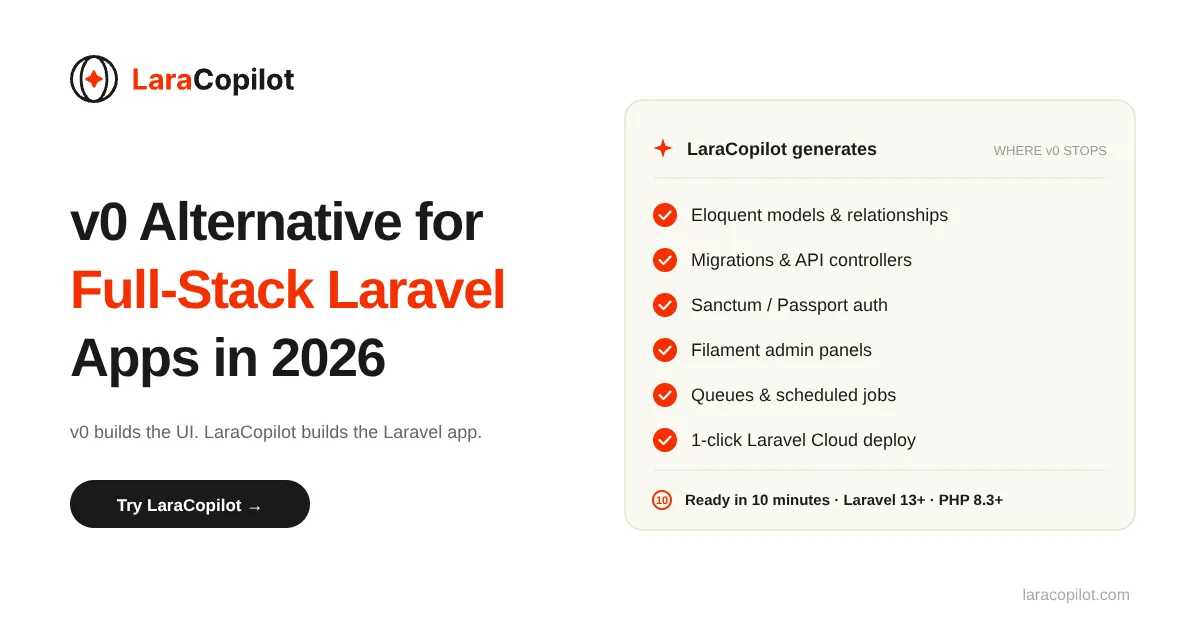
v0 Alternative for Full-Stack Laravel Apps in 2026

You prompted v0 for a “full-stack Laravel SaaS dashboard.” It returned beautiful React components. Then you asked it to wire up Eloquent models, generate migrations, and scaffold an API. v0 politely explained that it works in the Next.js ecosystem.

If that scenario sounds familiar, you already know why you’re looking for a v0 alternative.

v0 by Vercel does one thing exceptionally well: it generates clean React + Tailwind components from a prompt. For frontend developers inside the Next.js ecosystem, it is a genuinely useful tool. But for Laravel developers, PHP-focused founders, and anyone building backend-heavy applications, v0 stops short of what you actually need to ship. If you want a full picture of the Laravel-native category, LaraCopilot is the first Laravel AI full-stack engineer, and it changes what this comparison even looks like.

This post breaks down what v0 does, where it falls short for full-stack work, and the best v0 alternatives in 2026, including one built specifically for Laravel developers.

What v0 by Vercel actually is (and where it stops)

v0 by Vercel is an AI UI generator. You describe a component, screen, or page in natural language, and v0 returns production-ready React code styled with Tailwind CSS and shadcn/ui. The output is consistently clean. The integration with Next.js and the broader Vercel platform makes deployment frictionless for teams already in that ecosystem.

In 2026, v0 has expanded beyond pure component generation. The platform now includes a full-stack sandbox, Git panel, and some database integration options. But the core competency, and the engineering focus, remains the same: React components, Next.js routes, and the Vercel deployment pipeline.

That focus is also the limit. v0 generates code optimized for the JavaScript and TypeScript ecosystem. It does not generate PHP. It does not write Eloquent models. It does not produce Laravel migrations, controllers, Blade templates, or Artisan commands.

If your stack is Next.js + Supabase or Next.js + a Node API, v0 fits naturally. If your stack is Laravel + MySQL + Blade or Laravel + Inertia + Vue, you are using v0 against the grain of its design. This is the same gap we covered in our Lovable AI website builder review for Laravel teams, and the pattern repeats across every JavaScript-first AI tool.

Why v0 hits a wall on backend work

The most common reason developers search for a v0 alternative is backend support. The pattern is consistent across reviews and developer forums:

  • v0 generates a beautiful dashboard UI in minutes
  • The dashboard needs authentication, database queries, business logic, and API endpoints
  • v0 can suggest backend code, but cannot run it, scaffold it inside a working server, or maintain it across files
  • The developer ends up writing the entire backend manually anyway

v0’s backend support is fundamentally limited by design. The Vercel platform is edge-first and serverless-first. v0’s generation logic assumes that pattern. It can sketch a backend API stub, but it does not build the kind of stateful, convention-driven backend that frameworks like Laravel are designed around. For real backend generation that respects Laravel conventions, see how a purpose-built Laravel API generator approaches the same job.

For a quick prototype or a frontend-heavy SaaS, this constraint may be acceptable. For a real product with user accounts, payments, queues, multi-tenancy, file storage, scheduled jobs, websockets, and dozens of business rules, the constraint becomes a wall.

The other v0 limitations in 2026 that push developers toward an alternative:

  • Credit-based pricing. v0 uses token-based credits. Complex prompts burn through them quickly. Costs become unpredictable at scale.
  • Ecosystem lock-in. Generated code assumes React, Next.js, and Vercel’s runtime. Moving off that stack means rewriting.
  • GitHub integration is limited. Code export and version control workflows do not match what most production teams expect. (LaraCopilot, by contrast, supports private GitHub repo integration out of the box.)
  • No first-class support for non-JavaScript languages. PHP, Python, Ruby, and Go developers are not the target audience.

Why Laravel devs specifically outgrow v0

Laravel developers hit the v0 ceiling faster than most. Three reasons.

1. Laravel is convention-heavy. v0 is not Laravel-aware.

Laravel’s value comes from its conventions: Eloquent relationships, route model binding, middleware patterns, service containers, facades, Artisan generators. A real Laravel developer leans on those conventions every hour. v0 doesn’t know any of them. Even when v0 generates “backend code,” that code reads like a generic Node.js API, not a Laravel application. This is exactly why context-aware AI coding for Laravel produces fundamentally different output than a general-purpose tool.

2. The Vercel runtime doesn’t run Laravel cleanly.

PHP needs a long-lived runtime. Vercel’s serverless functions are not designed for that. You can technically run Laravel on Vercel with serverless PHP, but you give up most of what makes Laravel productive: queues, scheduled jobs, websockets via Reverb, file storage, persistent caching. Most teams hosting Laravel use Forge, Cloud, Vapor, or a traditional VPS, which is why one-click Laravel Cloud deployment matters more than serverless edge functions for this audience.

So a Laravel developer using v0 ends up with frontend code that wants to live on Vercel and backend code that has to live somewhere else. That split adds friction, not removes it.

3. The output doesn’t match Laravel idioms.

Even when v0 generates code that touches the backend, it produces a structure that a Laravel developer will refactor before committing. Models without proper relationships. Routes without resource controllers. Authentication that doesn’t use Sanctum or Passport. The generated code is technically functional but conventionally wrong. And in Laravel, conventional correctness is what makes the framework worth using.

If you have been wondering why v0 keeps breaking your Laravel code, this is why. v0 isn’t broken. It is doing exactly what it was built to do, which happens to be the wrong shape for Laravel work.

[Image: Diagram showing the gap between what v0 generates (React UI only) and what a full Laravel app actually needs (controllers, models, migrations, auth, queues, API) | Alt text: v0 backend support gap for Laravel full-stack applications]

v0 alternatives compared: Lovable, Bolt, Replit, Cursor, LaraCopilot

Most “best v0 alternatives 2026” listicles recommend the same four or five tools. Here is an honest breakdown of how each one handles the Laravel and backend question.

v0 vs Lovable

Lovable is the most popular v0 alternative for full-stack work. It generates React applications with Supabase as the backend. Visual edits, real-time database, authentication, and deployment are handled in one flow.

Where Lovable wins over v0: Real backend out of the box. Database, auth, and hosting are included.

Where Lovable falls short for Laravel devs: Lovable’s backend is Supabase. Not Laravel. Not PHP. If your team already runs on Laravel, Lovable means rewriting your entire backend on a different stack. That’s not a swap. It’s a migration.

We covered Lovable’s pricing model in our Lovable pricing review and the agency-specific case in why Laravel agencies choose LaraCopilot over Lovable.

v0 vs Bolt

Bolt is a browser-based full-stack AI builder built on WebContainer technology. It supports multiple JavaScript frameworks and runs the entire development environment in your browser.

Where Bolt wins over v0: Full-stack generation, faster iteration, more framework flexibility.

Where Bolt falls short for Laravel devs: Same problem. Bolt is JavaScript-first. PHP is not a supported runtime in WebContainers. You can write Laravel code in Bolt, but you cannot run it there. The full breakdown is in our LaraCopilot vs Bolt backend comparison.

v0 vs Cursor

Cursor is the most popular AI code editor in 2026. Unlike v0, Cursor is not a generator. It is a full IDE with AI baked in. You can use it for Laravel, PHP, Python, or anything else.

Where Cursor wins over v0: Language-agnostic. Cursor edits and assists with any codebase, including Laravel projects.

Where Cursor falls short: Cursor is an editor, not a scaffolding engine. It will help you write a controller faster, but it will not generate a complete Laravel app with models, migrations, routes, and admin panel from a single prompt. For day-to-day editing, Cursor is excellent. For zero-to-MVP scaffolding, it is not the right tool. See our full LaraCopilot vs Cursor for Laravel breakdown.

v0 vs Replit

Replit gives you a full cloud development environment with AI agents. It can run PHP, including Laravel.

Where Replit wins over v0: Real PHP support. You can run Laravel inside Replit.

Where Replit falls short for production Laravel: Replit’s AI agent is general-purpose. It does not understand Laravel conventions deeply. Output quality on Laravel-specific tasks is closer to Cursor than to a Laravel-native tool. We compared the broader category in our best Replit alternatives roundup.

v0 vs LaraCopilot

LaraCopilot is the only AI builder on this list designed specifically for Laravel.

The core difference: v0 generates React components. LaraCopilot generates Laravel applications: Eloquent models with relationships, migrations, controllers, Blade templates or Inertia setups, API routes with Sanctum auth, admin panels, queue jobs, and deployment configuration. The output respects Laravel conventions because the system is built around them. This is what Laravel-native intelligence actually means in practice.

Where LaraCopilot fits in: If your stack is Laravel and you want to ship faster, LaraCopilot is the v0 equivalent for your ecosystem. If your stack is React + Node, LaraCopilot is the wrong tool. Stay with v0 or Lovable.

LaraCopilot supports Laravel 13+, PHP 8.3+, exports cleanly to GitHub, and is currently used by 6,000+ Laravel developers and agencies. The broader Laravel-native AI category is covered in our guide to Laravel AI code generators.

Best v0 alternatives for full-stack apps in 2026

Here is a clean summary of which v0 alternative for full-stack work to use, based on your stack:

Your stackBest v0 alternative
React + Supabase + serverlessLovable (closest to v0 in approach, real backend included)
Any JS framework, browser-based devBolt (full-stack, fast iteration, WebContainer-based)
Existing codebase, language-agnostic editingCursor (best AI IDE, works with any language)
Multi-language sandbox, PHP supportedReplit (runs Laravel but generic AI output)
Laravel + PHP, production appsLaraCopilot (Laravel-specific scaffolding, convention-aware)

For most Laravel developers, the answer is LaraCopilot. For Laravel agencies and founders building on PHP, the answer is the same. v0 alternative for full stack work is not one tool that beats v0 universally. It is the tool that matches your stack.

When to switch entirely vs pair v0 with a Laravel backend

You do not always need to abandon v0. Many Laravel teams use v0 as a UI design step and a Laravel-native tool as the application engine.

The pairing pattern that works:

  1. Use v0 (or Figma + v0) to generate the UI mockups and React component code
  2. Translate the visual design into Blade or Inertia components inside your Laravel app
  3. Use LaraCopilot to scaffold the full Laravel backend: models, migrations, controllers, API, auth, admin
  4. Deploy on Laravel Cloud, Forge, or your existing Laravel infrastructure

You get v0’s UI quality and a real Laravel backend. The two tools serve different parts of the workflow.

When to switch entirely:

  • You build primarily backend-heavy applications. See the use cases for SaaS, internal tools, and marketplaces where this is the norm.
  • Your team is Laravel-first and doesn’t ship to Vercel
  • You are paying for v0 credits but rarely using the React output
  • You need multi-tenancy, queues, websockets, or other Laravel-native features that v0 doesn’t touch

In those cases, the v0 alternative isn’t supplementary. It replaces v0 entirely in your workflow.

How LaraCopilot fills the gap v0 leaves for Laravel teams

LaraCopilot is the Laravel-specific answer to the v0 alternative question. It generates the parts of a Laravel application that take longest to build manually:

  • Eloquent models with proper relationships, casts, and accessors
  • Migrations that follow Laravel conventions
  • Controllers (resource, API, single-action) with validation
  • Blade templates or Inertia.js + Vue/React setups
  • Sanctum or Passport authentication flows
  • Admin panels built on Filament or custom Blade
  • RESTful APIs with route model binding
  • Queue jobs, scheduled tasks, and event listeners
  • One-click deployment to Laravel Cloud

The generated code is PSR-compliant and Laravel Pint formatted. You can push directly to GitHub. The output is what a senior Laravel developer would write, generated from a plain-English description.

Where v0 leaves you with a beautiful React component and an empty backend, LaraCopilot leaves you with a working Laravel application. For developers who want to verify the technical depth before signing up, the LaraCopilot documentation covers the full API and integration surface.

[Image: LaraCopilot interface showing a prompt being translated into a complete Laravel application structure | Alt text: LaraCopilot generating a full-stack Laravel app from a single prompt]

Pick the v0 alternative that matches your stack

v0 by Vercel is one of the best AI UI generators in 2026. For React and Next.js developers, it earns its place in the toolkit. The problem is not v0. The real problem is using v0 outside the ecosystem it was built for.

If you are a Laravel developer, your v0 alternative is not Lovable, Bolt, or Replit. It is a tool built around the conventions, idioms, and runtime your application actually uses.

That is the gap LaraCopilot was built to fill.

Try LaraCopilot free. Generate your first Laravel app in under 10 minutes. Get the Full Stack with LaraCopilot →


How to Build an App and Make Money with AI in 2026

To know how to build an app and make money in 2026, you need three things: a validated idea, a chosen monetization model (subscription, freemium, or marketplace fee), and a backend that handles billing from day one. AI tools now handle the infrastructure so you can ship a revenue-ready app in days, not months.

Most developers know how to build an app. Almost none of them know how to make money from one. That gap is where most side projects die.

You know the feeling. You spend three months building something you are genuinely proud of. The code is clean. The UX is tight. You show it to friends and they say it is great. Then you add it to your portfolio and move on, because you never decided how to charge for it. Pricing feels awkward. You are not sure if the product is worth anything. So you ship it free and wait for something to happen.

Nothing happens.

This article closes that gap. Not with theory, but with a working model: choose your monetization structure first, wire billing second, build your core feature third. In 2026, AI has removed every infrastructure excuse. The plumbing is handled. The only question is whether you are willing to charge.

Key Takeaways

  • The reason most apps fail financially is not the code or the idea. It is the absence of a monetization decision made before building.
  • Three models drive 90%+ of indie app revenue: subscription, freemium, and marketplace fee.
  • The right model depends on your app type, not personal preference. There is a four-question framework for choosing it.
  • AI tools like LaraCopilot scaffold Stripe billing, authentication, and REST API in under an hour, so you can build and charge from day one.
  • Apps that launch with billing in place outperform free apps that add pricing later by a significant margin.

Why Most Apps Never Make a Dollar

Here is the real story behind most failed side projects.

Daniel spent four months building a freelancer invoicing tool in late 2024. He used Laravel for the backend, wrote clean migrations, and built a dashboard with genuinely better invoice templates than anything he had found on the market. He launched on Product Hunt. Thirty people signed up on day one.

Nothing converted. No revenue. Not because the product was bad. Because Daniel never decided what he was selling. He thought he would add billing once he had more users. More users never came with real intent to pay. The free users grew comfortable, expected the tool to stay free, and left the moment he tried to introduce a paid tier four months later.

The gap between “builds apps” and “makes money from apps” is almost always a decision that was never made before the first commit.

Missing Step: Choosing Your Monetization Model First

Most app-building guides treat monetization as the final step. Build the product, get users, then figure out how to charge. This is backwards.

The monetization model you choose shapes every product decision that follows. A subscription product needs a recurring value loop that justifies monthly payment. A freemium product needs a free tier that creates demand for paid features without replacing them. A marketplace product needs trust infrastructure on both sides of the transaction.

Wire billing in from day one and you build differently. You know what the paid tier is. You know what the conversion event is. You know how to talk about pricing with early users. You stop building features nobody will pay for.

Old Timeline vs the AI Timeline

In 2022, choosing “subscription” meant weeks of work before you could write a single feature line. Stripe integration, webhook handling, plan management, upgrade and downgrade flows, cancellation logic, admin billing dashboard. Most solo developers skipped it, built it badly, or burned out before launching.

In 2026, that setup takes under an hour. GitHub Copilot users complete development tasks 55% faster than developers coding without AI assistance. Tools like LaraCopilot scaffold the entire billing layer, including Stripe subscriptions, plan tiers, upgrade and downgrade flows, and the admin panel, before you write your first feature. The infrastructure excuse is gone. The only remaining question is which model fits your idea.

3 App Monetization Models That Actually Work in 2026

The global app market generated over $420 billion in revenue in 2025. Almost all of that revenue comes from three structures.

Model 1: Subscription, Predictable Recurring Revenue

You charge users a flat monthly or annual fee for continued access to the app.

Subscription is the default model for any tool people use regularly: scheduling apps, analytics dashboards, writing tools, team utilities. The economics work because you acquire a customer once and collect revenue every month. Fitness and habit subscription apps generate 70–85% gross margins once infrastructure costs are covered.

Target price points: $9/month for individual users, $29–$49/month for small teams, $79–$99/month for business tiers. The key variable is churn. A subscription business with 5% monthly churn grows slowly. One with under 2% monthly churn compounds.

Retention is built into the product: the more value users extract per month, the less likely they are to cancel. Build for daily or weekly use and subscription makes sense.

LaraCopilot implementation: Stripe subscription plans, plan management, upgrade and downgrade flows, webhook handling for renewals and failed payments.

Model 2: Freemium, Build Users First, Convert Later

You offer a free tier that attracts volume, then convert 2–5% of free users to paid plans.

Freemium works when the value of the product compounds with usage: finance apps, habit trackers, productivity tools, analytics platforms. The free tier does real work for the user but creates natural pressure toward paid features such as more storage, more projects, more integrations, and export capabilities.

The critical design rule: the free tier must create demand for the paid tier, not replace it. A free tier that delivers everything makes a bad freemium product. A free tier that makes users want more is the engine that converts.

Industry benchmark: 2–5% of free users convert to paid plans. With 10,000 free users at a $9.99/month paid tier, that is $1,998–$4,995 MRR from a single conversion cohort.

LaraCopilot implementation: Feature flags per plan tier, usage metering and limit enforcement, upgrade prompts when users hit free-tier ceilings.

Model 3: Marketplace Fee, Earn on Every Transaction

You build a platform that connects buyers and sellers, and take a percentage or flat fee on every transaction that flows through it.

Marketplace models work for platforms facilitating value exchange: creator payment tools, freelancer platforms, booking systems, resale marketplaces. The creator economy was worth $250 billion in 2025 and is projected to reach $480 billion by 2027. Every dollar that flows through a creator platform is a potential margin opportunity.

Target fee: 1–5% of transaction value for percentage-based models. The advantage is that revenue scales automatically with platform activity. You do not need to acquire more paying users. You need the users you have to transact more.

LaraCopilot implementation: Stripe Connect for marketplace payouts, split payment handling, transaction fee calculation and routing.

Which Model Fits Which App?

App TypeBest ModelWhy
Scheduling, productivity, analyticsSubscriptionUsed regularly; clear monthly value
Finance, habit, learningFreemiumValue compounds; free tier builds upgrade demand
Creator tools, payments, bookingsMarketplace FeeRevenue scales with platform activity
B2B team utilitiesSubscription (annual)High LTV, low churn, annual contracts
Consumer utilities (convert, extract)FreemiumVolume-driven; conversion at scale
Freelancer platformsHybrid: subscription + feeMultiple revenue streams, lower churn dependency

How to Choose Right Model for Your App Idea

Four questions determine your model. Answer them before writing a line of code.

1. How often will users come back? Daily or weekly use supports subscription. Monthly or occasional use often points to freemium or one-time payment.

2. Does the value grow with usage? If the app gets better the more someone uses it (data accumulates, history builds, connections form), freemium converts naturally. If every session delivers the same standalone value, subscription fits better.

3. Are there two sides to the market? If your app connects a buyer to a seller or a service provider to a client, marketplace fee is worth building for. If it serves one type of user directly, subscription or freemium.

4. Is your paying user an individual or a business? B2B buyers have higher willingness to pay, annual billing preferences, and lower churn. A $49/month B2B tool beats a $4.99/month B2C tool in lifetime value almost every time.

Want to see how the billing structure works in practice? Explore LaraCopilot’s billing scaffolding →

Real App Examples with Revenue Estimates

These four app categories from ideabrowser.com research show the framework applied to concrete ideas.

1. Silver Tech Concierge, Hybrid Model ($29/month + $49/session)

The idea: a platform that helps families arrange ongoing and on-demand tech support for elderly relatives. Families subscribe for regular coverage and pay per session for acute technical problems.

Market signal: On-demand senior tech support represents a $5M+ ARR opportunity with very low existing competition. The senior tech gap is documented and underserved. Existing services are mostly local, unscalable businesses.

Why hybrid: the subscription captures recurring family relationships and creates predictable revenue. The per-session fee monetizes the high-value, urgent individual touchpoints. Neither model alone captures the full revenue opportunity.

Build complexity: moderate. Booking flow, session scheduling, family account management, Stripe for subscription and one-time session payments. LaraCopilot handles the billing architecture; the core feature is session coordination and tech support matching.

2. Email Signature Generator for Teams, B2B Subscription ($15–$29/month per workspace)

The idea: a centralized tool that lets teams create, manage, and enforce consistent email signatures across the organization, with per-user templates and brand compliance controls.

Market signal: High retention, low churn. Once a team migrates signatures to a platform, switching cost is organizational. Someone would have to manually rebuild everything to leave. B2B buyers treat this as a compliance and brand tool, not a discretionary expense.

Why subscription: used regularly (every new hire, every rebrand, every update), clear per-workspace pricing that scales with headcount, strong LTV from annual contracts.

Build complexity: low. Template builder, team workspace management, user permissions, Stripe subscription per workspace. The core product is the template engine; LaraCopilot scaffolds auth, billing, and admin in an afternoon.

3. Creator Payment Manager, Subscription + Transaction Fee ($29–$79/month + 1–2%)

The idea: a dashboard that helps individual creators manage, track, and consolidate payments from multiple platforms including YouTube, Substack, brand deals, and coaching clients.

Market signal: The $250 billion creator economy has a fragmented payment problem. Creators often manage five to eight income streams with no consolidated view. This is a documented, underserved pain point in a fast-growing market.

Why dual model: the subscription monetizes the dashboard and analytics value. The transaction fee (applied to brand deal invoices processed through the platform) monetizes payment facilitation. Both revenue streams reinforce each other and reduce single-revenue dependency.

Build complexity: moderate to high. Income tracking, invoice generation, Stripe Connect for payout routing, analytics dashboard. LaraCopilot handles Stripe Connect architecture and authentication; the core feature is income aggregation and invoice management.

4. Gamified Personal Finance App, Freemium to Subscription ($0 free / $4.99–$9.99/month paid)

The idea: a budgeting and savings app that uses game mechanics including streaks, levels, and challenges to make financial discipline engaging and habitual.

Market signal: Habit app category generates 70–85% gross margins on subscription tiers. Gamification has strong retention data from adjacent markets like language learning and fitness. Finance apps with social and competitive elements have higher daily active user rates than purely functional alternatives.

Why freemium: the free tier delivers real value through basic budgeting and streak tracking. The paid tier unlocks features that compound over time, including goal forecasting, premium challenges, partner sync, and challenge multipliers. The game mechanic creates upgrade demand naturally as users hit free-tier limits on their most engaging features.

Build complexity: low to moderate. User accounts, streak and points engine, Stripe subscription for paid tier, feature flags for plan separation. The core feature is the gamification layer; LaraCopilot scaffolds everything else.

How to Build a Revenue-Ready App with AI in 2026

Running a production SaaS application costs $85–$200/month in 2026, down from $5,000+ per month in 2019. The infrastructure cost barrier is effectively gone. The setup time barrier is nearly gone too.

Step 1: Define Your Idea and Pick Your Model

Before writing a single line of code, write one sentence: “I am building [product] for [audience] who pay [price] per [period] because [value delivered].”

If you cannot complete that sentence, you are not ready to build. The monetization model lives inside that sentence. “Who pay $29/month” means subscription. “Who pay 2% of each transaction” means marketplace fee. “Who upgrade from free when they hit their limit” means freemium.

This sentence also defines your MVP scope. Everything your first version needs is in that sentence. Everything outside it is optional.

Step 2: Scaffold Your Backend with LaraCopilot

This is where most developers used to spend two to four weeks. Authentication system, user management, subscription tiers, Stripe webhook handling, admin dashboard, REST API endpoints. Necessary work that has nothing to do with the feature users are paying for.

In 2026, LaraCopilot generates the entire backend scaffold in under an hour. It is an AI app builder for developers who want to skip the scaffolding and spend their time on the feature that generates revenue.

Describe the app, the billing model, the user tiers, and the API surface. LaraCopilot outputs a production-ready Laravel backend with authentication, Stripe billing integration, feature flags per plan, admin panel for user and subscription management, REST API with authentication middleware, and full database migrations.

When Nadia started building her Creator Payment Manager in February 2026, she had the core income aggregation algorithm designed over a weekend. The auth scaffold, billing layer, and admin panel that would have taken her three weeks of setup were generated by LaraCopilot in 45 minutes. She spent the following week building the feature that actually made money.

Ready to Code Smarter with Laravel?

Meet LaraCopilot — your AI full-stack assistant built for Laravel developers.
Skip the boilerplate, build faster, and focus on what matters: problem solving.

Try LaraCopilot Now

Step 3: Add Your Core Feature

With billing and auth in place, you build the feature that delivers the value users are paying for. Nothing else. Not extras. Not roadmap items. The one thing your one-sentence value proposition promised.

For the Email Signature Generator: the template builder. For the Creator Payment Manager: the income aggregation dashboard. For the Gamified Finance App: the streak and challenge engine.

The scaffold handles everything else. Your job is the feature that makes users willing to pay.

Step 4: Launch and Charge From Day One

Do not launch free with a plan to add billing later. Charge from the first user.

Users who pay have fundamentally different behavior from users who do not. They give better feedback because they have skin in the game. They use the product more intentionally because they made a financial commitment. They have lower churn because switching to a free alternative means admitting the payment was wasted.

Free users optimize for free. Paying users optimize for value. Build for the second group and you build a real business.

Your launch sequence: reach out directly to 5–10 members of your actual target audience (not friends or colleagues, but people who match your ICP). Ask if they will pay $X/month for a product that solves [specific problem]. Get one yes. Build for that one person. Then launch publicly as a product people pay for.

What LaraCopilot Builds So You Don’t Have To

The reason most developers spend months before their first paying customer is not the difficulty of the core feature. It is the volume of necessary scaffolding that has nothing to do with the value they are building.

Every app that charges users needs the same foundation.

Authentication: registration, login, email verification, password reset, session management. Building this correctly with rate limiting, security best practices, and token handling takes one to two weeks without tooling.

Billing integration: Stripe API configuration, subscription plan setup, webhook endpoints for payment events, upgrade and downgrade logic, customer portal, invoice generation. Another two to three weeks minimum.

Admin panel: user management, subscription status overview, manual override capabilities, usage reporting. One week minimum for a functional admin layer.

REST API: authenticated endpoints, middleware, rate limiting, response formatting. One to two weeks depending on complexity.

LaraCopilot generates all of this as a production-ready Laravel application. What takes solo developers three to eight weeks of setup work generates in under an hour.

That is the 2026 advantage: the distance between idea and first paying customer is measured in days, not months. You still build the feature that makes money. LaraCopilot builds everything that makes that feature possible.

Wrap-up!

The developers making money from apps in 2026 are not necessarily the best engineers. They are the ones who made the monetization decision before writing the first line of code.

Three models. One decision. Made early.

Subscription for tools used every week. Freemium for products where value compounds with use. Marketplace fee for platforms where money already flows between users. Pick the model that fits what you are building, wire it in from day one using scaffolding that AI now makes fast, and launch charging.

The infrastructure excuses are gone. AI builds the auth. AI builds the billing. AI builds the admin panel. Your job is the feature and the decision to charge for it.

Build Your Revenue App →

How Much Does It Cost to Make an App in 2026?

Building an app in 2026 costs between $5,000 and $200,000, depending almost entirely on who builds it and what tools they use. A traditional dev agency quotes $80K-$150K for a SaaS MVP. A freelancer quotes $15K-$50K. An AI-assisted developer using LaraCopilot delivers the same feature set for $5K-$20K. This article breaks down every path with real numbers so you can make the decision today.

The cost range you see in most “app development cost” articles ($10K to $500K) is technically accurate and practically useless. A range that wide tells you nothing about which side of it your project lands on, or why. What actually determines cost is the combination of who builds your app and which tools they use to build it.

Maria is a non-technical founder based in Chicago. In November 2025, she took her SaaS idea to three development agencies. The quotes came back at $95,000, $120,000, and $145,000. She nearly shelved the project. A developer connection referred her to a solo developer who uses LaraCopilot for backend scaffolding. That developer quoted $8,500 for the same feature set. The app was in staging six weeks later and cost her less than two months of the cheapest agency quote.

The difference was not in the quality of the code. It was in what the developer was billing for.

Key Takeaways

  • App development cost in 2026 ranges from $5K (AI-assisted developer, small project) to $200K+ (US agency, complex product).
  • The single biggest cost driver is not your app’s features. It is your choice of who builds it.
  • Traditional agencies charge for overhead, process, account management, and QA in addition to development time.
  • Freelancers charge for time, including the time they spend on boilerplate that AI tools can now generate in minutes.
  • An AI-assisted developer using LaraCopilot eliminates most boilerplate billing. You pay for expertise and judgment, not for code a tool can write.

What Determines App Development Cost

Before comparing paths, it helps to know which variables actually move the needle on price.

Feature complexity is the primary driver. An app with user auth, one database table, and a contact form costs a fraction of an app with multi-role permissions, five relational database tables, a REST API, Stripe billing, and an admin panel. Each feature adds developer time. The more backend logic involved, the steeper the curve.

Who builds it is the multiplier. The same feature set costs dramatically different amounts depending on whether a US agency, a freelancer, an offshore team, or an AI-assisted developer delivers it. Developer time is priced differently in each model, and the amount of time each model spends on boilerplate versus actual business logic varies significantly.

Timeline pressure adds cost. Rush projects carry 20-50% premiums at agencies. Freelancers often cannot compress their timeline at all, since they are typically working on multiple projects.

Tech stack has indirect cost implications. Mature frameworks with clear conventions (Laravel, Rails, Django) produce more consistent output from AI tools, which reduces the correction overhead an AI-assisted developer has to absorb.

Ongoing support is often excluded from initial quotes. Agencies quote for build, not maintenance. Factor in monthly retainer costs if your product needs ongoing development after launch.

Four Ways to Build an App (With Real Costs)

Option 1: Traditional Dev Agency ($50K-$200K+)

How it works: A dev agency assigns a team to your project. You typically get a project manager, one or two developers, a designer, and a QA engineer. The agency handles the full build process, from discovery through delivery.

The cost structure: US agencies bill at $150-$250/hour per developer (Clutch 2025 data). A team of three (PM, developer, designer) working for four months on a SaaS MVP generates 480-640 billable hours. At $175/hour blended, that is $84,000-$112,000 before contingency budget.

What you are actually paying for: Developer time is 40-50% of a typical agency invoice. The rest pays for project management, account management, internal QA, tooling, and agency overhead. You are not buying 640 hours of development. You are buying 300 hours of development and 340 hours of process.

When agency pricing is justified: Large enterprise products with compliance requirements, teams that need embedded project management and formal QA, or organizations that cannot hire and manage a developer directly. For those contexts, the overhead is a feature, not a bug.

Realistic MVP cost by app type:

  • Simple marketing site with CMS: $20,000-$50,000
  • Web app with auth and basic CRUD: $60,000-$100,000
  • SaaS with billing, roles, and API: $90,000-$160,000
  • Mobile app (iOS or Android): $80,000-$200,000

Timeline: 3-6 months for an MVP. Discovery phase alone runs 4-6 weeks at most agencies.

Option 2: Freelance Developer ($10K-$60K)

How it works: You hire one or two developers directly, either through platforms like Upwork and Toptal or through referrals. You manage the project. They build to your spec.

The cost structure: Mid-to-senior US or UK freelancers bill at $75-$150/hour (Upwork/Toptal 2025). A full-time freelancer working for three months at $100/hour generates approximately $48,000-$52,000 in cost. Part-time engagement over the same period runs $20,000-$30,000.

What you are actually paying for: Primarily developer time. No agency overhead. You are getting closer to a dollar-for-dollar trade of money for development hours. The challenge is that a freelancer still bills for boilerplate: setting up auth systems, writing CRUD scaffolding, building out API resource classes. In 2026, much of that boilerplate can be generated by AI tools.

The time risk: Freelancers work on multiple projects simultaneously. Timeline slippage is common when a higher-priority client demands more attention. Milestone-based contracts reduce this risk.

Realistic MVP cost by app type:

  • Simple web app with auth: $10,000-$25,000
  • SaaS backend with billing and roles: $25,000-$55,000
  • Internal tool or admin dashboard: $8,000-$20,000

Timeline: 2-4 months for a focused build, 3-6 months if part-time.

David is a CTO at a London fintech startup. In mid-2025, he hired a freelance developer at £65/hour to build the company’s internal risk-scoring dashboard. The scope was clear: a Laravel app with user roles, a data ingestion API, and a reporting layer. Five months and £62,500 later, the dashboard was 80% complete. David asked where the time had gone. The developer’s logs showed two months of auth scaffolding, middleware setup, and API boilerplate that David had assumed would take two weeks. The final 20% of features took another £20,000. Total: £82,500. A developer using LaraCopilot would have scaffolded that auth and API layer in days, not months.

Option 3: Offshore or Nearshore Team ($8K-$40K)

How it works: You hire developers based in Eastern Europe, Latin America, India, or Southeast Asia, either independently or through an offshore agency. Rates are significantly lower. Quality varies widely.

The cost structure: Eastern European developer rates run $40-$80/hour (Clutch 2025). Indian offshore rates run $20-$45/hour. An offshore team of two developers working for three months at $55/hour blended generates approximately $26,400-$28,800.

What you are actually paying for: Lower hourly rates do not always translate to lower total cost. Communication overhead, timezone friction, and occasional rework can add 30-50% to the effective cost. The best offshore engagements are with developers who have strong English skills, existing framework expertise, and a track record you can verify.

When offshore works well: Well-specified projects with clear wireframes and documented requirements. Augmenting an existing development team for specific tasks. Projects where a technical CTO can closely review output.

Realistic MVP cost by app type:

  • Web app with auth and basic CRUD: $8,000-$20,000
  • SaaS backend with billing and roles: $18,000-$38,000
  • API backend for mobile app: $10,000-$25,000

Timeline: 2-4 months if managed well. Add 1-2 months contingency for revision cycles.

Option 4: AI-Assisted Development with LaraCopilot ($5K-$20K)

How it works: A developer uses LaraCopilot to generate the framework-aware boilerplate (models, controllers, migrations, Policies, API resources) and focuses their paid time on the business logic that AI cannot generate: custom pricing rules, integration-specific logic, edge case handling.

The cost structure: One mid-level developer working with LaraCopilot can deliver in 4-8 weeks what would take a freelancer 3-4 months. If that developer bills at $100/hour and works 160 hours (4 weeks focused), your cost is $16,000. Add LaraCopilot’s subscription and infrastructure. The boilerplate that would have consumed 40-60% of a traditional freelancer’s hours is generated by the tool, not billed by the person.

What you are actually paying for: Expertise and judgment. The developer reviews generated output, applies business logic, handles edge cases, writes tests, and deploys. They are not writing CRUD scaffolding, auth middleware, or API resource boilerplate from scratch. According to research from GitHub (2024), AI-assisted development reduces boilerplate time by 30-40%. For framework-aware tools like LaraCopilot, that figure runs higher on Laravel-specific output.

The ownership difference: Unlike agency or freelancer builds, where you get the code at the end of the engagement, an AI-assisted build with LaraCopilot produces code in your repository from day one. The generated output is yours. The developer’s additions are yours. There is no contractual dependency on a third party to continue the work.

Realistic MVP cost by app type:

  • Web app with auth and basic CRUD: $5,000-$12,000
  • SaaS backend with billing and roles: $10,000-$20,000
  • CRM-level app with pipeline, Policies, and API: $12,000-$22,000

Timeline: 4-8 weeks for an MVP. Boilerplate is generated, not written. Development time concentrates on logic and integration.

Build Affordable with LaraCopilot and see what your app would cost to scaffold before committing to an agency quote.

Cost Comparison: All Four Paths at a Glance

ApproachHourly RateMVP Cost (SaaS)Time to MVPCode OwnershipBest For
US/UK Dev Agency$150-$250/hr$90K-$160K4-6 monthsYes (at delivery)Enterprise, compliance, no in-house dev
Freelance Developer$75-$150/hr$25K-$55K2-4 monthsYesMid-complexity projects, managed directly
Offshore Team$20-$80/hr$18K-$38K2-4 monthsYesWell-specified builds, strong oversight
AI-Assisted (LaraCopilot)$75-$125/hr (less hours)$10K-$20K4-8 weeksYes (from day one)Tech founders, Laravel backends, speed to MVP

Real App Cost Examples: Three Common Project Types

Project Type 1: Simple Internal Tool (Database + Auth + Admin)

What it includes: User login, a data table, form-based CRUD, a basic admin panel. One database model, three user roles, no external API integrations.

ApproachCostTimeline
US Agency$55,000-$80,0003-4 months
Freelancer$12,000-$22,0006-10 weeks
Offshore$8,000-$15,0006-10 weeks
AI-Assisted$5,000-$10,0002-4 weeks

Project Type 2: SaaS MVP (Auth + Billing + API + Dashboard)

What it includes: Multi-role user auth, Stripe subscription billing, REST API, admin dashboard, basic analytics.

ApproachCostTimeline
US Agency$100,000-$160,0004-6 months
Freelancer$28,000-$55,0002-4 months
Offshore$20,000-$38,0002-4 months
AI-Assisted$12,000-$22,0004-8 weeks

Project Type 3: CRM-Level App (Contacts, Pipelines, Roles, Activity Log, API)

What it includes: Contact and company models, deal pipeline with stages, multi-role Policies, polymorphic activity log, REST API for mobile.

ApproachCostTimeline
US Agency$130,000-$200,0005-7 months
Freelancer$35,000-$65,0003-5 months
Offshore$25,000-$45,0003-5 months
AI-Assisted$15,000-$28,0006-10 weeks

What AI-Assisted Development Actually Changes About the Cost Model

The cost reduction in the AI-assisted path is not about paying developers less. It is about buying fewer hours of the wrong kind of work.

Traditional development billing includes hours that generate no unique value: writing a User model with standard fields, setting up Laravel auth scaffolding, building a resource controller with the same five methods it always has, writing a migration that any developer would write the same way. These tasks are necessary. They are not differentiated. In a standard billing model, you pay the same hourly rate for this boilerplate as you pay for the business logic that makes your product actually work.

LaraCopilot generates the boilerplate. A developer using it spends their paid hours on what matters: the subscription transition logic, the custom permission rules, the data ingestion pipeline, the integration with your third-party.

Jess is a technical co-founder based in Toronto. In early 2026, she and her developer built a B2B lead qualification SaaS. A competitor had paid a Chicago agency $95,000 for a similar product the year before. Jess’s developer used LaraCopilot for the backend scaffold: contact and company models, a three-stage pipeline, role-based Policies, and a REST API. The scaffold took two days to generate and review. The developer spent five weeks on the business logic and integrations. Total developer cost: $11,200. LaraCopilot subscription: included in operating expenses. The app launched in week seven. The competitor is still adding features from their agency scope.

Decision Framework: Which Build Path Is Right for Your Budget?

Choose a US or UK dev agency if:

  • You have $80,000+ budget and cannot manage developers directly
  • Your product operates in a regulated industry (financial, medical) and needs agency-level QA and documentation
  • You need a full project team (PM, design, development, QA) in one contract
  • Your internal team cannot review code or manage a development relationship

Choose a freelancer if:

  • You have $20,000-$60,000 budget and a CTO or technical lead who can review work
  • The project is well-specified and the scope is unlikely to change significantly
  • You need flexibility to pause and resume engagement

Choose an offshore team if:

  • Your budget is $10,000-$40,000 and you have strong documentation and oversight capability
  • You have previous experience managing remote development and the timezone math works for your region
  • The spec is tight and revision cycles can be minimized

Choose AI-assisted development with LaraCopilot if:

  • You have $5,000-$25,000 budget and can work with one skilled developer
  • Your app is Laravel-based or you are choosing a stack and Laravel is in scope
  • Speed to MVP matters more than process documentation
  • You or your team can review generated code and manage the development directly

Ready to Code Smarter with Laravel?

Meet LaraCopilot — your AI full-stack assistant built for Laravel developers.
Skip the boilerplate, build faster, and focus on what matters: problem solving.

Try LaraCopilot Now

Cost to Build an App Is a Choice, Not a Fixed Number

How much does it cost to make an app in 2026 comes down to who builds it and what tools they use. Agency quotes of $100K-$150K for a SaaS MVP are real. So are AI-assisted developer quotes of $12K-$20K for the same feature set.

The difference is not quality. It is hours, overhead, and tooling. A developer using LaraCopilot does not spend two months writing auth scaffolding and CRUD boilerplate. They spend two months on the logic that makes your app worth building. That compression is where the cost difference lives.

If you have a product idea and a budget under $25,000, the agency model is almost certainly the wrong path. A skilled developer with the right tools can deliver more in six weeks than an agency delivers in four months, for a fraction of the cost.

Build Easy with LaraCopilot and get a real sense of what your app costs to scaffold before you commit to any quote.

LaraCopilot vs Bolt.new: Which Handles Backend Apps?

For real backend apps with database relationships, multi-role auth, and server-side business logic, LaraCopilot wins. Bolt.new is a strong tool for frontend-first prototypes and simple full-stack demos, but it hits a hard ceiling the moment your backend becomes the product. Here is exactly where each tool works and where each one stops.

Senior developers are finding this out the hard way. Bolt.new is fast, impressive, and genuinely useful for the right project. But “the right project” has a narrower definition than the demos suggest. When a real client asks for role-based permissions, Eloquent relationships across five tables, and a REST API that actually maps to a database schema, Bolt.new returns scaffolding that looks right and runs wrong.

This comparison gives you the honest breakdown: what each tool is built for, where each one has no equal, and three real project scenarios with a clear winner for each.

Key Takeaways

  • Bolt.new runs in WebContainers (browser-based Node.js) and has no native persistent database layer, which limits production backend output.
  • LaraCopilot generates framework-aware Laravel output: Eloquent models with relationships, Gates and Policies, artisan-scaffolded migrations, and resource controllers.
  • For SaaS backends, REST APIs, and internal tools where the database and auth system are the product, LaraCopilot produces code that runs in production. Bolt.new produces code that runs in demos.
  • Bolt.new wins on UI prototyping speed, zero-setup environment, and simple full-stack apps where the backend is a few API routes and no complex permissions.
  • The practical test: if your project needs php artisan make:policy to exist, LaraCopilot is the right tool.

Why Senior Devs Hit a Wall with Bolt.new

What Bolt.new Is Built For

Bolt.new is a browser-based AI app builder from StackBlitz, built on WebContainers technology. It runs a full Node.js environment in your browser tab. You describe an app, the AI generates it, and you see it running immediately, no local setup, no terminal, no installs.

That is genuinely impressive. For React frontends, landing pages with simple form handling, and CRUD demos that do not need a real production database, Bolt.new is one of the fastest tools available. The zero-friction setup alone makes it worth reaching for when you need a working UI in an afternoon.

Where Bolt.new Hits Its Ceiling

The ceiling appears at the same point on every serious backend project. It is not a bug in Bolt.new. It is a consequence of what WebContainers are: a browser runtime, not a server runtime. You cannot connect a real MySQL or PostgreSQL database directly. You cannot run persistent background processes. You cannot generate Laravel Policies, Eloquent relationships with polymorphic tables, or artisan-driven migration sequences.

When you ask Bolt.new for a contacts-deals CRM with three user roles, a REST API, and activity logging, it generates something that resembles the feature. On inspection, the database layer is SQLite in-memory or a JSON file, the auth is session-based without real role guards, and the “API” is a set of Express routes with no schema validation.

That output is useful for a client presentation. It is not useful for a production deploy.

Daniel runs a SaaS development agency in Berlin. In January 2026, his team picked Bolt.new to scaffold a new property management platform. By day two, they had a polished interface and a client who was impressed by the demo. By day four, they had a problem: the client’s spec required tenant-level isolation, property managers with limited record access, and a REST API for their mobile app. Bolt.new’s generated backend had none of it in a form they could build on. Daniel’s team spent three days unwinding the generated code before starting over with a Laravel stack. They rebuilt the same feature set using LaraCopilot in eleven days and shipped on time. The demo cost them a week.

LaraCopilot vs Bolt.new: Side-by-Side Comparison

Here is the direct comparison across eight dimensions that matter for backend-heavy projects.

DimensionLaraCopilotBolt.new
Primary architectureBackend-first (Laravel / PHP)Frontend-first (Node.js / WebContainers)
Database supportMySQL, PostgreSQL via real migrationsSQLite in-browser or external service required
Auth / permissionsGates, Policies, Sanctum: generated cleanlyBasic session auth; no multi-role Policy generation
ORM / data layerEloquent with relationships: hasMany, morphMany, pivot tablesPrisma or raw SQL; relationship generation inconsistent
AI context awarenessFull project context: models, routes, existing relationshipsSession-level context; no codebase awareness across files
Artisan / CLI integrationGenerates artisan command sequences first, then fills logicNo equivalent; files generated directly
Production readinessFormRequests, Policy guards, migration rollback supportPrototype-grade; requires significant hardening
Best forSaaS backends, REST APIs, internal tools, CRM-level complexityUI demos, landing pages, simple full-stack prototypes

The table is not close on backend criteria. It is not intended to be: these tools are built with different primary goals. The comparison matters because developers are choosing between them for the same projects.

Where Bolt.new Still Wins

Honesty is the reason this comparison is useful. Bolt.new has real advantages that no amount of Laravel tooling advocacy changes.

UI Prototyping and Client Demos

Bolt.new generates React and Svelte interfaces that look production-ready in under an hour. The WebContainer environment means you share a link and the client sees a live, running prototype with no deployment step. For agencies whose process involves client approval before backend development, that is a genuine workflow advantage.

Zero-Setup Development Environments

There is no local install, no Docker configuration, no PHP version conflict. A developer can open a browser tab and be building in ninety seconds. For onboarding new team members, rapid experimentation, or hackathon-style work, that frictionless start has real value.

Simple Full-Stack Apps with Minimal Backend

If the backend is five API routes, a database with two tables, and no complex auth requirements, Bolt.new covers it without the overhead of a full Laravel application. Not every project needs Eloquent and Policies. Bolt.new is the right tool when the backend is genuinely simple.

Three Real Scenarios: Which Tool Wins Each

Scenario 1: SaaS with Multi-Role Auth and Database Relationships

The project: A B2B SaaS platform with admin, manager, and viewer roles. Contacts belong to companies. Deals belong to contacts and move through pipeline stages. An activity log records every change. REST API output for a React frontend.

Bolt.new output: Generates a working UI with role labels in the interface. Backend is Express with an in-memory SQLite database. No Policy classes. Role checks are if-statements in route handlers, not a permission system. Foreign keys exist in name only. The REST API returns unserialized raw query results.

LaraCopilot output: Generates php artisan make:model Contact --migration --policy --resource, DealPolicy with admin and manager guards, hasMany and morphMany relationships, ContactController with FormRequest validation, and API Resources for serialized output. Runs on first php artisan migrate.

Winner: LaraCopilot. Not close.

Scenario 2: Marketing Site with a Simple Contact Form

The project: A landing page with a hero section, feature list, pricing table, and a contact form that sends an email and stores the submission.

Bolt.new output: Generates a React site with Tailwind styling, a working contact form, and either a simple Express API or a third-party form service integration. Live in the browser immediately. Zero config.

LaraCopilot output: Can generate this, but it is overbuilt for the task. You get a Laravel application with Artisan, migrations, and a Mailable class for a project that does not need them.

Winner: Bolt.new. Use the right tool for the scope.

Scenario 3: REST API Backend for a Mobile App

The project: A mobile app needs an API backend with token auth (not session auth), rate limiting, resource endpoints for users and subscriptions, and versioned routes.

Bolt.new output: Generates Express routes with JWT handling. No rate limiting. No API versioning structure. Token invalidation is client-side. Output requires significant security hardening before any mobile traffic hits it.

LaraCopilot output: Generates Laravel Sanctum token auth, routes/api.php with version prefixing, UserResource and SubscriptionResource API output classes, and rate limiting middleware registered in bootstrap/app.php. The Sanctum token flow works out of the box.

Winner: LaraCopilot. The security and structure gap is significant for any API handling real user data.

Marcus is CTO of a Boston-based B2B SaaS startup. In March 2026, he ran a two-day evaluation before choosing the tool for their backend. His team gave the same API spec to both tools. The Bolt.new output took a junior developer four additional days to harden to a deployable state and still had open questions about rate limiting. The LaraCopilot output ran in staging on day two with no security patches needed. Marcus chose LaraCopilot. Their API went live six weeks later.

Decision Framework

Use this to make the call in under two minutes.

Choose LaraCopilot if:

  • Your backend has more than two database tables with relationships
  • You need multi-role auth with real permission guards (not if-statements)
  • You are building a REST or API-first backend
  • You want Eloquent, Policies, FormRequests, and artisan as the output format
  • The backend will carry production traffic from real users
  • You are a Laravel developer or are willing to work in PHP

Choose Bolt.new if:

  • You need a client-presentable prototype in a day
  • The backend is a handful of API routes with no complex permissions
  • You are prototyping a UI and the backend will be rebuilt or extended later
  • Your team works in Node.js and the backend scope is small
  • The project is a hackathon, demo, or internal experiment

For a deeper comparison of LaraCopilot against other AI builders, see our breakdown of LaraCopilot vs Lovable for backend comparison.

The honest summary: Most senior developers reach for Bolt.new because the demo is fast and impressive. Most senior developers reach the ceiling within the first real feature. If you know the project needs a production backend, start with the right tool.

Try LaraCopilot Free and generate your first Laravel backend feature in under five minutes.

Ready to Code Smarter with Laravel?

Meet LaraCopilot — your AI full-stack assistant built for Laravel developers.
Skip the boilerplate, build faster, and focus on what matters: problem solving.

Try LaraCopilot Now

LaraCopilot vs Bolt.new for Backend Apps

LaraCopilot vs Bolt.new is not a close race on backend criteria. Bolt.new is a genuinely impressive tool inside its scope. That scope ends at the boundary of real production backends: persistent databases, multi-role auth, complex relationships, and API security.

If you are a senior developer building something that will carry real user data, the tool that understands your framework at the convention level is not a preference. It is a requirement. LaraCopilot generates Laravel output that fits your codebase, follows framework conventions, and does not require a week of hardening before it is safe to ship.

Use Bolt.new to prototype. Use LaraCopilot to build.

Try LaraCopilot today with build your full-stack apps.

Laravel Cloud vs Forge vs Vapor 2026: Which to Choose?

Laravel now ships with three first-party hosting products. Which means a question that used to have one obvious answer — “where do I deploy this?” — now has three very different answers depending on what you’re building, how your team is structured, and what you want to own versus hand off.

This post is for technical founders and CTOs who need to make that call cleanly. No hand-waving. Just the real tradeoffs between Forge, Vapor, and Cloud, and a clear decision framework for 2026.

Short Version (If You’re in a Hurry)

If you need a decision right now:

SituationUse This
You want full VPS control, you have a sysadmin or DevOps personForge
Your app has spiky, unpredictable traffic and you want zero server managementVapor
You want auto-scaling without serverless constraints, managed by Laravel’s teamCloud
You’re building with LaraCopilot and want the fastest path to productionCloud

Now let’s go deeper on each one.

Laravel Forge: Baseline

Forge has been around since 2013. It’s the most mature of the three and the one most Laravel developers have used at some point.

Here’s what it actually is: a server provisioning and management tool. Forge doesn’t host your app, it configures and manages VPS servers on your cloud provider of choice (DigitalOcean, AWS, Linode, Vultr, Hetzner). You own the server. Forge handles the Nginx config, SSL, queue workers, scheduled tasks, and deployments.

What makes it good:

Full control is the real value proposition. You choose the server size, the cloud provider, the database setup. You can SSH in and do anything. For teams with someone who knows Linux and doesn’t mind infrastructure work, Forge gives you the best price-to-performance ratio of any Laravel hosting option especially on providers like Hetzner where a capable server costs a fraction of AWS equivalent.

Forge also handles zero-downtime deployments natively, manages multiple servers from one dashboard, and lets you run multiple sites on the same server. It’s genuinely well-built for what it does.

Real tradeoffs:

You’re renting a server that runs 24/7 whether you’re getting traffic or not. At low traffic, that’s inefficient. At unpredictable traffic spikes, you’re either over-provisioned (wasting money) or under-provisioned (slow response times). Scaling requires you to provision new servers, configure load balancing, and manage horizontal scaling yourself or set up auto-scaling manually through your cloud provider.

The other constraint is operational overhead. Forge automates the provisioning, but someone on your team still needs to monitor servers, handle failures, and manage backups. For a startup with no dedicated DevOps, that’s a meaningful hidden cost.

Forge is the right call when:

  • You have a traditional app with relatively predictable traffic
  • You have someone on the team comfortable with servers
  • Cost control matters and you want the cheapest path per request at scale
  • You need full root access and custom server configurations
  • You’re running a database-heavy app where serverless cold starts would be painful

Typical cost: $12–$20/month Forge subscription + your server costs (as low as $6/month on Hetzner for a small app, up to hundreds on AWS at scale).

Laravel Vapor: Serverless for Laravel

Vapor launched in 2019 and was a genuinely interesting bet, take a framework built for traditional servers and make it run seamlessly on AWS Lambda. For a certain class of applications, it’s still the best option in the Laravel ecosystem.

What makes it good:

You pay for what you use. If your app gets zero traffic at 3 AM, you pay nothing for those hours. If it gets a 10,000-request spike at noon, it scales instantly to handle it without you touching anything. There’s no server to provision, no Nginx config to worry about, no queue worker processes to monitor.

Vapor also handles assets on CloudFront (CDN), databases on RDS, caches on ElastiCache, and queues through SQS all AWS-native infrastructure, all managed through the Vapor dashboard. For apps that need to scale unpredictably and quickly, this is genuinely powerful.

The operational simplicity for teams without DevOps is real. You push code, Vapor deploys it. That’s most of what you need to know.

Real tradeoffs:

Serverless has constraints that matter for Laravel specifically:

Cold starts. Lambda functions spin up on demand, and there’s a startup latency when a function hasn’t been called recently. Laravel’s bootstrap process loading the service container, config, routes is heavier than a Node.js function. Vapor has gotten better at managing this, but cold starts are still a real thing for infrequently-hit endpoints.

The 15-minute execution limit. Lambda functions have a hard ceiling on execution time. Long-running queue jobs, heavy report generation, or anything that takes more than 15 minutes won’t work without architectural changes.

File system access. Lambda is stateless and ephemeral, you can’t write to the local disk in the traditional sense. If your app writes temporary files, handles uploads locally, or uses SQLite, you need to rethink those patterns.

AWS vendor lock-in. Vapor is AWS-only. Your database is RDS, your cache is ElastiCache, your storage is S3. If you ever want to move away from AWS, you’re untangling a lot of infrastructure.

Cost at scale. Serverless is cheaper than an idle server at low traffic. But at sustained high traffic, Lambda invocations add up. For a high-throughput app running 24/7, a provisioned server on Forge or Cloud is often cheaper per request.

Vapor is the right call when:

  • Traffic is genuinely spiky and unpredictable (marketing sites, event-driven apps, tools that get Product Hunt traffic)
  • Your team has zero DevOps and wants to hand all infrastructure management to AWS
  • You need instant auto-scaling without any configuration
  • Your workloads fit within Lambda’s execution model (short jobs, stateless handlers)

Typical cost: $39/month Vapor subscription + AWS usage costs (varies widely could be $20/month for a small app, could be $500+ for a high-traffic one).

Laravel Cloud: New Default

Laravel Cloud launched in 2024 and is the most interesting development in the Laravel hosting space in years. It’s not Forge (you don’t manage servers) and it’s not Vapor (it’s not serverless Lambda). It sits in the middle and that middle is where most modern web apps actually live.

What makes it good:

Cloud runs your app in containers that auto-scale based on traffic. You don’t manage servers, but you also don’t have serverless constraints. There are no cold starts. There’s no 15-minute execution limit. Your app runs like it always has, it just lives in an environment that scales up and down automatically.

The experience is closer to modern PaaS platforms like Railway or Render, but built specifically for Laravel by the people who build Laravel. The deploy experience is clean: connect your repository, configure your environment, push code. Cloud handles the containers, the load balancing, the scaling, and the infrastructure.

The integration with the Laravel ecosystem is the real differentiator. Pulse works natively. Horizon is first-class. Queues, scheduled tasks, and broadcasting are all configured from the same dashboard. There’s no hunting for the right AWS service or translating Laravel concepts into cloud infrastructure primitives.

What Cloud means for your workflow:

Traditional hosting (Forge) requires you to manage infrastructure. Serverless (Vapor) requires you to adapt your code to serverless constraints. Cloud requires neither. You write Laravel the way you always have, and the hosting environment handles the rest.

For founders and CTOs who want to stay focused on product rather than infrastructure, this is a significant unlock.

Real tradeoffs:

Cloud is newer. Forge has 10+ years of production hardening. Vapor has been running serious workloads since 2019. Cloud’s maturity will grow, but if you’re running a critical system today, that track record matters.

Cost at scale is still being established. Cloud’s pricing is designed to be competitive, but as with any managed platform, you pay a premium for the abstraction compared to raw VPS on Forge. For high-throughput apps where margin matters, the math needs to be done carefully.

Control is also limited by design. You’re running in Cloud’s container environment, you can configure your app, but you can’t SSH into the underlying infrastructure or install arbitrary system packages.

Cloud is the right call when:

  • You want managed infrastructure without serverless constraints
  • Your team shouldn’t be spending time on DevOps
  • You’re starting a new Laravel app and want the cleanest path to production
  • You need auto-scaling but don’t want to architect around Lambda limitations
  • You’re building with LaraCopilot (Cloud is the native deploy target)

Typical cost: Starting from around $20/month for small apps, scaling with usage. Laravel has positioned this competitively against Vapor.

Real Comparison: What Actually Matters

Past the feature list, here are the five decisions that actually determine which platform is right:

1. Ops ownership

Forge: Your team owns the servers. Forge automates setup, but you’re responsible for what happens on those servers.

Vapor: AWS owns the infrastructure. Vapor owns the configuration. You own the code and deployment config.

Cloud: Laravel’s team owns the infrastructure. You own the code and environment config.

If you have no one who wants to manage infrastructure, Forge is the wrong choice. Cloud and Vapor both take that off your plate entirely.

2. Traffic patterns

Predictable, steady traffic: Forge wins on cost. A right-sized server running constantly is efficient.

Spiky, unpredictable traffic: Vapor or Cloud. Auto-scaling means you don’t overprovision for the peaks or underperform during them.

Sustained high traffic 24/7: Run the numbers carefully. Forge with a well-sized server or Cloud at scale can be cheaper than Lambda invocations adding up on Vapor.

3. Application architecture

Traditional Laravel app (sessions, file storage, long-running jobs): Forge or Cloud. Vapor requires architectural changes for these patterns.

API-heavy, stateless, short-lived handlers: All three work, but Vapor’s strengths shine here.

Unknown at this stage: Cloud. It imposes fewer constraints than Vapor and less ops overhead than Forge.

4. Team size and expertise

Solo founder or small startup (1–5 people): Vapor or Cloud. No one should be spending nights dealing with server incidents.

Mid-size team with a DevOps person: Forge becomes viable again. The control is worth it if you have someone to use it.

Enterprise / large team: Often Forge for control, or a custom AWS setup with Vapor for serverless workloads. Cloud’s managed approach is also compelling for teams that want to consolidate.

5. Cost ceiling

At low traffic: Vapor and Cloud can be cheaper than a Forge server running idle.

At medium traffic: Similar across all three with different tradeoffs.

At high, sustained traffic: Forge with a well-configured server or multi-server setup typically wins on pure cost. You’re trading money for engineering time.

Migration: Can You Switch?

One question CTOs often ask: if we start on X, can we move to Y later?

Forge → Cloud: Relatively straightforward. Your app code doesn’t change. You’re moving to a different hosting environment. The main work is updating deployment scripts and environment config.

Forge → Vapor: More work. Serverless constraints may require code changes — file handling, long-running jobs, session management. Plan for a few days of adaptation work minimum.

Vapor → Cloud: Probably the smoothest migration path. Moving from serverless to Cloud removes Lambda constraints rather than adding them. Your app’s architecture translates well.

Cloud → Forge: Straightforward. If you eventually want more control or a specific cost profile, moving to Forge is an infrastructure configuration change, not a code change.

The least reversible choice is Forge → Vapor (because of the code changes serverless requires). Starting on Cloud gives you the most flexibility to move in either direction later.

Where LaraCopilot Fits

If you’re using LaraCopilot to build your app, Cloud is the native deploy target. The reason is architectural alignment: LaraCopilot generates standard Laravel applications without serverless constraints, so Cloud’s container-based auto-scaling is the right environment.

More practically: the path from “app generated in LaraCopilot” to “app running in production” should be as short as possible. With Cloud, it’s one step — connect your repository, configure your environment variables, deploy. No server provisioning (Forge), no serverless architecture review (Vapor).

If you’re building fast and want to ship fast, that matters. A deployment model that adds friction between “built” and “live” is a speed tax you don’t want to pay.

You can read more about the one-click deployment flow here: How LaraCopilot Deploys to Laravel Cloud

Decision Framework

Use this when making the call:

Start here: Does your team have someone who wants to manage servers?

  • No → Go to Cloud or Vapor
    • Does your app have serverless-unfriendly patterns (long jobs, file system writes, sessions)?
      • YesCloud
      • No → Evaluate Vapor (better for spiky traffic) vs Cloud (fewer constraints)
  • Yes → Go to Forge or Cloud
    • Do you need root access or custom server configuration?
      • YesForge
      • NoCloud (you get managed infra without the ops burden)

When in doubt, start with Cloud. It has the fewest constraints, the clearest path to production, and you can always move to Forge later if cost or control become the priority.

Ready to Code Smarter with Laravel?

Meet LaraCopilot — your AI full-stack assistant built for Laravel developers.
Skip the boilerplate, build faster, and focus on what matters: problem solving.

Try LaraCopilot Now

Bottom Line

In 2026, you have three first-party Laravel hosting options, and they genuinely serve different needs.

Forge is for teams who want control and have someone to exercise it. Best price at scale, most flexibility, most operational ownership.

Vapor is for apps with spiky traffic built in a serverless-compatible way. Best auto-scaling story, zero infrastructure to manage, AWS-native.

Cloud is for teams who want production-grade managed hosting without serverless constraints. The cleanest path from Laravel code to running app.

If you’re starting something new today, especially if you’re building with an AI tool like LaraCopilot, Cloud is where you want to be. The infrastructure is handled, the scaling is automatic, and the time between “built” and “live” is measured in minutes.

1-Click Deploy to Cloud →

Laravel API Generator: From Database Schema to REST

You start with a database schema.

A few tables.

Some relationships.

Clear business logic.

And then comes the repetitive part.

Controllers.

Form requests.

Validation.

Resources.

Pagination.

Error handling.

Every time.

It’s not hard work.

But it’s the same work.

And it adds up.

Why does building Laravel REST APIs feel repetitive?

Because most of the work isn’t unique.

You’re not solving new problems.

You’re reimplementing patterns you’ve already written dozens of times.

Every model needs:

a controller

validation rules

API responses

basic CRUD logic

And even though Laravel makes it clean, it doesn’t make it faster.

You still write everything manually.

What actually goes into building a proper Laravel API?

It’s more than just a controller.

A production-ready API includes:

validation through form requests

structured responses using resources

consistent error handling

pagination for lists

authorization where needed

And ideally, tests to ensure everything works.

None of this is optional.

But all of it is repetitive.

Why does this slow down even experienced Laravel developers?

Because repetition consumes focus.

You don’t notice it on the first endpoint.

But when you’re building multiple models, it compounds.

You spend hours writing code that follows the same structure.

Not because it’s complex.

But because it’s required.

And over time, that becomes the bottleneck.

What does the manual approach actually look like?

You start by creating a model.

Then you generate a controller.

Then a form request.

Then an API resource.

Then you define routes.

Then you write validation rules.

Then you handle responses.

And then you repeat it for the next model.

Everything works.

But it takes time.

And the more models you have, the more time it consumes.

How can you generate Laravel APIs instead of writing them manually?

This is where the shift is happening.

Instead of building each layer manually, you define what you need.

Your models.

Your relationships.

Your expected behavior.

And generate the API structure around it.

Controllers, validation, resources, and responses are created together.

Not one by one.

What changes when you generate APIs from a schema?

The starting point changes.

You don’t begin with empty files.

You begin with a working API.

That includes:

consistent structure

clean validation

standardized responses

From there, you refine.

Instead of building.

How does this affect development speed?

It removes the slowest part.

The repetition.

Instead of spending hours setting up each endpoint, you move directly to refining business logic.

Which means:

you ship faster

you iterate faster

you spend more time on what matters

Not on scaffolding.

How does LaraCopilot generate complete Laravel APIs?

Instead of treating API development as separate steps, LaraCopilot treats it as a single flow.

You describe your schema and intent.

It generates:

controllers with proper methods

form requests with validation

API resources for structured responses

pagination-ready endpoints

basic error handling

Everything aligned with Laravel standards.

What does a generated API include by default?

You don’t just get endpoints.

You get structure.

Validation is already defined.

Responses are consistent.

Pagination is handled.

Errors follow a standard format.

Which means your API is usable immediately.

Not just technically complete.

What about customization and control?

This is where most developers hesitate.

Generated code sounds limiting.

But in practice, it’s just a starting point.

You can modify anything.

Refactor logic.

Add custom behavior.

Change validation rules.

The difference is:

you start ahead.

How does this compare to traditional scaffolding?

Traditional scaffolding tools generate files.

But they don’t connect everything.

You still need to:

write validation

structure responses

handle edge cases

With AI-generated APIs, the pieces are already connected.

That’s what makes the difference.

When should you still build APIs manually?

Not everything needs automation.

If you’re building something highly custom or experimental, manual control can still be useful.

But for standard CRUD-based APIs, manual work adds little value.

It just slows you down.

What does a modern Laravel API architecture look like?

At a high level, every well-structured Laravel API follows a clear flow.

From request to response, each layer has a specific responsibility.

When a request hits your API, it doesn’t go directly to the database.

It flows through layers.

The request is first validated. Then it’s handled by a controller. From there, business logic is executed, data is fetched or stored, and finally, a structured response is returned.

The flow looks like this

A client sends a request to your API.

That request passes through a Form Request, where validation rules are applied. If the data is invalid, the request stops there.

If it passes validation, it reaches the Controller, which acts as the entry point. The controller doesn’t contain heavy logic. It delegates work.

From there, the request moves into the Service layer (or directly into models for simpler apps), where business logic is executed.

The Model interacts with the database, retrieving or storing data.

Finally, the result is passed through an API Resource, which transforms the data into a consistent response format before sending it back to the client.

Why this structure matters

Without this separation, APIs quickly become messy.

Controllers grow too large.

Validation becomes inconsistent.

Responses vary across endpoints.

Over time, that leads to bugs, confusion, and slower development.

With a clean structure:

You know where logic belongs.

You can scale features without breaking things.

And your API remains predictable for both developers and consumers.

Where API generators fit into this

When you generate APIs instead of writing everything manually, this structure is created for you.

Validation is already separated.

Controllers stay clean.

Responses are consistent.

You’re not just saving time.

You’re starting with a better architecture by default.

Ready to Code Smarter with Laravel?

Meet LaraCopilot — your AI full-stack assistant built for Laravel developers.
Skip the boilerplate, build faster, and focus on what matters: problem solving.

Try LaraCopilot Now

What’s the difference between manual and AI-generated API architecture?

At a glance, both approaches produce a working API.

But how you get there and what you end up maintaining is very different.

When you build APIs manually, you move step by step.

You create a controller. Then a form request. Then a resource. Then you connect everything. Each piece is written separately, often at different times, sometimes by different developers.

It works.

But consistency depends on discipline.

If one endpoint skips proper validation, or another returns a slightly different response format, those small inconsistencies start adding up. Over time, the codebase becomes harder to maintain.

With AI-generated APIs, the approach is different.

You don’t build layer by layer.

You define the outcome.

From there, the system generates a connected structure where validation, controllers, resources, and responses are aligned from the start.

That doesn’t mean the code is “locked.”

It just means you begin with a complete, consistent foundation.

Practical difference shows up over time

In a manual setup, the first few endpoints feel fine.

But as the number grows, so does variation.

Different developers structure things differently.

Validation rules drift.

Response formats change slightly across endpoints.

None of these are big problems individually.

But together, they slow everything down.

In an AI-generated setup, that variation is reduced.

Every endpoint starts with the same structure.

Validation is consistent.

Responses follow the same pattern.

Controllers stay focused.

You still customize where needed.

But you’re not fixing structure every time.

This is the real shift

It’s not about replacing manual work entirely.

It’s about removing the repetitive parts that don’t add value.

So instead of spending time writing the same patterns, you spend time refining logic and building features that actually matter.

What does this look like in a real project?

You define your database.

You describe your API requirements.

And within minutes, you have working endpoints.

From there, your focus shifts.

You’re no longer building infrastructure.

You’re building product behavior.

Why is this becoming the default approach in 2026?

Because expectations have changed.

Speed matters more.

Iteration matters more.

And developers don’t want to spend time on solved problems.

They want to focus on logic.

On architecture.

On outcomes.

How to generate a Laravel API in minutes

If you want to move faster without sacrificing structure, the approach is simple.

Start from your schema.

Define what your API should do.

And generate the base.

If you want to see how this fits into a full workflow, this guide shows how teams generate Laravel full stack apps with AI.

Why is LaraCopilot right fit for Laravel API generation?

At this point, the pattern is clear.

Building APIs manually works.

But it slows you down as your project grows.

Using generators helps.

But most tools still give you fragments, not a complete system.

That’s where LaraCopilot fits differently.

Instead of generating individual pieces, LaraCopilot generates the full API structure in one flow.

You don’t create controllers first and then figure out validation later.

You describe your data and intent.

And you get a working API that already includes:

consistent validation

clean controllers

structured API responses

pagination-ready endpoints

All aligned with how Laravel applications are actually built in production.

The difference shows up immediately.

You’re not stitching files together.

You’re starting with something that already works.

How does LaraCopilot actually help in real projects?

The biggest benefit is not just speed.

It’s consistency.

When your API structure is generated as a system, everything follows the same pattern. Validation doesn’t drift. Response formats stay predictable. Controllers don’t become overloaded.

That reduces the kind of problems that usually appear later.

It also changes how your team spends time.

Instead of writing repetitive scaffolding, you focus on:

business logic

edge cases

real product behavior

The parts that actually matter.

And because the output follows Laravel standards, you’re not locked into anything.

You can modify, extend, or refactor as needed.

You’re still in control.

You’re just starting ahead.

What does this mean for your workflow?

Instead of spending the first few days building API structure, you move directly into building features.

Your feedback loop becomes shorter.

Your delivery becomes faster.

And your API remains clean as it grows.

That’s the real value.

Not just generating code.

But removing the friction that slows down development.

Ready to Code Smarter with Laravel?

Meet LaraCopilot — your AI full-stack assistant built for Laravel developers.
Skip the boilerplate, build faster, and focus on what matters: problem solving.

Try LaraCopilot Now

Wrap-up!

Building APIs is necessary.

But writing the same patterns again and again isn’t.

The shift is not about avoiding code.

It’s about avoiding repetition.

And focusing on what actually moves your product forward.

Generate API in Minutes →

If you want to skip repetitive setup and start with a working API:

Generate your Laravel API with LaraCopilot.

Laravel Code Review Checklist for Agencies (2026 Guide)

Let’s be honest.

Most Laravel agencies don’t struggle with talent.

They struggle with consistency.

One developer writes clean, scalable code.

Another ships something that works… but creates problems later.

Same team. Same project.

Different standards.

That’s where things start to break:

  • inconsistent code quality
  • longer review cycles
  • hidden bugs in production
  • frustrated senior developers

And over time?

Your delivery slows down, even if your team grows.

Why Most Laravel Code Reviews Fail

Code reviews are supposed to improve quality.

But in many teams, they become:

  • subjective
  • inconsistent
  • dependent on who reviews

One reviewer focuses on performance.

Another focuses on formatting.

Someone else just checks “does it work?”

The Real Problem

There’s no standard checklist.

And without a checklist:

Code review becomes opinion, not process.

What a Good Laravel Code Review Should Do

A strong review process should:

  • catch issues before production
  • enforce team-wide standards
  • reduce back-and-forth
  • make junior developers better

Not slow things down.

Laravel Code Review Checklist (Agency Standard)

Let’s break this into practical sections you can actually use.

1. Code Style & Formatting (First Filter)

Start here.

If formatting is wrong, everything else is noise.

What to Check

  • PSR-12 compliance
  • consistent indentation
  • proper naming conventions
  • no unused imports

Best Practice

Use Laravel Pint.

And in CI:

./vendor/bin/pint --test

Why This Matters

  • removes subjective feedback
  • speeds up reviews
  • avoids unnecessary comments

2. Logic & Structure (Does It Scale?)

This is where most issues hide.

What to Look For

  • is logic inside controllers minimal?
  • are services/repositories used properly?
  • is business logic reusable?

Red Flags

  • fat controllers
  • duplicated logic
  • unclear method responsibilities

Real Insight

If logic is hard to read, it’s hard to maintain.

3. Database & Query Optimization (Critical)

This is where production issues start.

What to Check

  • N+1 queries
  • proper eager loading
  • correct indexing usage
  • unnecessary queries

Example Problem

$users = User::all();

foreach ($users as $user) {
    echo $user->posts;
}

Fix

$users = User::with('posts')->get();

Why This Matters

Bad queries can slow your app by 2–10x. You need to optimize performance.

4. Validation & Security (Non-Negotiable)

Never skip this.

What to Check

  • input validation (Form Requests preferred)
  • authorization (policies, gates)
  • no raw SQL injections
  • proper escaping

Common Mistake

Skipping validation in “internal tools”

→ still dangerous

Real Insight

Security bugs are not visible — until they are critical.

5. Testing (Does It Break Later?)

Code without tests = future problems.

What to Check

  • does this feature have tests?
  • are edge cases covered?
  • are tests meaningful or superficial?

Minimum Standard

  • feature tests for endpoints
  • unit tests for core logic

Why This Matters

  • reduces regressions
  • increases confidence
  • speeds up deployment

Modern teams are also using AI to build Laravel apps with AI while ensuring tests are generated alongside features.

6. API & Response Consistency

Especially important for SaaS products.

What to Check

  • consistent response structure
  • proper status codes
  • error handling

Bad Example

{ "status": "ok" }

Better

{
  "success": true,
  "data": {...}
}

7. Naming & Readability

This sounds basic. It’s not.

What to Check

  • meaningful variable names
  • clear method names
  • no abbreviations

Real Insight

Code is read more than it is written.

8. Reusability & DRY Principle

What to Check

  • repeated logic
  • reusable services
  • shared helpers

Red Flag

Same logic copied in multiple controllers.

9. Error Handling & Logging

What to Check

  • proper exception handling
  • meaningful logs
  • no silent failures

Why This Matters

Debugging production issues becomes easier.

10. Deployment Awareness

Most developers ignore this.

What to Check

  • migrations safe?
  • backward compatibility maintained?
  • config changes handled?

Real Insight

Good code that breaks deployment is still bad code.

Ready to Code Smarter with Laravel?

Meet LaraCopilot — your AI full-stack assistant built for Laravel developers.
Skip the boilerplate, build faster, and focus on what matters: problem solving.

Try LaraCopilot Now

Quick Summary (What Reviewers Should Scan)

Before approving any PR:

  • formatting passes (Pint)
  • no N+1 queries
  • validation + security in place
  • tests added
  • logic is clean and reusable

If these are covered:

→ you’re already ahead of most teams

The Real Problem in Agency Teams

Let’s address reality.

Even with a checklist:

  • junior developers miss things
  • reviewers get tired
  • deadlines push compromises

That’s why quality becomes inconsistent.

How Modern Teams Solve This

They don’t rely only on reviews.

They improve what goes into the PR.

How LaraCopilot Helps You Pass Code Review First Time

Instead of:

  • writing code
  • waiting for review
  • fixing issues

You start with better code. You can start with Agency Plan in LaraCopilot.

With LaraCopilot, you describe what you want:

→ “Build feature with validation, tests, and optimized queries”

And it generates:

  • structured Laravel code
  • proper validation
  • clean formatting
  • optimized queries

What This Changes

Instead of fixing issues later:

→ you prevent them earlier

Real Impact

Teams using AI-assisted workflows:

  • reduce review cycles by 40–60%
  • ship faster
  • maintain consistency across developers

What We Learned Reviewing 1,000+ Laravel PRs

Let me share something most checklists won’t tell you.

The biggest problem in code reviews is not bad code.

It’s late feedback.

By the time a PR reaches review:

  • the developer is already mentally done
  • context has faded
  • changes feel “expensive”

So even when issues are found…

They either:

  • get patched quickly (not fixed properly)
  • or ignored to “move fast”

The Pattern We Noticed

Across hundreds of PRs, the same thing kept happening:

  • junior developers focused on “making it work”
  • reviewers focused on “fixing what’s wrong”

But no one focused on:

writing it right the first time

What Actually Works

The teams that scaled quality didn’t improve reviews.

They improved pre-review discipline.

Before opening a PR, developers would ask:

  • Would I approve this myself?
  • Is this production-ready?
  • Did I check queries, validation, and edge cases?

This simple shift changed everything.

The Real Insight

Code review should be a confirmation step, not a correction step.

Why This Matters for You

If your team relies heavily on reviewers to “clean things up”:

  • your delivery will slow down
  • your best developers will burn out
  • your quality will always fluctuate

But if your team starts shipping review-ready code:

  • PR cycles shrink
  • confidence increases
  • consistency becomes default

That’s the difference between teams that “manage code”…

and teams that scale systems.

PR Self-Check: Before You Request Review

Before you click “Create Pull Request”, pause for 2 minutes and run through this.

If you can’t confidently say “yes” to most of these, it’s not ready yet.

Logic & Structure

  • Does this code solve the problem clearly (not just “works”)?
  • Is business logic placed outside controllers (services, actions, etc.)?
  • Is anything unnecessarily complex or over-engineered?

Database & Performance

  • Did I avoid N+1 queries?
  • Am I using eager loading where needed?
  • Am I querying only the data I actually need?

Validation & Security

  • Are all inputs properly validated (Form Requests preferred)?
  • Is authorization handled (policies/gates)?
  • Am I avoiding any unsafe queries or exposed data?

Testing

  • Did I add tests for this feature?
  • Are edge cases covered (not just happy path)?
  • Would I trust this in production without manual testing?

Code Quality

  • Does this pass Laravel Pint (-test)?
  • Are variable and method names clear and meaningful?
  • Is there any duplicate or unnecessary code?

Reusability

  • Can any part of this be reused elsewhere?
  • Did I avoid copying logic across files?

Deployment Awareness

  • Are migrations safe to run in production?
  • Will this break anything existing?
  • Are configs/env changes handled properly?

Final Question (Most Important)

If this PR went to production right now…

would I be confident?

If the answer is not a clear yes, fix it before requesting review.

The Shift in 2026

Code reviews are not going away.

But they are changing.

From:

→ catching mistakes

To:

→ validating already good code

This is part of a larger shift toward an AI-powered Laravel development workflow.

Ready to Code Smarter with Laravel?

Meet LaraCopilot — your AI full-stack assistant built for Laravel developers.
Skip the boilerplate, build faster, and focus on what matters: problem solving.

Try LaraCopilot Now

Closing!

The best teams don’t rely on better reviewers.

They rely on better inputs.

AI-Generated Clean Code → Your Advantage

If you want:

  • consistent code quality
  • faster PR approvals
  • fewer production issues

Start generating clean Laravel code with LaraCopilot.

Laravel Query Builder Best Practices 2026 (Full Guide)

Let’s get straight to it.

Your Laravel app is not slow because of Laravel.

It’s slow because of how queries are written.

Everything works fine in development.

Small dataset. Fast responses. No issues.

Then production happens.

Suddenly:

  • queries slow down
  • pages lag
  • CPU usage spikes

And now you’re debugging performance instead of building features.

This guide will fix that not with random tips, but with how to think about queries properly in 2026.

Why Most Laravel Apps Become Slow

Most performance issues don’t come from architecture.

They come from small mistakes repeated everywhere.

Things like:

  • loading too much data
  • missing eager loading
  • filtering in memory
  • unnecessary queries

Individually, they seem harmless.

Together?

They slow your app down by 2–10x.

Eloquent Is Not the Problem

Let’s clear this upfront.

Eloquent is not slow.

Bad usage of Eloquent is slow.

You don’t need to switch to raw queries.

You don’t need to avoid relationships.

You need to understand what your code translates to in SQL.

That’s the shift:

Stop thinking in Laravel code. Start thinking in queries.

The N+1 Query Problem (And How to Fix It)

This is still the biggest issue in Laravel apps.

And it still happens everywhere.

What N+1 Looks Like

$users = User::all();

foreach ($users as $user) {
    echo $user->posts;
}

Looks fine.

But behind the scenes:

  • 1 query → users
  • N queries → posts

So if you have 100 users:

→ 101 queries

Fix It with Eager Loading

$users = User::with('posts')->get();

Now:

→ 2 queries total

Why This Still Breaks Apps in 2026

Because apps are more complex now.

You’re not just loading:

  • users → posts

You’re loading:

  • users → posts → comments → likes

Miss one eager load…

And performance drops instantly.

Stop Loading Unnecessary Data

This is one of the most ignored issues.

The Common Mistake

User::all();

You load:

  • all rows
  • all columns

Even if you only need:

→ id and name

The Better Approach

User::select('id', 'name')->get();

Why This Matters

Less data means:

  • faster queries
  • less memory
  • faster responses

In real-world apps, this alone improves performance by 20–40%.

Database Filtering vs Collection Filtering

This one looks small. It’s not.

The Wrong Way

User::all()->where('active', 1);

This filters in memory.

The Right Way

User::where('active', 1)->get();

Why It Matters

  • DB filtering → indexed, optimized
  • memory filtering → slow, heavy

The Rule

Always filter in the database.

Eager Loading Strategy (Think Before You Query)

Eager loading isn’t just about fixing N+1.

It’s about planning.

Basic Example

Post::with(['user', 'comments'])->get();

You’re saying:

→ “I will need this data”

Conditional Eager Loading

Post::when($withComments, function ($query) {
    $query->with('comments');
})->get();

Why This Matters

  • avoids unnecessary queries
  • keeps responses lean
  • adapts to context

Handling Large Data: Chunking & Streaming

If you’re working with large datasets, stop using all().

The Problem

User::all();

This loads everything into memory.

The Right Way

User::chunk(100, function ($users) {
    foreach ($users as $user) {
        // process
    }
});

Why This Matters

  • prevents memory issues
  • scales with data
  • keeps your app stable

Real Insight

Chunking isn’t optimization.

It’s survival.

Database Indexing (The Silent Performance Multiplier)

Most slow queries are not Laravel problems.

They’re database problems.

What You Should Index

  • foreign keys
  • search columns
  • sorting columns

Real Impact

Proper indexing can improve speed by 50–80%.

Simple Rule

If you query it often, index it.

Avoid Loops: Use Bulk Operations

Loops kill performance faster than you think.

The Wrong Way

foreach ($users as $user) {
    $user->update(['active' => 1]);
}

The Right Way

User::where(...)->update(['active' => 1]);

Why This Matters

  • fewer queries
  • faster execution
  • less DB load

Pagination Is Mandatory (Not Optional)

Returning large datasets without pagination?

That’s a problem.

Use This

User::paginate(10);

Why It Matters

  • faster responses
  • better UX
  • reduced memory usage

How to Debug Slow Queries (Like a Senior Developer)

Most developers guess.

Senior developers measure.

Use Tools

  • Laravel Telescope
  • Debugbar
  • query logs

What to Check

  • query count
  • execution time
  • duplicate queries

Real Insight

You can’t fix what you don’t measure.

Writing Maintainable Queries with Scopes

As your app grows, inline queries become messy.

Use Scopes

public function scopeActive($query)
{
    return $query->where('active', 1);
}

Then:

User::active()->get();

Why This Matters

  • reusable logic
  • cleaner code
  • easier maintenance

2026 Shift: From Writing Queries to Generating Them

This is where things are changing.

Developers are no longer:

→ writing everything manually

They’re:

→ generating optimized queries

How LaraCopilot Helps You Write Better Queries

Let’s keep this practical.

Normally, you:

  • write query
  • test it
  • optimize later

With LaraCopilot, you start differently.

You describe:

→ “Fetch active users with posts, optimized for performance”

And it generates:

  • correct eager loading
  • proper filtering
  • efficient structure

What This Changes

Instead of fixing bad queries later…

You start with good ones.

Real Impact

Teams using AI-assisted workflows:

  • reduce query issues by 40–60%
  • ship faster
  • debug less

The Real Shift

Performance is no longer something you fix later.

It’s something you generate from the start.

If you want to go deeper into relationships, check this guide on Laravel Eloquent relationships with AI.

Common Laravel Query Mistakes (Quick Recap)

Let’s simplify everything.

  • loading unnecessary data
  • ignoring eager loading
  • filtering in memory
  • missing indexes
  • looping instead of batching

Fix these, and your app becomes significantly faster.

Ready to Code Smarter with Laravel?

Meet LaraCopilot — your AI full-stack assistant built for Laravel developers.
Skip the boilerplate, build faster, and focus on what matters: problem solving.

Try LaraCopilot Now

Final Thought: Think in Queries, Not Code

This is the biggest mindset shift.

Most developers think:

→ “What code should I write?”

Better developers think:

→ “What query will this generate?”

That’s the difference between:

  • working code
  • scalable code

Generate Optimized Code From Day One

If you want:

  • faster queries
  • cleaner logic
  • fewer performance issues

Start building with LaraCopilot.

Laravel Livewire vs Inertia 2026: Complete Comparison

This debate isn’t going away.

Livewire vs Inertia.

Both are now first-party.

Both are production-ready.

Both are used by serious teams.

So why is this still confusing?

Because the question isn’t:

“Which one is better?”

It’s:

“Which one fits your use case?”

If you get this wrong, you’ll:

  • slow down development
  • complicate your architecture
  • regret your choice mid-project

Let’s break this down properly.

The Core Difference (Understand This First)

Before anything else, you need to understand this:

Livewire

→ Server-driven UI

→ Blade + PHP

→ Minimal JavaScript

Inertia

→ Client-driven UI

→ Laravel + Vue/React

→ SPA-like experience

Real Insight

Livewire:

→ backend-first

Inertia:

→ frontend-first

That’s the real difference.

Why This Debate Exists in 2026

A few years ago, the choice was obvious.

Now?

Not anymore.

Because:

  • Livewire is faster than ever
  • Inertia is more Laravel-native
  • Both are officially supported

And the ecosystem matured.

Even companies like Spatie have weighed in on the trade-offs.

Developer Experience (DX) Comparison

Livewire DX

  • No need to write JS
  • Stay inside Laravel
  • Faster onboarding

Best for:

→ Laravel-heavy teams

Inertia DX

  • Full control over frontend
  • Use modern JS frameworks
  • Better component ecosystem

Best for:

→ full-stack teams

Real Data

Developer surveys show:

  • Livewire reduces initial setup time by 40–60%
  • Inertia improves frontend flexibility by 2–3x

Performance Comparison (What Actually Matters)

This is where most debates get heated.

Let’s simplify.

Livewire Performance

  • Server round-trip per interaction
  • More requests
  • Less JS bundle

Inertia Performance

  • Client-side rendering
  • Fewer requests
  • Larger JS bundle

Real Benchmarks

  • Livewire apps: ~150–300ms interaction latency
  • Inertia apps: ~50–150ms after initial load

Real Insight

Livewire:

→ better for simplicity

Inertia:

→ better for interaction-heavy apps

Learning Curve & Team Fit

Livewire

  • Easy for Laravel devs
  • No JS required
  • Fast ramp-up

Inertia

  • Requires JS knowledge
  • More setup
  • Higher flexibility

Decision Factor

Ask:

→ Does your team know React/Vue?

If no → Livewire

If yes → Inertia

Project Type Decision Framework (This Is Critical)

Let’s make this practical.

Use Livewire When:

  • CRUD-heavy apps
  • admin panels
  • internal tools
  • SaaS dashboards (simple UX)

Use Inertia When:

  • complex UI
  • real-time interactions
  • product-focused frontend
  • mobile-like experience

Real Insight

Livewire:

→ faster to start

Inertia:

→ better to scale frontend complexity

Development Speed Comparison

Speed matters.

Livewire

  • minimal setup
  • fast scaffolding
  • less context switching

Inertia

  • more setup
  • but faster UI iteration later

Real Data

  • Livewire projects launch MVPs 30–50% faster
  • Inertia projects scale frontend features 2x faster long-term

Maintenance & Scalability

Livewire

  • simpler codebase
  • easier backend maintenance

But:

→ complex UI becomes messy

Inertia

  • clean separation
  • scalable frontend

But:

→ more moving parts

Real Insight

Choose based on:

→ future complexity

Common Mistakes Developers Make

Choosing Based on Hype

Just because:

→ “everyone is using Inertia”

Doesn’t mean it’s right for your project.

Ignoring Team Skillset

Wrong stack = slower team

Switching Midway

This is expensive.

The Smart Way to Decide (Simple Framework)

Ask 3 questions:

1. How complex is your frontend?

Simple → Livewire

Complex → Inertia

2. What’s your team skillset?

PHP-heavy → Livewire

Full-stack → Inertia

3. How fast do you need to launch?

Fast MVP → Livewire

Long-term product → Inertia

Where LaraCopilot Fits In (This Changes the Equation)

Here’s the interesting part.

Traditionally:

→ your stack choice impacted speed

Now?

Less so.

Because LaraCopilot supports:

  • Livewire generation
  • Inertia scaffolding
  • full-stack code

What This Means

You can:

  • test both stacks faster
  • generate components instantly
  • reduce setup time

If you’re exploring modern tooling, this guide on best Laravel development tools 2026 gives a broader perspective.

Real-World Scenario Comparison

Scenario 1: SaaS Admin Dashboard

Best choice:

→ Livewire

Why:

  • fast
  • simple
  • backend-driven

Scenario 2: Product UI (User-facing App)

Best choice:

→ Inertia

Why:

  • dynamic
  • interactive
  • scalable frontend

Scenario 3: Hybrid Approach

Some teams:

→ use both

  • Livewire for admin
  • Inertia for frontend

Real Insight

There’s no rule that says:

→ you must choose only one

Future Outlook (2026 and Beyond)

Here’s where things are heading:

  • Laravel is embracing both
  • boundaries are blurring
  • tooling is improving

And with AI tools:

→ implementation speed matters more than stack choice

Livewire vs Inertia (2026 Comparison Table)

FeatureLivewireInertia
ArchitectureServer-driven (Blade + PHP)Client-driven (Vue/React + Laravel)
JavaScript RequiredMinimal / NoneRequired
Setup ComplexityLowMedium
Initial Development SpeedFaster (30–50%)Moderate
Frontend FlexibilityLimitedHigh
Performance (After Load)Moderate (150–300ms interactions)Faster (50–150ms interactions)
Best Use CasesAdmin panels, dashboards, CRUD appsSaaS products, complex UIs
Learning CurveEasy for Laravel devsRequires JS knowledge
Scalability (Frontend)Limited for complex UIHighly scalable
MaintenanceSimpler backend-focusedMore moving parts
SEO HandlingNative (Blade-based)Requires setup (SSR optional)
Time to MVPFastestSlower initially
Long-term UI GrowthCan become restrictiveStrong advantage
Team FitBackend-heavy teamsFull-stack teams

Quick Take

  • Choose Livewire → speed + simplicity
  • Choose Inertia → flexibility + scalability

Decision Flowchart (Pick the Right Stack Fast)

Use this mental model:

Start
  ↓
Is your UI complex or highly interactive?
  ├── Yes → Inertia
  └── No
        ↓
Does your team know Vue/React well?
        ├── Yes → Inertia
        └── No
              ↓
Do you need to ship MVP quickly?
              ├── Yes → Livewire
              └── No
                    ↓
Is long-term frontend scalability critical?
                    ├── Yes → Inertia
                    └── No → Livewire

Even Simpler Rule (For Fast Decisions)

  • If you’re thinking backend-first → Livewire
  • If you’re thinking product UX-first → Inertia

Pro Insight (Add This Line Under Flowchart)

Most teams don’t choose wrong because of technology, they choose wrong because they don’t match the stack with their team and product stage.

Best Stack Is the One You Can Ship With

Not the most popular.

Not the most debated.

The one that lets you:

→ build faster

→ iterate quickly

→ scale confidently

Ready to Code Smarter with Laravel?

Meet LaraCopilot — your AI full-stack assistant built for Laravel developers.
Skip the boilerplate, build faster, and focus on what matters: problem solving.

Try LaraCopilot Now

Generate Both Stacks Instantly

If you want:

  • Livewire apps
  • Inertia apps
  • faster scaffolding

You don’t have to choose blindly.

Generate both stacks with LaraCopilot

Test. Compare. Decide.

Laravel Stripe Integration Guide: Billing Setup 2026

Stripe billing looks simple.

Until you try to implement it in Laravel.

Then suddenly, you’re dealing with:

  • subscriptions
  • invoices
  • webhooks
  • edge cases

And one small mistake?

→ breaks your entire billing flow.

That’s the reality of laravel stripe integration.

It’s powerful.

But also one of the most error-prone parts of building a SaaS product.

So the real question is:

How do you set up Stripe billing in Laravel without wasting weeks debugging it?

Why Laravel Stripe Billing Is Harder Than It Looks

On paper, it seems straightforward:

→ Install Cashier

→ Connect Stripe

→ Done

But in reality?

You deal with:

  • subscription lifecycle management
  • failed payments
  • webhook handling
  • plan upgrades/downgrades
  • proration logic

And most tutorials?

They only cover:

→ happy paths

Not real-world complexity.

The Right Way: Laravel Cashier + Stripe

If you’re building SaaS in 2026:

→ Laravel Cashier is the standard.

It provides:

  • subscription management
  • invoice handling
  • Stripe integration
  • billing logic

Out of the box.

But here’s the thing:

Cashier gives you tools.

You still need to:

→ implement everything correctly

Step 1: Install Laravel Cashier

Start with installation:

composer require laravel/cashier

Publish migrations:

php artisan vendor:publish --tag="cashier-migrations"
php artisan migrate

Step 2: Configure Stripe Keys

Add to .env:

STRIPE_KEY=your_key
STRIPE_SECRET=your_secret

Step 3: Add Billable Trait

In your User model:

use Laravel\\Cashier\\Billable;

class User extends Authenticatable
{
    use Billable;
}

Step 4: Create Subscription Plans in Stripe

In Stripe dashboard:

  • Create products
  • Add pricing plans
  • Define billing cycles

Step 5: Create Subscription Logic

Example:

$user->newSubscription('default', 'price_id')->create($paymentMethod);

Step 6: Handle Webhooks (Critical Step)

This is where most things break.

You must handle:

  • payment succeeded
  • payment failed
  • subscription updated
  • subscription canceled

Laravel Cashier provides webhook handling, but:

You still need to:

→ configure routes

→ verify signatures

→ handle edge cases

Step 7: Invoice & Billing Management

Cashier supports:

  • invoice generation
  • payment tracking
  • billing history

But again:

You need to:

→ connect it with your UI

→ expose billing data

The Problem: This Still Takes Days (Or Weeks)

Even with Cashier:

You’re still writing:

  • controllers
  • billing logic
  • webhook handlers
  • UI integrations

And debugging:

  • failed payments
  • edge cases
  • inconsistencies

This is where most CTOs lose time.

Where Most Laravel Stripe Integrations Fail

Let’s be real.

Most implementations fail because:

Webhooks Are Misconfigured

  • events not handled
  • wrong logic
  • missed edge cases

Subscription Logic Is Incomplete

  • upgrades break
  • downgrades fail
  • proration issues

Code Is Inconsistent

  • different developers → different approaches

Enter LaraCopilot: Generate Billing System in Minutes

This is where things change.

Instead of building billing manually…

You can generate it.

What LaraCopilot Does

You describe:

→ “Create Stripe subscription billing with plans, invoices, and webhooks”

And LaraCopilot:

  • sets up Cashier
  • generates subscription logic
  • handles webhook structure
  • aligns everything with your project

Why This Matters

Because billing is not where you should spend time.

It’s:

→ infrastructure

Not your core product.

Example: Traditional vs AI Workflow

Traditional

  • 2–5 days setup
  • multiple bugs
  • repeated debugging

With LaraCopilot

  • minutes to scaffold
  • aligned with Laravel
  • fewer errors

Ready to Code Smarter with Laravel?

Meet LaraCopilot — your AI full-stack assistant built for Laravel developers.
Skip the boilerplate, build faster, and focus on what matters: problem solving.

Try LaraCopilot Now

Advanced Billing Scenarios (What You’ll Eventually Need)

Let’s go deeper.

1. Plan Upgrades & Downgrades

Users changing plans:

  • immediate vs delayed
  • proration handling

Cashier supports this.

But implementation matters.

2. Trial Periods

Free trials require:

  • trial tracking
  • automatic billing
  • cancellation logic

3. Failed Payment Handling

You must handle:

  • retries
  • notifications
  • account restrictions

4. Multi-Plan SaaS

Complex SaaS needs:

  • multiple subscriptions
  • feature gating
  • usage-based billing

Real Insight: Billing Is a System, Not a Feature

This is what most developers miss.

Billing touches:

  • authentication
  • database
  • business logic
  • user experience

If it breaks:

→ revenue stops

Why CTOs Should Care About This

Because billing impacts:

  • revenue
  • churn
  • user trust

And if your system is fragile?

You’ll pay for it later.

The Smart Way to Build Laravel Billing in 2026

Here’s the recommended approach:

1. Use Laravel Cashier

→ standard + reliable

2. Use Stripe Best Practices

→ webhooks, retries, validation

3. Automate Setup with AI

→ reduce errors

→ save time

From Idea to Billing System (Faster Than Ever)

If you’re building SaaS:

You don’t want to spend weeks on billing.

You want to:

→ launch

→ validate

→ iterate

This is where modern workflows come in.

If you want the full picture, this guide on idea to deployment build SaaS connects everything end-to-end.

Common Questions CTOs Ask

Is Laravel Cashier enough for SaaS billing?

Yes, for most use cases. But implementation quality matters.

Can I scale billing with Laravel?

Yes, if built correctly.

Should I build billing manually?

No. Use existing tools + automation.

How to Design a Billing System That Doesn’t Break at Scale

Most teams don’t fail at integrating Stripe.

They fail at designing billing as a system.

Here’s what that means.

1. Separate Billing Logic from Business Logic

Bad approach:

→ billing logic inside controllers

Good approach:

→ dedicated billing service layer

Why?

Because billing evolves.

You’ll eventually need:

  • plan changes
  • discounts
  • promotions
  • enterprise pricing

If everything is tightly coupled…

Every change becomes risky.

2. Treat Stripe as Source of Truth (Not Your Database)

This is critical.

Many teams try to:

→ replicate Stripe data locally

That leads to:

  • mismatches
  • sync issues
  • billing errors

Instead:

→ Stripe = source of truth

→ Your DB = reference layer

3. Design for Failure (Not Success)

Stripe billing doesn’t fail when everything works.

It fails when:

  • payments are declined
  • webhooks are delayed
  • subscriptions go out of sync

So your system should handle:

  • retry logic
  • fallback states
  • user notifications

This is what separates:

→ “working billing”

from

→ “reliable billing”

5 Webhook Events You Must Get Right (Or Everything Breaks)

Let’s simplify Stripe webhooks.

You don’t need 20 events.

You need to handle these 5 correctly:

1. invoice.payment_succeeded

This confirms:

→ user successfully paid

Action:

  • activate access
  • update billing status

2. invoice.payment_failed

This is critical.

Action:

  • notify user
  • trigger retry logic
  • optionally restrict access

3. customer.subscription.created

New subscription started.

Action:

  • enable features
  • assign plan

4. customer.subscription.updated

Covers:

  • upgrades
  • downgrades

Action:

  • adjust permissions
  • handle proration

5. customer.subscription.deleted

User canceled.

Action:

  • revoke access
  • handle grace periods

Real Insight

If you handle just these 5 properly…

You cover:

→ 90% of billing scenarios

Everything else is edge cases.

Hidden Billing Bugs That Cost SaaS Companies Revenue

This is where things get real.

These aren’t theoretical problems.

These are issues that silently cost money.

1. Double Billing or Missed Billing

Caused by:

  • webhook duplication
  • race conditions

Fix:

→ always make webhook handlers idempotent

2. Access Not Matching Payment Status

User pays…

But system doesn’t update.

Or worse:

User doesn’t pay…

But still has access.

Fix:

→ always sync access with Stripe events

3. Broken Plan Transitions

Upgrades/downgrades fail when:

  • proration isn’t handled
  • timing is wrong

Fix:

→ use Stripe-native proration logic

4. Silent Failures

This is the worst one.

  • webhook fails
  • no logging
  • no alert

You don’t even know revenue is leaking.

Fix:

→ implement logging + monitoring

The Real Insight

Billing bugs don’t crash your app.

They quietly reduce your revenue.

And most teams don’t notice until it’s too late.

Billing Should Not Slow You Down

Stripe + Laravel is powerful.

But manual implementation is slow.

And in 2026:

Speed matters more than ever.

Ready to Code Smarter with Laravel?

Meet LaraCopilot — your AI full-stack assistant built for Laravel developers.
Skip the boilerplate, build faster, and focus on what matters: problem solving.

Try LaraCopilot Now

Generate Billing Code Instantly

If you want:

  • faster setup
  • fewer bugs
  • production-ready billing

Don’t build it manually.

Generate your billing system with LaraCopilot

Because your time should go into:

→ building your product

Not debugging billing.